Agents
Build an agent from the tools you already have. Draw the steps as a visual workflow when a task must run the same way every time, or go autonomous and let the model decide what to call. Either way, the result can be checked by a second model from a different vendor before it returns.
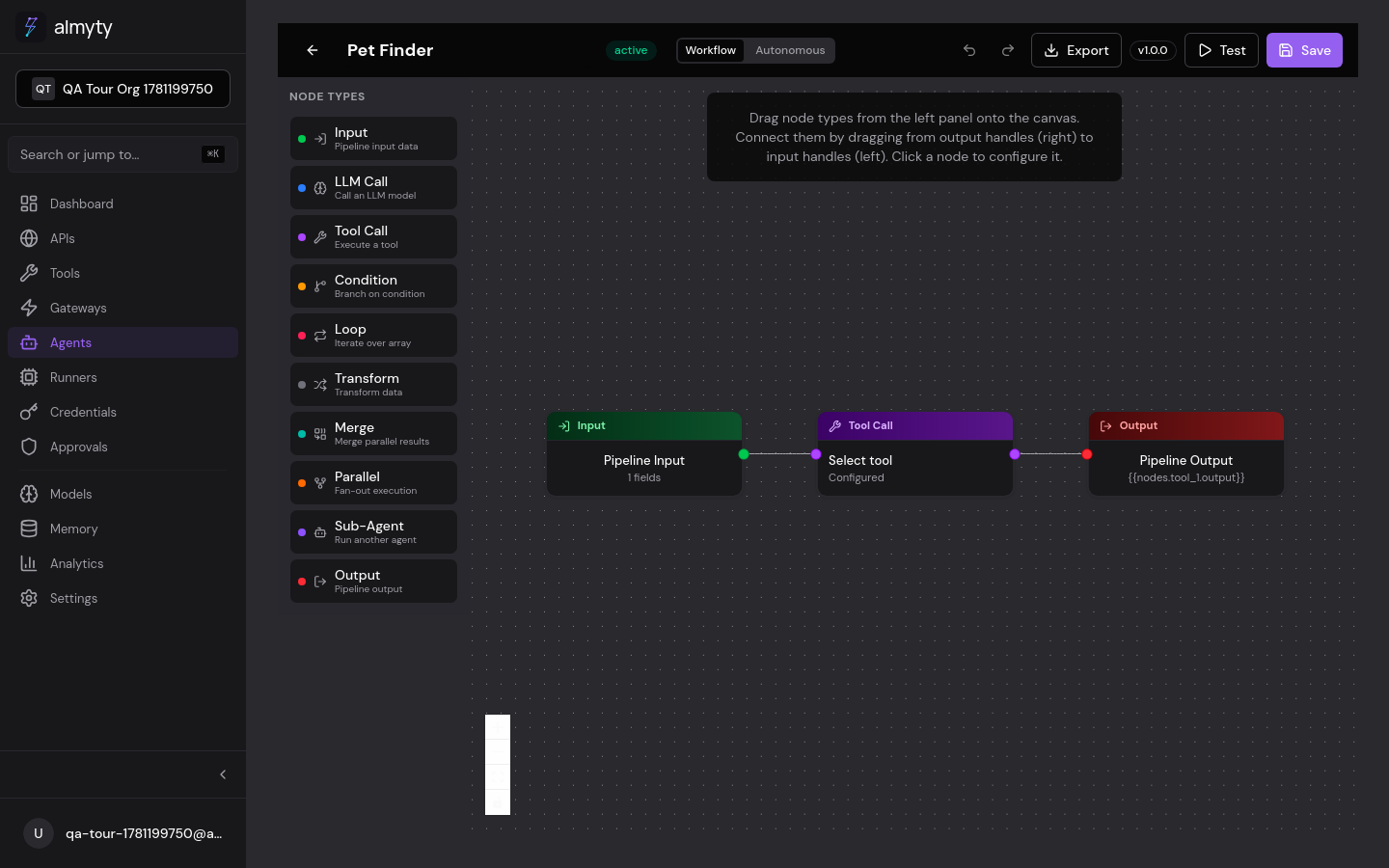
Two modes
| Mode | Best for | How it works |
|---|---|---|
| Workflow | A task that must run the same way every time | A visual graph of typed nodes connected by edges. See the Builder. |
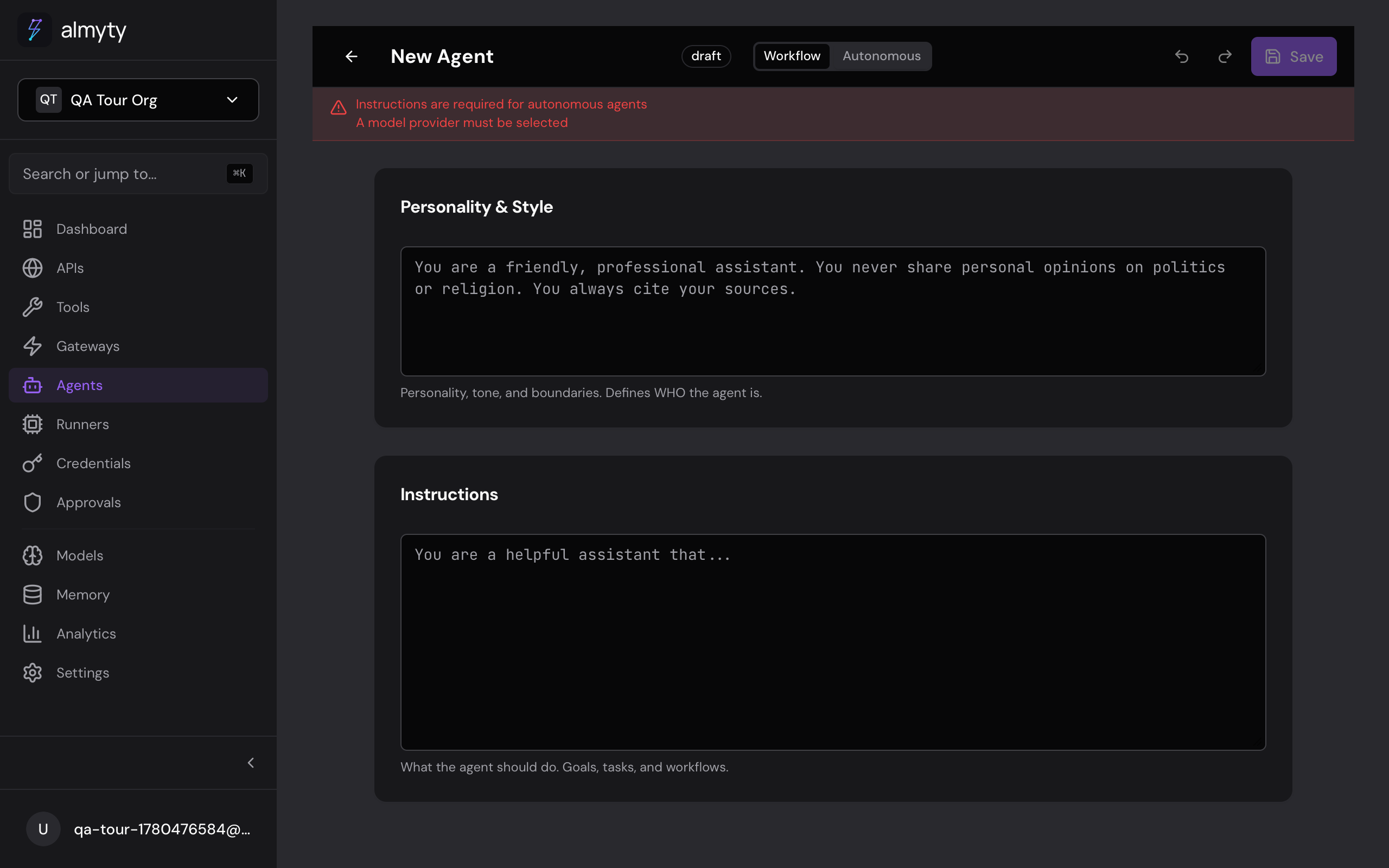
| Autonomous | Open-ended reasoning | Instructions, tools, memory, and a verifier panel; the model drives. See Autonomous agents. |
Both modes share the same building blocks: tools, LLM providers, memory, verification, scheduling, and the OpenAI-compatible endpoint. Pick per agent without giving anything up.
Visual builder
The canvas opens with a default Input to LLM to Output pipeline. Drag nodes from the palette, connect them, and configure each in the side panel. Nodes cover input, LLM calls, tool calls, conditions, transforms, and output. See the node types reference for the full set.
Autonomous
Enter instructions, attach tools, enable memory, add constraints, and configure the verifier panel. The model plans its own steps, calls tools, and revises when a checker fails. Good runs become reusable skills.
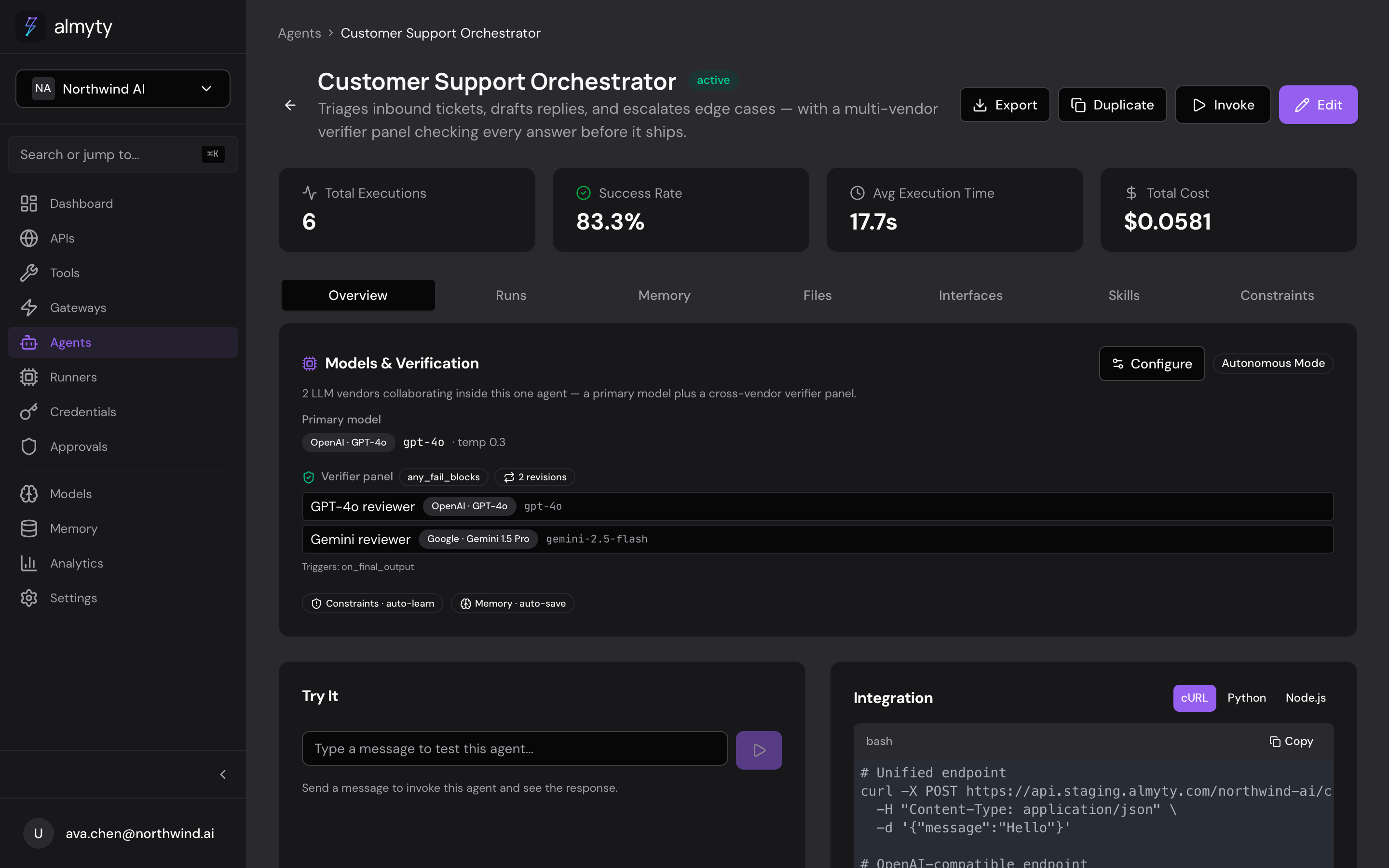
Cross-vendor verification
Before an autonomous agent returns, the verifier panel runs the output past one or more checker models. Point the primary model at one vendor and the checkers at another, so a mistake from one provider does not sail through unquestioned. A failed check sends the agent back to revise. Details in Autonomous agents.
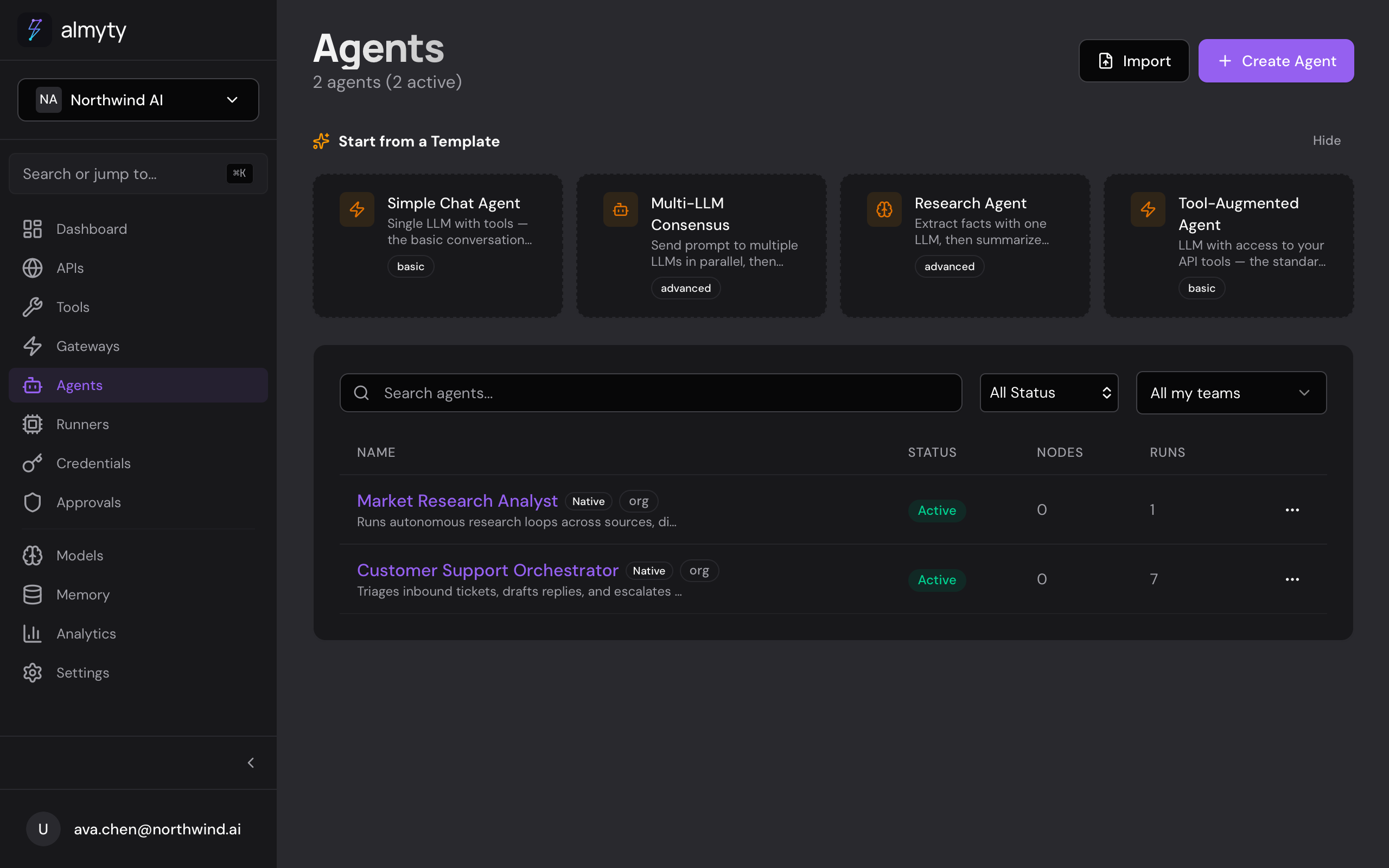
Create and run
In the UI: Agents to Create Agent, then pick Workflow or Autonomous. From the list you can activate, deactivate, duplicate, import from JSON, or delete an agent.
From the terminal, list and run agents with the CLI:
$ npx @almyty/agents list
$ npx @almyty/agents run invoice-pipeline --input '{"file_url": "https://example.com/invoice.pdf"}'
Autonomous runs stream their steps with --watch and take safety limits like
--max-steps and --max-cost-cents. Full command reference in the
Agents CLI.
Every agent, whichever mode, also answers on the OpenAI-compatible API, so an existing OpenAI SDK can call it by changing the base URL.
Lifecycle
| Status | Description |
|---|---|
draft | Being built, not yet invokable |
active | Live and accepting invocations |
inactive | Paused; invocations are rejected |
error | Has a configuration issue |
Related
- Autonomous agents: verification, constraints, skills, memory
- Workflow builder: the visual graph and how to wire it
- Node types: every node the builder offers
- Scheduling and Webhooks: run agents on a timer or an event
- Versioning: snapshot and roll back an agent