Webhooks
A webhook tells another system when an agent has finished a run. You give the agent a web address, and every time a run ends, almyty sends that address the result: whether it worked, what the agent produced, how long it took and what it cost. For example, your ticketing system can pick up each nightly report as soon as it is ready, without checking again and again.
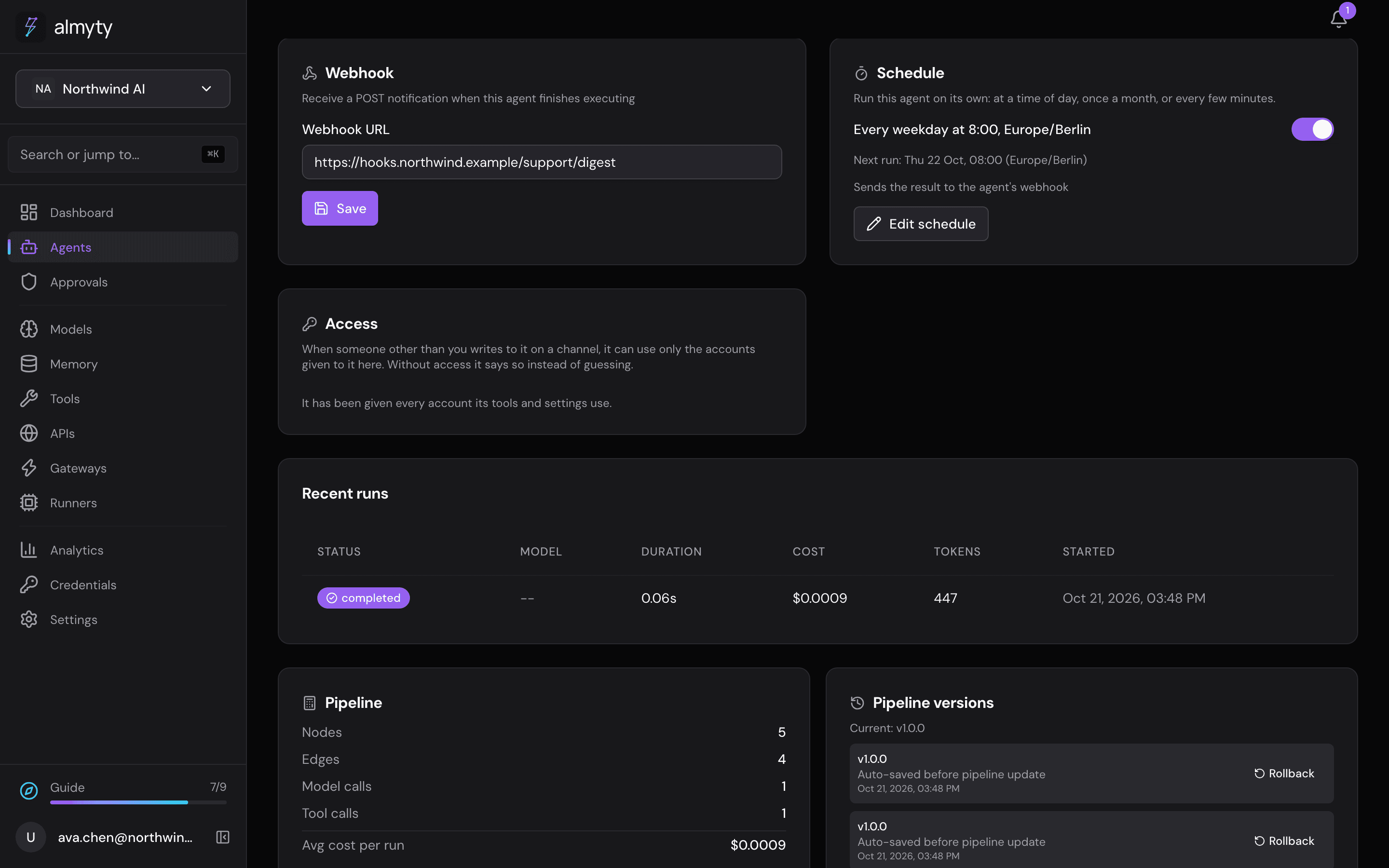
Set it up
- Open the agent and stay on its Overview tab.
- On the Webhook card, paste the address into Webhook URL.
- Click Save.
To stop, clear the field and save again.
A webhook is sent for runs that fail as well as runs that succeed. If the other system does not answer, the run itself is not affected.
Starting an agent from another system
A webhook only reports results; it does not start a run. To start an agent from another system, use the OpenAI-compatible API or the agent’s invoke endpoint (see For developers below), or run it on a schedule.
Related
- Scheduling: run an agent on a recurring interval
- OpenAI-compatible API: call an agent from your own code
For developers
almyty sends an HTTP POST with this JSON body when a run ends. The event name is agent.execution.completed for failed runs too; read execution.status.
{
  "event": "agent.execution.completed",
  "timestamp": "2026-06-30T09:08:00.000Z",
  "agent": { "id": "<agent-id>", "name": "Customer Support Orchestrator" },
  "execution": {
    "id": "<execution-id>",
    "status": "completed",
    "output": { "...": "the agent's result (truncated if very large)" },
    "executionTime": 17700,
    "totalCost": 0.0581,
    "totalTokens": 2364,
    "error": null
  }
}
The request is hardened: the target URL is checked so it cannot point at internal or link-local hosts, redirects are not followed, and the call times out after 5 seconds. A failed or blocked delivery is logged and recorded on the run (metadata.webhookDelivery), and never fails the run.
To start a run, call POST /agents/:id/invoke; see the Agents API.