Pipeline Validation
A broken pipeline never reaches production: almyty validates every workflow agent before it can be activated or invoked. Validation runs automatically when you save in the builder and surfaces errors directly on the canvas, so you fix them in place.
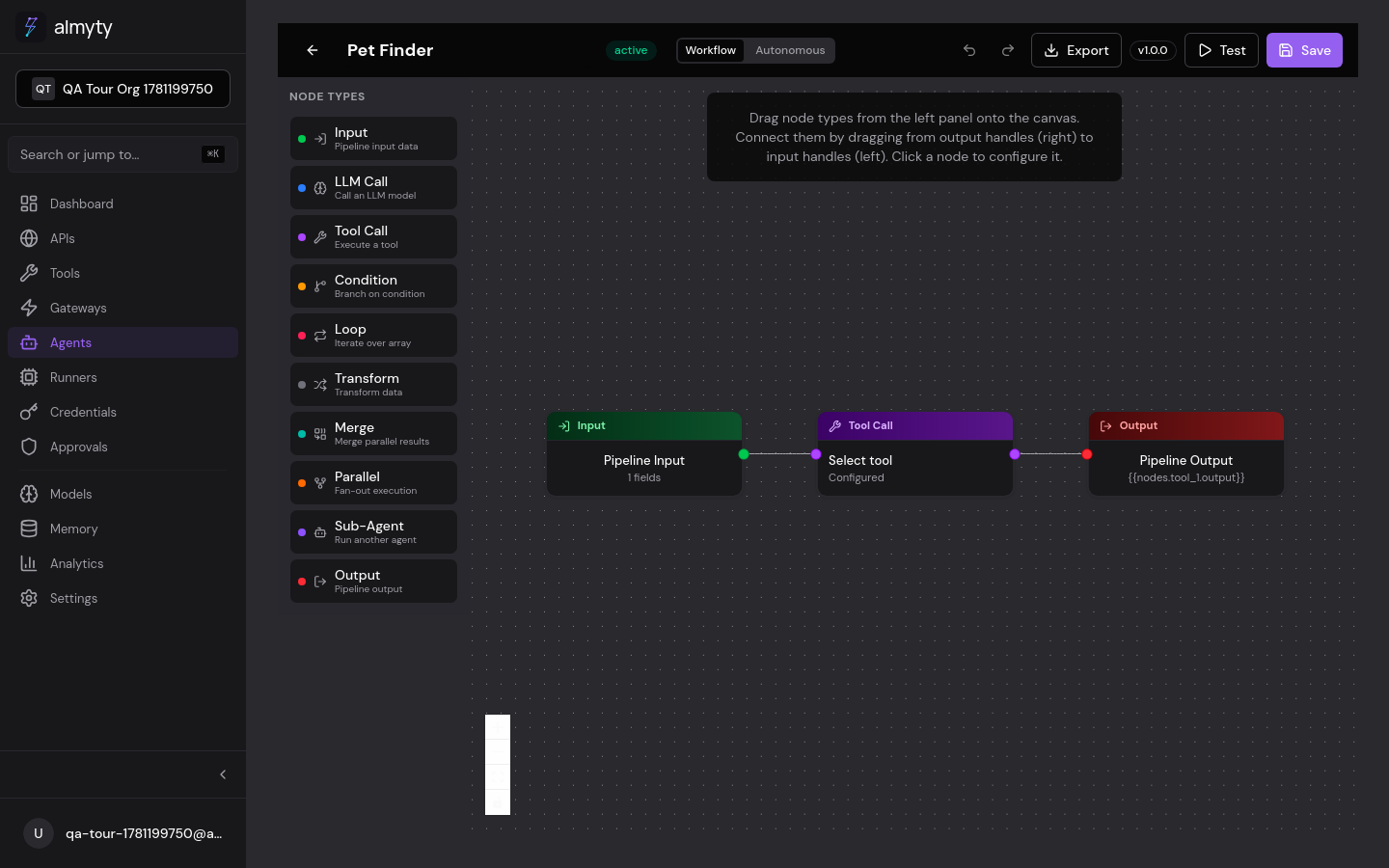
In the UI
When you save a pipeline in the builder:
- Nodes with configuration errors display a red border
- Edges with expression issues show a warning icon
- An error panel at the bottom lists all validation problems with clickable links to the affected nodes
Fix all issues before activating the agent. Draft agents can be saved with validation warnings but cannot be activated or invoked.
- Click Save in the builder top bar
- Review any errors highlighted on the canvas and in the error panel
- Click a node with a red border to open its config panel and fix the issue
- Save again: the error panel clears when all issues are resolved
Validation Rules
Structural Rules
| Rule | Description |
|---|---|
| Single Input | Exactly one Input node must exist |
| Single Output | Exactly one Output node must exist |
| No Cycles | The pipeline must be a directed acyclic graph (DAG) |
| Connected Graph | All nodes must be reachable from the Input node |
| Output Reachable | The Output node must be reachable from at least one path |
Node Configuration Rules
| Node Type | Requirement |
|---|---|
| Input | Must have a valid JSON Schema in data.schema |
| Output | Must have a non-empty data.mapping expression |
| LLM Call | Must have providerId and userPromptTemplate |
| Tool Call | Must have toolId referencing an existing tool |
| Condition | Must have a non-empty expression |
| Transform | Must have non-empty code |
| Loop | Must have iterableExpression |
| Parallel | Must have at least one branch |
| Merge | Must have at least one source |
| Sub-Agent | Must have agentId referencing an existing agent |
Expression Validation
Template expressions ({{...}}) are checked for:
- Valid syntax: properly closed double curly braces
- Valid references: referenced node IDs must exist in the pipeline
- Upstream dependency: referenced nodes must be upstream (executed before) the current node
- No self-reference: a node cannot reference its own output
Validation errors
Validation happens automatically on save, whether you save from the builder or update the agent through the API. When a pipeline fails, the response lists each problem by node and field:
{
  "success": false,
  "message": "Pipeline validation failed",
  "errors": [
    {
      "nodeId": "llm_1",
      "field": "providerId",
      "message": "LLM provider is required"
    },
    {
      "nodeId": null,
      "field": "structure",
      "message": "No Output node found in pipeline"
    }
  ]
}
Common Issues
Disconnected Nodes
A node added to the canvas but not connected with edges is reported as unreachable. Fix by dragging an edge from an upstream node to the disconnected node.
Circular Dependencies
Pipelines must be acyclic. If node A depends on node B and node B depends on node A, validation fails. Use a Loop node instead for iterative processing.
Missing Provider
LLM Call nodes require a valid providerId. If the referenced provider has been
deleted or is inactive, validation flags it. Navigate to Models in the
sidebar to configure a provider first.
Invalid Template Expressions
// Bad: references a non-existent node
{{nodes.nonexistent.output}}

// Bad: references a downstream node (not yet executed)
{{nodes.output_1.output}}

// Good: references an upstream node
{{nodes.llm_1.output}}