Tool Scoping
Decide exactly which tools each gateway exposes. A gateway starts empty and you assign tools into it, so every gateway has a focused, purpose-built surface: a read-only public one, a full-access internal one, one per team. Nothing is exposed until you choose it.
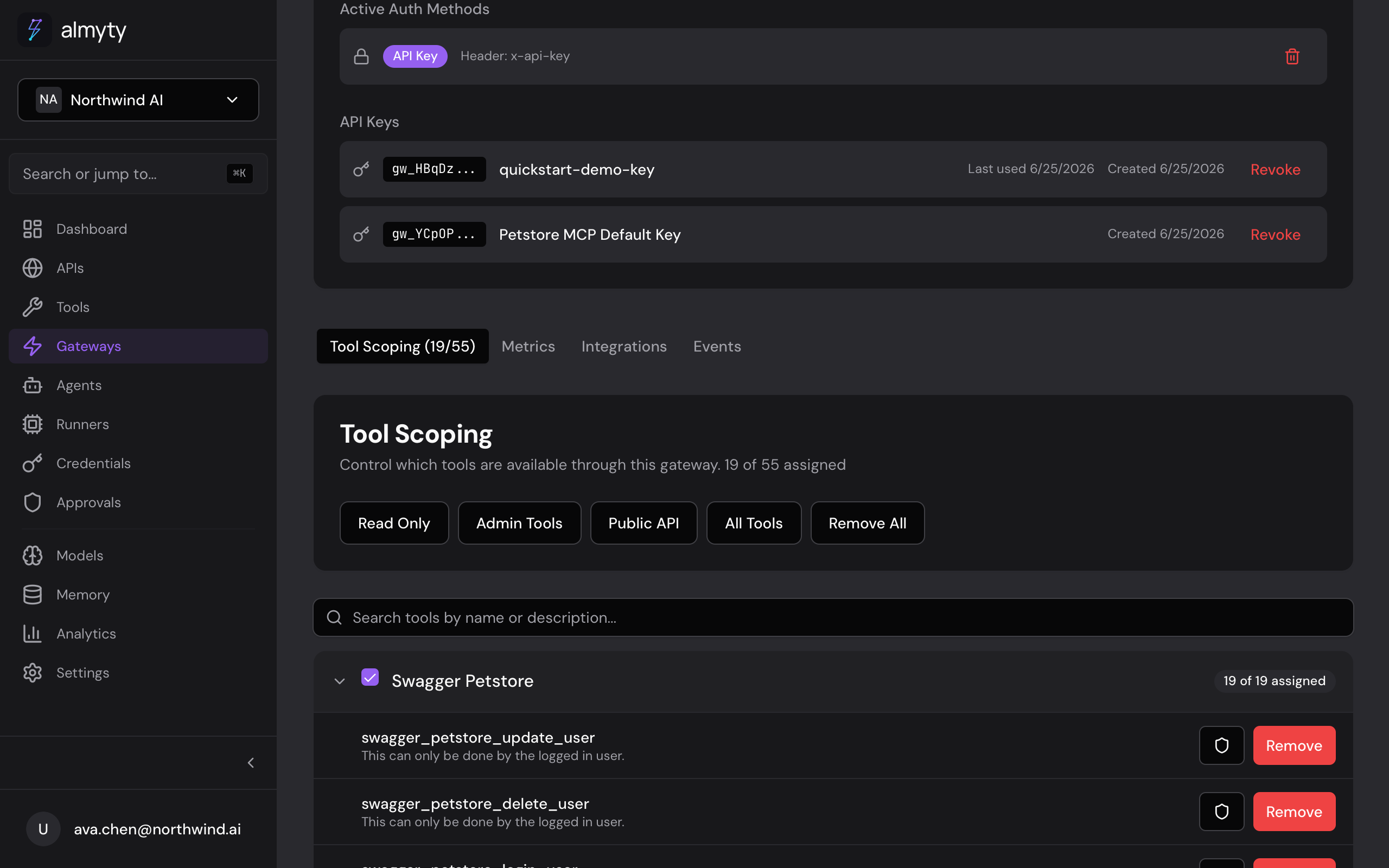
Assign tools in the UI
- Open the gateway detail page and click the Tools tab
- Click Add Tools to see every tool in your organization
- Select one or more tools and click Assign
- Use the presets dropdown for quick selection (see below)
- Toggle individual tools on or off with the Enabled switch
- Click a tool row to set per-gateway rate limits and security policies
Presets
| Preset | Description |
|---|---|
| All | Assign every available tool |
| None | Remove all assignments |
| Read Only | Assign only GET/query operations |
| Admin | Assign all CRUD operations |
| Public | Assign tools suitable for public access |
Per-gateway tool configuration
Each assignment can carry gateway-specific overrides, set from the tool row on the Tools tab. The stored config looks like this:
{
  "enabled": true,
  "rateLimit": 100,
  "securityPolicy": {
    "requireAuth": true,
    "allowedScopes": ["tools:execute"]
  }
}| Field | Type | Description |
|---|---|---|
enabled | boolean | Whether the tool is active on this gateway |
rateLimit | number | Max requests per minute for this tool |
securityPolicy | object | Gateway-specific security overrides |
The same tool can be read-only on a public gateway and rate-limited differently on an internal one. Overrides live on the assignment, not the tool itself.
Usage statistics
Each gateway tracks per-tool usage so you can see what is actually being called. The stats include call counts, success rate, and latency:
{
  "stats": [
    {
      "toolId": "tool-1",
      "toolName": "get_users",
      "totalCalls": 1250,
      "successRate": 98.4,
      "avgDuration": 234,
      "lastCalledAt": "2026-03-23T10:30:00Z"
    }
  ]
}
Common patterns
Read-only public gateway: assign only GET/query tools, enable API key auth, set per-tool rate limits.
Internal admin gateway: assign all tools, require Bearer token auth, no rate limits.
Per-team gateways: create separate gateways per team (marketing gets analytics tools, engineering gets deployment tools), each with its own keys and scopes.
See Gateway Authentication for the auth and scope options referenced above.