JavaScript Tools
A JavaScript tool runs your own JS or TypeScript in a hardened Node.js worker sandbox. Reach for it when you need data transformation, computation, or a service that has no ready-made HTTP or GraphQL wrapper. You can pull in any npm package, and the sandbox keeps adversarial code away from the host.
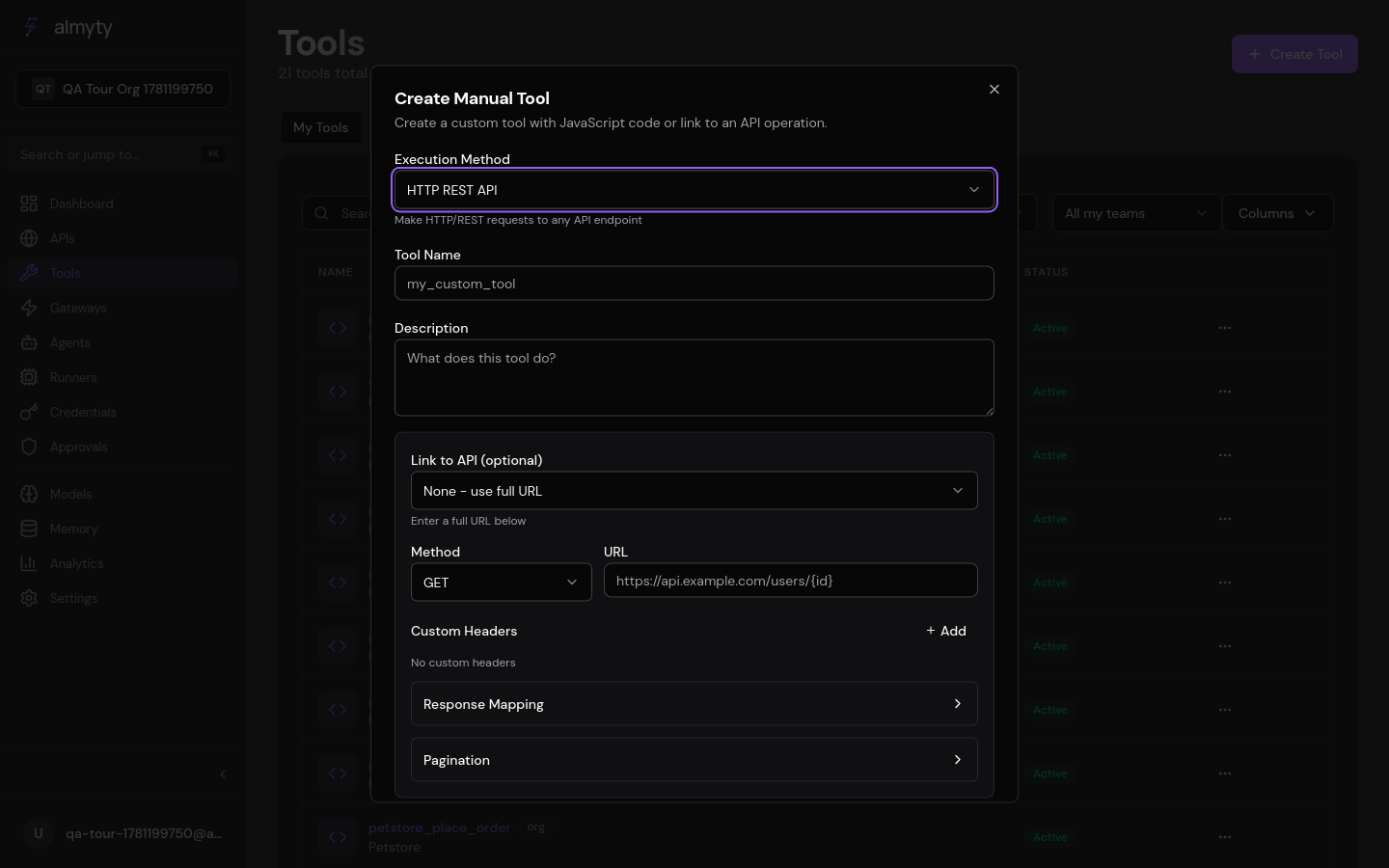
Create one in the UI
- Open Tools, click Create Tool, select Custom JavaScript.
- Give it a name and description.
- Define input parameters in the JSON Schema builder. These arrive as
parametersin your code. - Under Dependencies, list any npm packages you need (name plus version, e.g.
pgat^8.20.0). - Write your code.
parameters,credentials,require, and optionallytoolsare available in the closure. - Click Test with sample inputs to check the output.
- Click Create.
What you can do in the code editor
- Read input values via
parameters.fieldName - Load npm packages via
require('package-name') - Use vault credentials via
credentials.key - Call other tools via
tools.invoke('tool_name', { ... })when nested invocation is enabled - Return any JSON-serializable value (object, array, string, number, or
null)
The tool definition
For code-based tools, the code field is the tool. A discount calculator
declares its inputs and its body inline:
{
  "name": "calculate_discount",
  "description": "Calculate discount price based on tier and quantity",
  "type": "javascript",
  "parameters": {
    "type": "object",
    "properties": {
      "price": { "type": "number", "description": "Original price" },
      "quantity": { "type": "integer", "description": "Number of items" },
      "tier": {
        "type": "string",
        "enum": ["bronze", "silver", "gold"],
        "description": "Customer tier"
      }
    },
    "required": ["price", "quantity", "tier"]
  },
  "code": "const discounts = { bronze: 0.05, silver: 0.10, gold: 0.20 };\nconst discount = discounts[parameters.tier] || 0;\nconst subtotal = parameters.price * parameters.quantity;\nconst discountAmount = subtotal * discount;\nreturn { subtotal, discount: discountAmount, total: subtotal - discountAmount };"
}
Sandbox architecture
Every execution runs in a dedicated Node.js Worker thread with the stable
permission model (--permission) and a network guard installed before any user
code loads. The threat model assumes adversarial code: a compromised tool cannot
reach the host filesystem, spawn subprocesses, read environment variables, or
make network calls to internal addresses.
Injected closure arguments
| Argument | Type | Description |
|---|---|---|
parameters | object | Input parameters passed to the tool |
credentials | object | Decrypted credential values from the tool’s authConfig or linked API credential |
require | function | Allowlisted CommonJS loader (see below) |
tools | object / undefined | Nested-invocation shim (only present when the executor wires up a callback) |
npm package support
Add dependencies to the tool’s dependencies field (name to version). almyty
installs them into a per-tool cache on first execution and reuses the cache on
later runs. Load them with the standard require() pattern:
// Tool declares: { "dependencies": { "pg": "^8.20.0" } }
const { Client } = require('pg')
const client = new Client({
  host: credentials.host,
  user: credentials.user,
  password: credentials.password,
  database: credentials.database,
})
await client.connect()
const { rows } = await client.query(
  'SELECT * FROM orders WHERE user_id = $1',
  [parameters.userId]
)
await client.end()
return rows
Transitive requires from installed packages use the worker’s native require
(so a package that internally uses http or net still works), but every
outbound connection flows through the network guard.
Built-in module allowlist
require() of Node built-ins follows an explicit allowlist:
crypto, buffer, util, url, querystring, string_decoder,
punycode, events, stream, stream/web, stream/promises, timers,
timers/promises, zlib, assert, path, async_hooks
Anything not listed is refused at require() time with a clear error. fs,
http, https, net, tls, dgram, dns, child_process,
worker_threads, vm, inspector, os, module, and every other built-in
that could touch host state are off-limits. If your code needs HTTP, use an
installed dependency like axios, got, undici, or the global fetch().
All of them go through the network guard.
Filesystem isolation
The worker starts with --permission --allow-fs-read=<tool-deps-dir> --allow-fs-read=<worker-script-dir> and nothing else.
| Operation | Allowed |
|---|---|
| Read the tool’s installed dependencies | Yes |
| Read the worker bootstrap script | Yes |
Read /etc/passwd, /proc, /root, etc. | No (ERR_ACCESS_DENIED) |
Write to /tmp, /var, /app, anywhere | No (ERR_ACCESS_DENIED) |
| Spawn a child process | No (ERR_ACCESS_DENIED) |
| Launch a nested Worker thread | No (ERR_ACCESS_DENIED) |
Load a native .node addon | No (ERR_ACCESS_DENIED) |
Network egress filtering (SSRF guard)
Outbound connections are intercepted by a network guard that patches
dns.lookup, net.Socket.prototype.connect, and
dgram.Socket.prototype.send before user code runs. Every connection attempt,
whether from your code, an installed npm package, or a transitive dependency, is
classified against the ban list:
| Category | Blocked |
|---|---|
| IPv4 RFC 1918 private ranges (10/8, 172.16/12, 192.168/16) | Yes |
| CGNAT 100.64/10 | Yes |
| Loopback 127/8 | Yes |
| Link-local 169.254/16 (includes AWS/GCP/Azure IMDS) | Yes |
| IPv6 loopback, unspecified, link-local, ULA | Yes |
Metadata hostnames (metadata.google.internal, etc.) | Yes |
| Unix domain sockets | Yes |
| Public unicast IPv4 + IPv6 (Stripe, OpenAI, RDS, MongoDB Atlas, etc.) | Allowed |
Refused connections surface as an Error with code: ERR_SANDBOX_NET_REFUSED.
Environment isolation
process.env is scrubbed to an empty object before your code runs. Anything
your code legitimately needs should come through the credentials closure
argument, populated from the tool’s encrypted credential store.
Nested tool invocation
When the tools argument is present, you can invoke other tools by ID without
opening an HTTP connection to the backend:
const priceResult = await tools.invoke('lookup_price', {
  sku: parameters.sku,
})
const discountResult = await tools.invoke('calculate_discount', {
  price: priceResult.price,
  tier: parameters.tier,
  quantity: parameters.quantity,
})
return discountResult
Each nested call runs in a fresh worker with the same tenant context and the same SSRF and filesystem guards.
Resource limits
| Limit | Default | Configurable |
|---|---|---|
| CPU timeout | 10 s | Yes (tool.configuration.timeout) |
| Memory heap | 128 MB | Yes (tool.configuration.memoryLimitMb) |
| Worker script size | 5 MB | No |
| Concurrent workers | 4 | No (queue backlog capped at 100) |
Exceeding CPU timeout or heap limit terminates the worker and returns a
success: false result, with an OOM flag for the memory case.
Error handling
Throw errors to signal failures:
if (!parameters.email.includes('@')) {
  throw new Error('Invalid email address')
}
Unhandled exceptions are caught and returned as error responses with the error message. Sandbox-level refusals (permission-denied, SSRF-refused, require-not-allowed) propagate the same way.
Cancellation
Tool execution honors the caller’s AbortSignal. If the outer request is
cancelled (HTTP client disconnect, parent agent run cancelled, queue timeout),
the worker is terminated mid-execution and the result is success: false with
error: 'Sandbox execution cancelled'.