APIs
This page is for developers who want to connect APIs to almyty from their own code instead of the app. An API here is one of your company’s systems (an order system, a CRM, a help desk) described in a standard format, which almyty turns into tools an assistant can use. For example, a deployment script can re-import your order system’s description every time it changes. In the app, the same work is APIs → Connect an API; see Get started.
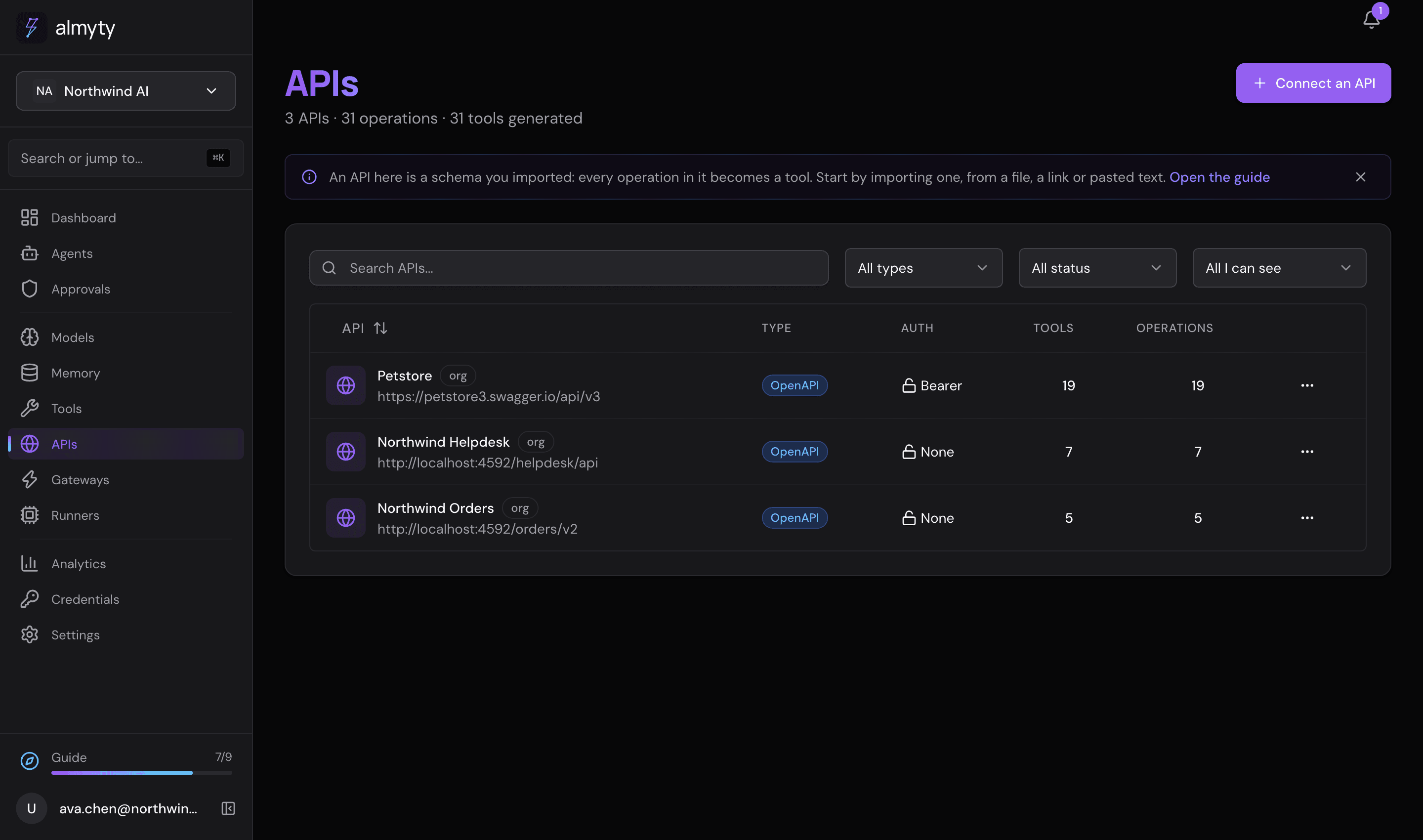
REST API reference for connecting APIs, importing their descriptions, and setting the key almyty sends to them.
Endpoints
| Method | Endpoint | Description |
|---|---|---|
GET | /apis | List all APIs |
POST | /apis/import | Connect an API from its description (one step) |
GET | /apis/:id/import-status/:jobId | Poll an import |
GET | /apis/:id/import-status/:jobId/stream | Follow an import as server-sent events |
GET | /apis/:id/key | How the API’s key is sent and where it comes from |
PUT | /apis/:id/key | Set, replace or connect the API’s key |
DELETE | /apis/:id/key | Stop sending a key |
POST | /apis | Create an API record without a description |
POST | /apis/http | Create an HTTP API record |
POST | /apis/sdk | Create an SDK API from npm packages |
GET | /apis/:id | Get API by ID |
PUT | /apis/:id | Update an API |
DELETE | /apis/:id | Delete an API |
POST | /apis/:id/import-schema | Update an API’s description |
POST | /apis/:id/generate-tools | Generate tools from schema |
GET | /apis/:id/operations | List parsed operations |
GET | /apis/:id/schemas | List imported schemas |
POST | /apis/:id/credentials | Add a credential to an API |
Connect an API
POST /apis/import (admin, owner) takes an API description and does the rest:
it works out the format, creates the API, and queues the import in the
background. Give exactly one of url, content, or a file.
curl -X POST https://api.almyty.com/apis/import \
  -H "Authorization: Bearer $TOKEN" \
  -H "Content-Type: application/json" \
  -d '{ "url": "https://petstore3.swagger.io/api/v3/openapi.json" }'
To upload a file, send multipart form data with the file in the schema field
and any other fields alongside it:
curl -X POST https://api.almyty.com/apis/import \
  -H "Authorization: Bearer $TOKEN" \
  -F "schema=@service.wsdl"
Parameters
| Parameter | Type | Description |
|---|---|---|
type | string | The kind picked on Connect an API: openapi, graphql, soap or grpc. A description of another kind is refused with 400 API_TYPE_MISMATCH, saying what it is. Leave it out to accept any of them |
url | string | Link to the description, or a GraphQL endpoint’s own URL (almyty asks it to describe itself) |
content | string | The description itself, pasted |
name | string | Name to use instead of the one in the description. Refused with 409 if taken |
baseUrl | string | Address to use instead of the one in the description |
authType | string | none, api_key, bearer, basic or oauth2, to override the detected sign-in |
generateTools | boolean | Make a tool for every operation (default true) |
visibility | string | Who can use it |
teamId | string | Team the API belongs to, when the visibility is a team |
Supported formats: OpenAPI 3 (JSON or YAML), Swagger 2, Google discovery
documents, GraphQL (SDL or an endpoint URL), WSDL (SOAP), and .proto (gRPC).
almyty reads from the description:
- Name, version and description from its info block. If the name is already
used in the organization, almyty adds
2,3and so on. - Address from OpenAPI
servers(server variables take their defaults; a relative server is resolved against the link), Swagger 2host/basePath/schemes, the WSDLsoap:address, or the GraphQL endpoint URL. A.protohas no address. - Sign-in from OpenAPI
securitySchemesor Swagger 2securityDefinitions: API key in a header or query parameter (with its name), bearer token, basic, or OAuth 2.0 authorization code or client credentials. When the description names no sign-in on its operations, a key in the query string is picked last (HubSpot lists its retiredhapikeyfirst).
A Google discovery document (https://www.googleapis.com/discovery/v1/apis/calendar/v3/rest,
https://gmail.googleapis.com/$discovery/rest?version=v1) is read as an
OpenAPI description: one operation per method, Google’s transport parameters
left out, and Google’s sign-in with the scopes each method needs. See
Connect Google.
Response
{
  "success": true,
  "data": {
    "api": { "id": "api-uuid", "name": "Petstore", "type": "openapi" },
    "jobId": "123",
    "detected": {
      "type": "openapi",
      "format": "openapi3",
      "name": "Petstore",
      "version": "1.0.0",
      "description": "Sample pet store",
      "baseUrl": "https://petstore3.swagger.io/api/v3",
      "auth": { "type": "api_key", "headerName": "X-Pets-Key", "location": "header" }
    },
    "needs": { "key": true, "address": false }
  }
}
detected.format is one of openapi3, swagger2, graphql-sdl,
graphql-introspection, wsdl or proto. For OAuth 2.0, detected.auth.oauth2
holds { flow, authorizationUrl?, tokenUrl, scopes }. needs says what is
still missing: a key, an address, or both.
Errors
| Status | When |
|---|---|
400 | This link doesn't return an API description. |
400 | We couldn't read this as OpenAPI, GraphQL, WSDL or proto. |
400 | almyty can't open links to private or local addresses. |
400 | The organization’s API limit is reached |
409 | A name you gave is already in use |
Follow the import
Poll GET /apis/:id/import-status/:jobId with the jobId from the response.
data.status is processing (with a progress from 0 to 100), completed
(with the result) or failed. GET /apis/:id/import-status/:jobId/stream
sends the same updates as server-sent events.
The API’s key
Each API has one key, which tools calling the API send. The key is stored as a credential; these endpoints never return the secret.
Read it
GET /apis/:id/key (member, admin, owner):
{
  "success": true,
  "data": {
    "type": "api_key",
    "headerName": "X-Pets-Key",
    "location": "header",
    "oauth2": null,
    "source": "key",
    "credential": { "id": "cred-uuid", "name": "Petstore key", "type": "api_key", "lastUsedAt": null, "updatedAt": "2026-09-25T10:00:00Z" },
    "connection": null
  }
}
source is key (a pasted key), oauth (a sign-in), connection (a
connected account) or null (nothing set).
Set it
PUT /apis/:id/key (admin, owner):
curl -X PUT https://api.almyty.com/apis/{id}/key \
  -H "Authorization: Bearer $TOKEN" \
  -H "Content-Type: application/json" \
-d '{ "key": "sk_live_..." }'| Parameter | Type | Description |
|---|---|---|
type | string | Sign-in type |
key | string | The key. Stored as the API’s credential; any other credential bound to the API is retired |
username | string | Username, for basic |
headerName | string | Header or query parameter the key is sent in |
location | string | header or query |
connectionId | string | Send this connection’s key instead of a pasted one |
With neither key nor connectionId, the call only changes how the key is sent.
Remove it
DELETE /apis/:id/key (admin, owner) stops sending a key. How it would be sent
is kept, so pasting a new key later needs nothing else.
OAuth 2.0
For an OAuth 2.0 API, start the sign-in with POST /credentials/oauth2/authorize
and pass returnTo with an app path such as /apis/<id>; the callback sends
the browser back there. See Credentials.
Update the description
POST /apis/:id/import-schema (admin, owner) replaces an API’s description and
queues a new import. It accepts the same inputs as connecting: a link (including
a GraphQL endpoint URL), pasted content, or a file in the schema field.
curl -X POST https://api.almyty.com/apis/{id}/import-schema \
  -H "Authorization: Bearer $TOKEN" \
  -H "Content-Type: application/json" \
  -d '{
    "schemaUrl": "https://api.example.com/v1/openapi.json",
    "generateTools": true
}'| Parameter | Type | Description |
|---|---|---|
schemaUrl | string | Link to the description |
schemaContent | string | The description itself (alternative to the link) |
generateTools | boolean | Make a tool for every operation (default true) |
A description of a different kind is refused, for example This is a SOAP description, but Petstore is an OpenAPI API. The response carries a jobId to
poll as above.
Generate tools
Create tools from parsed operations:
curl -X POST https://api.almyty.com/apis/{id}/generate-tools \
  -H "Authorization: Bearer $TOKEN"
Each operation becomes one tool with automatically inferred parameters, JSON Schema validation, and naming derived from the operation ID.
Create an API record directly
API clients can also create an API without a description, then import one with
POST /apis/:id/import-schema:
curl -X POST https://api.almyty.com/apis \
  -H "Authorization: Bearer $TOKEN" \
  -H "Content-Type: application/json" \
  -d '{
    "name": "My REST API",
    "type": "openapi",
    "baseUrl": "https://api.example.com/v1",
    "description": "Example API for user management"
}'| Parameter | Type | Required | Description |
|---|---|---|---|
name | string | Yes | Human-readable name |
type | string | Yes | openapi, graphql, soap, protobuf |
baseUrl | string | Yes | Root URL of the API |
description | string | No | Description of what the API does |
POST /apis/http and POST /apis/sdk create HTTP and SDK API records the same way.
API credentials
The /apis/:id/credentials endpoints manage credentials on an API directly. For
the one key tools send, prefer /apis/:id/key above.
curl -X POST https://api.almyty.com/apis/{id}/credentials \
  -H "Authorization: Bearer $TOKEN" \
  -H "Content-Type: application/json" \
  -d '{
    "type": "bearer_token",
    "credentials": {
      "token": "your-api-token"
    }
  }'
Credential types: api_key, bearer_token, basic_auth, oauth2.