AI Models
Bring your own model keys and every agent, LLM Call node, and LLM-type tool can use them. almyty supports 15 providers out of the box (including local models via Ollama) and any OpenAI-compatible endpoint, so you are never locked to one vendor.
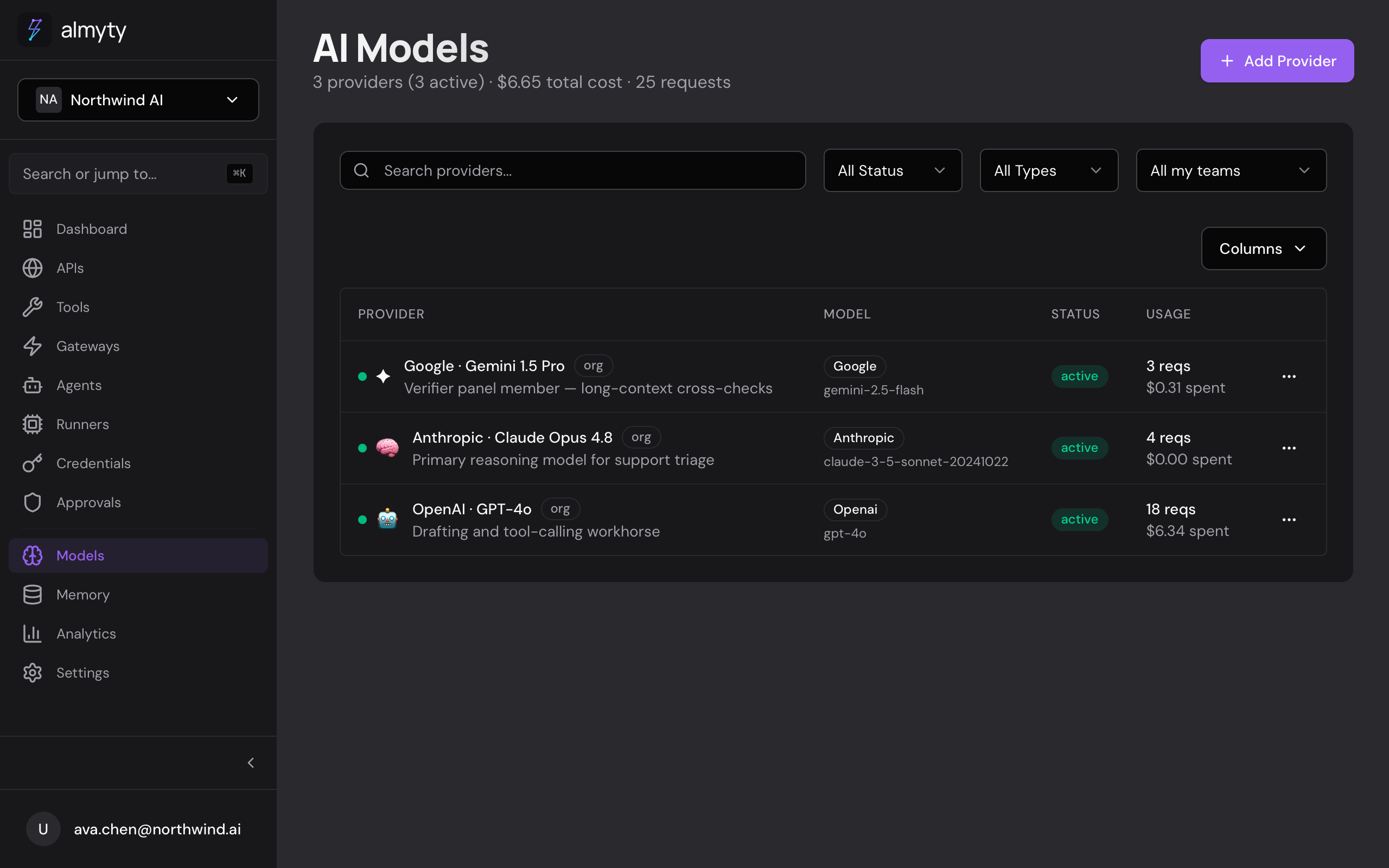
Add a provider in the UI
- Open Models in the sidebar and click Add Provider.
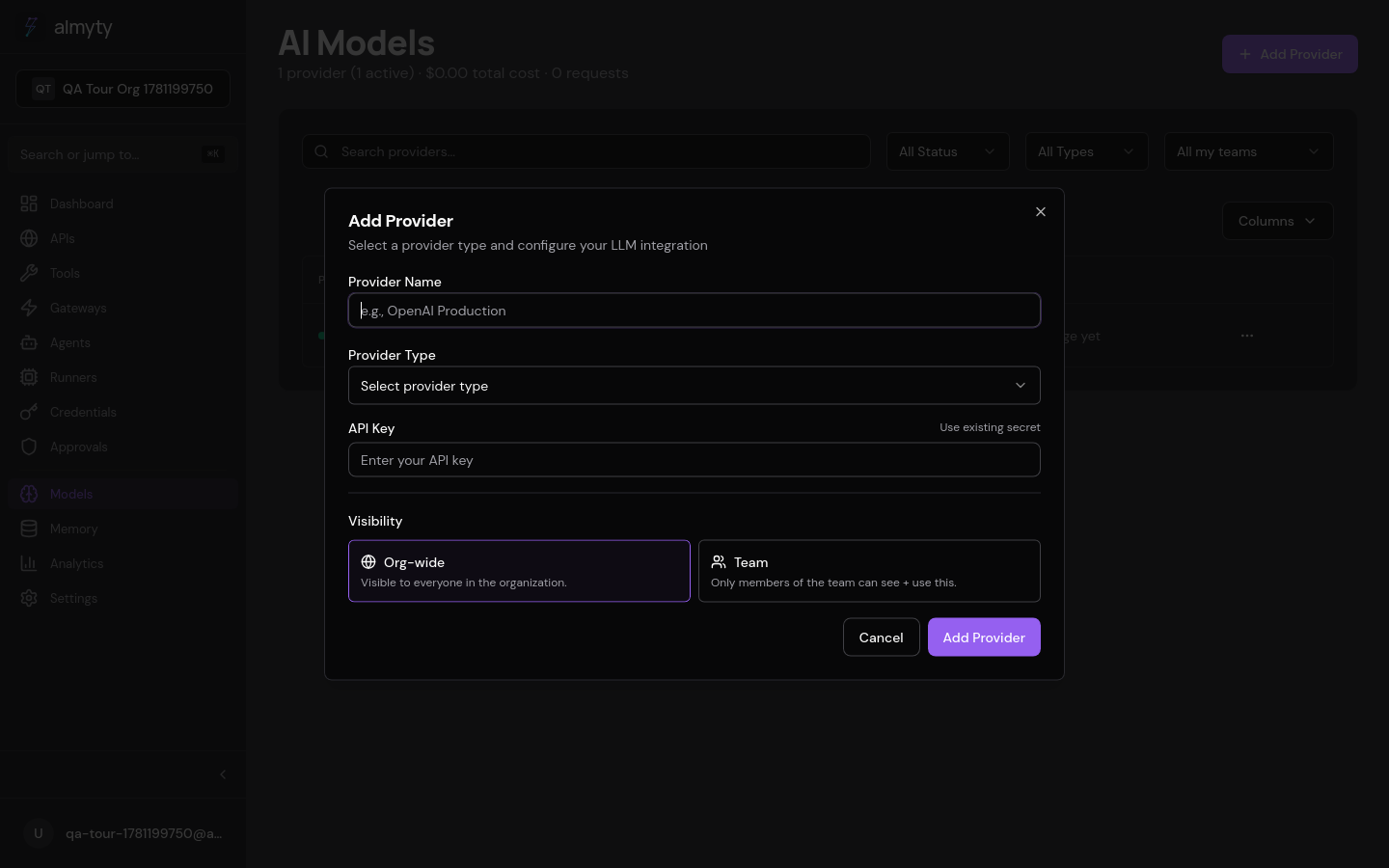
- Select the provider type.
- Enter a display name and your API key.
- Choose a default model from the dropdown.
- Optionally adjust temperature, max tokens, and top-p.
- Click Test Connection. almyty sends a lightweight request to verify the key and model.
- Click Save.
The provider now appears in the Models list, ready for agent pipeline LLM Call nodes and LLM-type tools.
Pick from the live model list. The dropdown is populated from the provider’s current models, not a hardcoded list. Providers deprecate models quickly, so prefer the live list over pasting a model string by hand: a name that worked last quarter may already 404.
From your AI assistant
The native MCP control plane exposes add_provider and list_providers, so you can wire up a provider from Claude Code or Cursor without opening the dashboard. See Control almyty via MCP.
Supported providers
| Provider | Type | Notes |
|---|---|---|
| OpenAI | openai | GPT-4o, GPT-4.1, o3, o4-mini, etc. |
| Anthropic | anthropic | Claude Opus, Sonnet, Haiku |
| Google Gemini | google | Gemini 2.5 Pro, Flash, and more |
| Mistral | mistral | baseUrl defaults to https://api.mistral.ai/v1. Chat models include Codestral (codestral-latest); also serves memory embeddings via mistral-embed |
| xAI | xai | Grok models |
| DeepSeek | deepseek | DeepSeek Chat and Reasoner |
| Groq | groq | Fast inference for open models |
| Together | together | Open-source models at scale |
| OpenRouter | openrouter | Unified access to 200+ models |
| Azure OpenAI | azure_openai | Configure resource name and deployment name |
| AWS Bedrock | aws_bedrock | Foundation models through AWS |
| Cohere | cohere | Command models |
| Hugging Face | huggingface | Open-source model inference |
| Ollama | ollama | Local models (llama, qwen, mistral, and more). Keyless; baseUrl defaults to http://localhost:11434 |
| Custom | custom | Any OpenAI-compatible HTTP endpoint (Perplexity, a Vertex proxy, vLLM, …) |
Each native type ships with the right default baseUrl; override it to point at a compatible proxy. For custom, set baseUrl to the provider’s OpenAI-compatible endpoint. The apiKey field accepts whatever token the provider expects.
Local models with Ollama
The ollama type talks to an Ollama server. Chat, streaming, and tool calling ride Ollama’s OpenAI-compatible /v1 endpoint; the model dropdown is populated from the native GET /api/tags (your locally pulled models); memory embeddings use the native POST /api/embed. No API key is required. If you front Ollama with an authenticating reverse proxy, configure a key and it is sent as a Bearer token.
Because Ollama usually listens on localhost or a private network, almyty’s SSRF protection blocks such URLs by default. Self-hosted deployments opt in with OLLAMA_ALLOW_PRIVATE_URLS=true on the backend (see Self-hosting). On hosted almyty the Ollama server must be reachable at a public URL.
Ollama cloud
The same provider type also works with Ollama’s hosted service : set the base URL to https://ollama.com and paste an API key from ollama.com/settings/keys . You get the hosted model catalog (large open models like gpt-oss:120b or qwen3.5:397b without local hardware), the key is sent as a Bearer token, and no SSRF opt-in is needed (it is a public endpoint like any other provider). Hosted-model usage is billed by Ollama; almyty’s cost accounting treats the type as zero-cost, so track spend in your Ollama account.
Configuration reference
| Parameter | Type | Default | Description |
|---|---|---|---|
name | string | (required) | Display name |
provider | string | (required) | Provider type, e.g. openai or anthropic |
apiKey | string | (required) | Provider API key (encrypted at rest) |
model | string | (required) | Default model identifier |
baseUrl | string | https://api.openai.com/v1 | Override for compatible APIs |
temperature | number | 0.7 | Sampling temperature (0-2) |
maxTokens | number | 4096 | Maximum response tokens |
topP | number | 1.0 | Nucleus sampling |
Cost tracking
almyty tracks token usage and estimated cost for every LLM call. View aggregate costs per provider in the Analytics dashboard or on the provider detail page.
Estimates use built-in list-price tables per provider type (OpenAI, Anthropic, Gemini, Mistral including Codestral and mistral-embed, xAI, DeepSeek, Groq, Together, Cohere, and OpenRouter passthrough), refreshed against published prices as of January 2026. Ollama usage is always recorded at $0: local inference has no per-token price. Configure per-model pricing on a provider to override the defaults. See Cost governance for reconciliation against provider actuals.
Memory embeddings
The Memory module embeds content with the organization’s own providers. When several are configured, OpenAI (text-embedding-3-small) is preferred over Mistral (mistral-embed), then Ollama (nomic-embed-text by default via the native /api/embed endpoint, overridable with configuration.embeddingModel); with none, a deterministic local fallback keeps memory searchable. Each stored memory records the model that embedded it (dimensions vary per model), and vector search only compares like with like.
Usage in agents
When building an agent pipeline, LLM Call nodes reference a provider by ID. The provider’s default model and parameters are used unless overridden in the node configuration. See Agents for details.
API
Provider CRUD, connection tests, and chat sessions are available over REST. See the AI Models API reference.