MCP Gateway
Expose your tools to any MCP-compatible client. An MCP gateway serves your tools over JSON-RPC 2.0 so Claude Code, Cursor, Windsurf, and VS Code Copilot can list and call them directly. almyty supports HTTP, SSE, and WebSocket transports.
Create the gateway
- Open Gateways in the sidebar and click Create Gateway
- Select MCP as the protocol
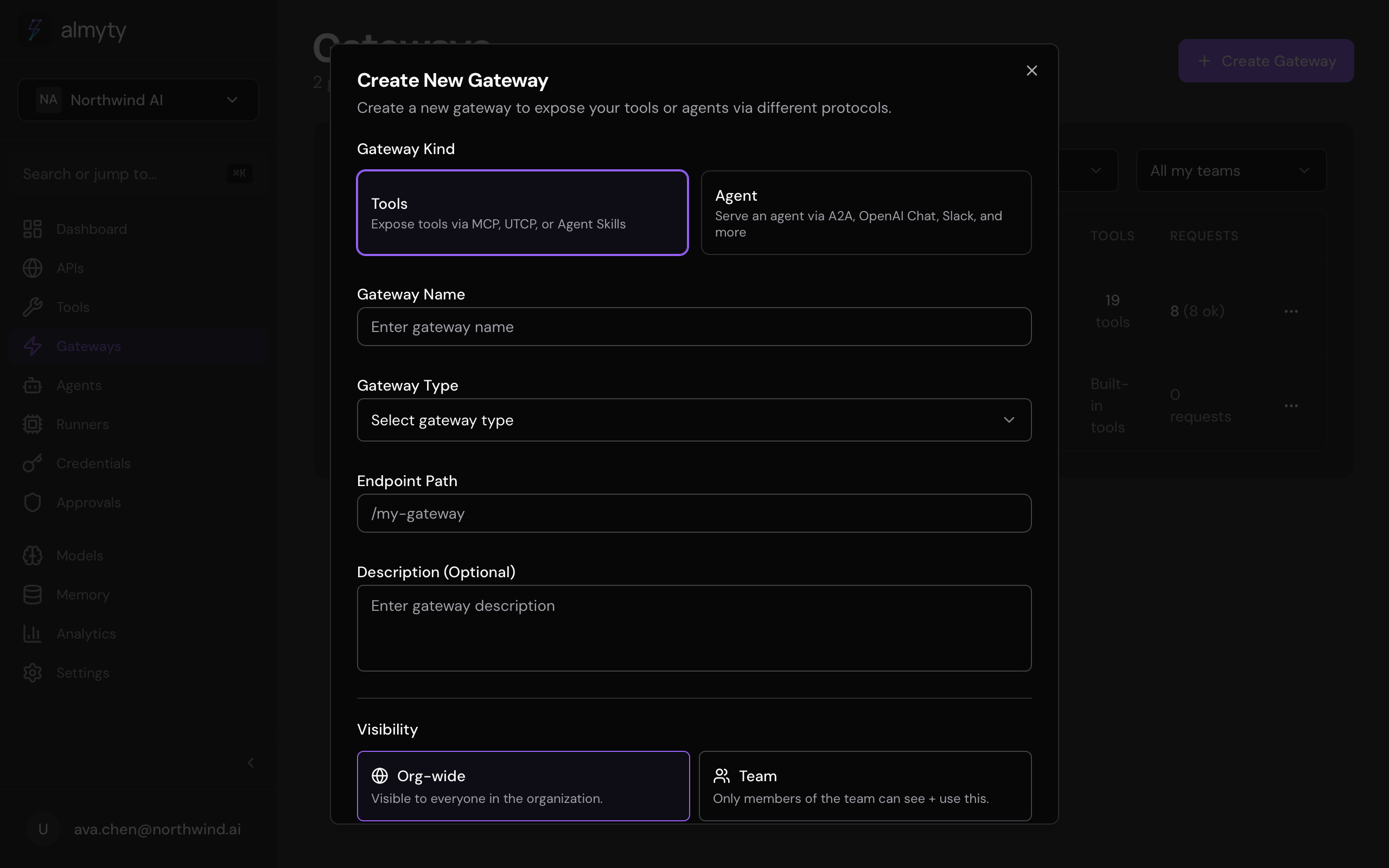
- Enter a name, a slug (used in the endpoint URL), and an optional description
- Under Transport, choose HTTP (default), SSE, or WebSocket
- Click Create
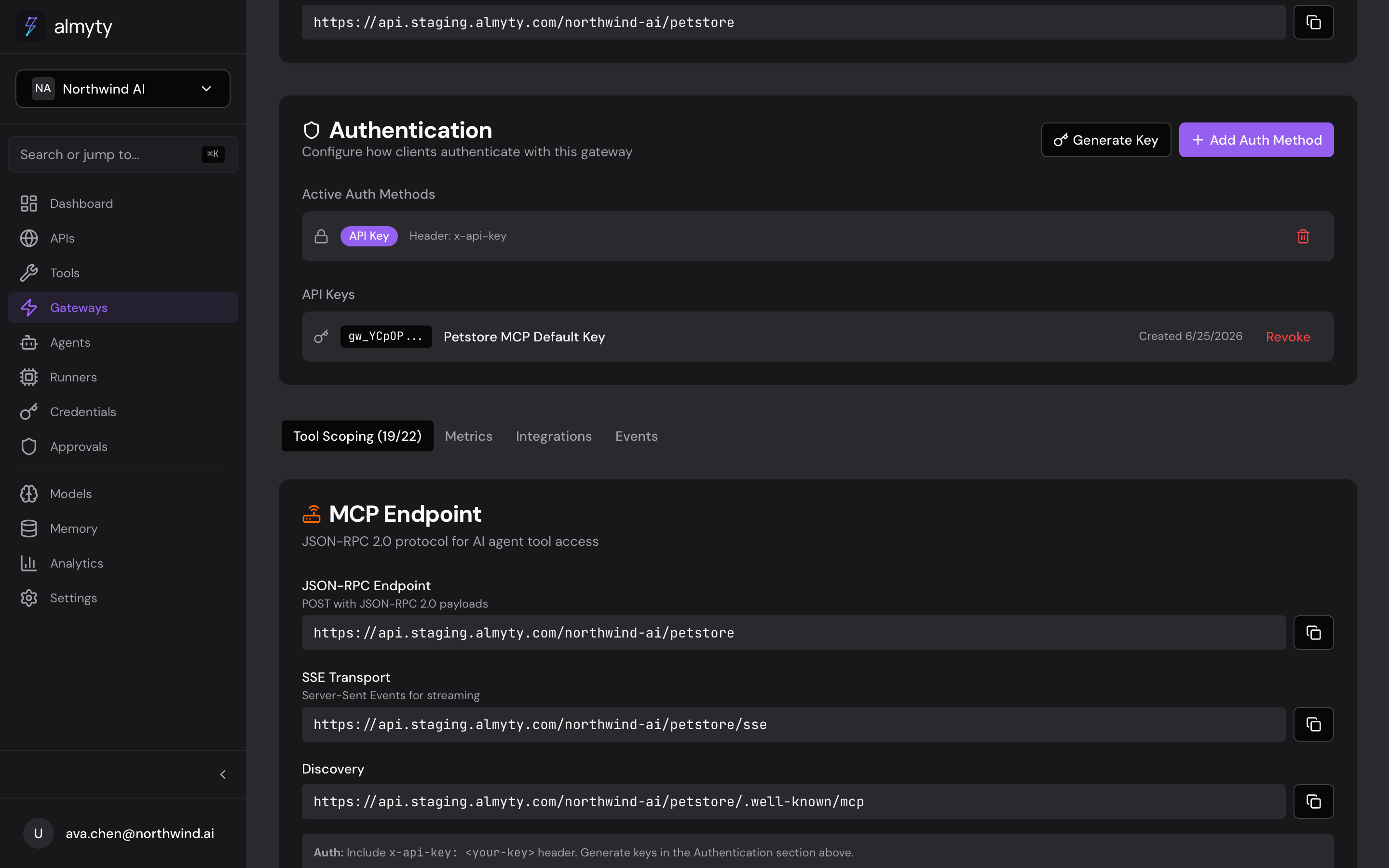
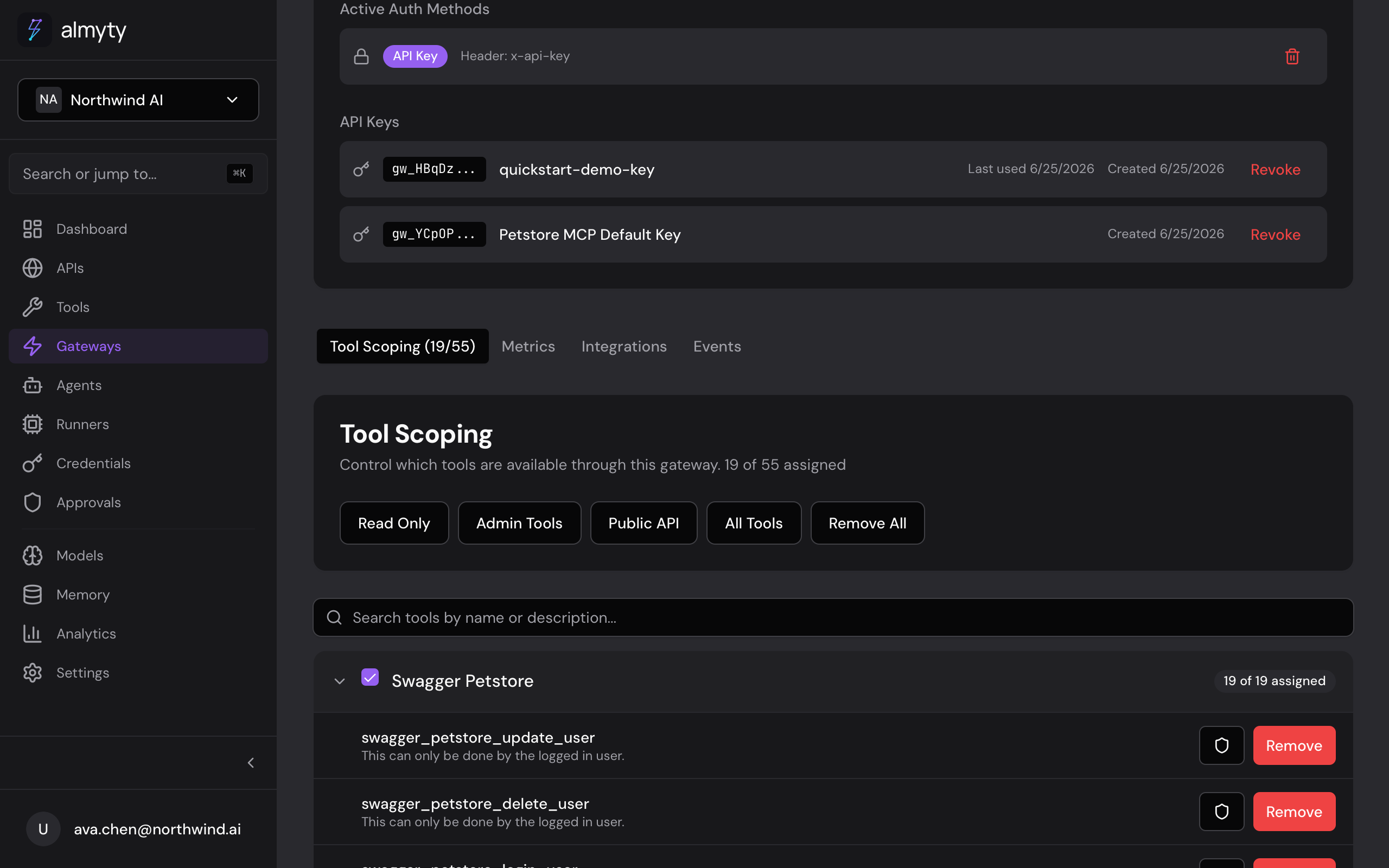
On the gateway detail page, open the Tools tab to assign the tools this gateway should expose, then use the Authentication tab to add an auth method before going live.
Your MCP endpoint follows this pattern:
https://api.almyty.com/{org}/{gateway-slug}Connect a client
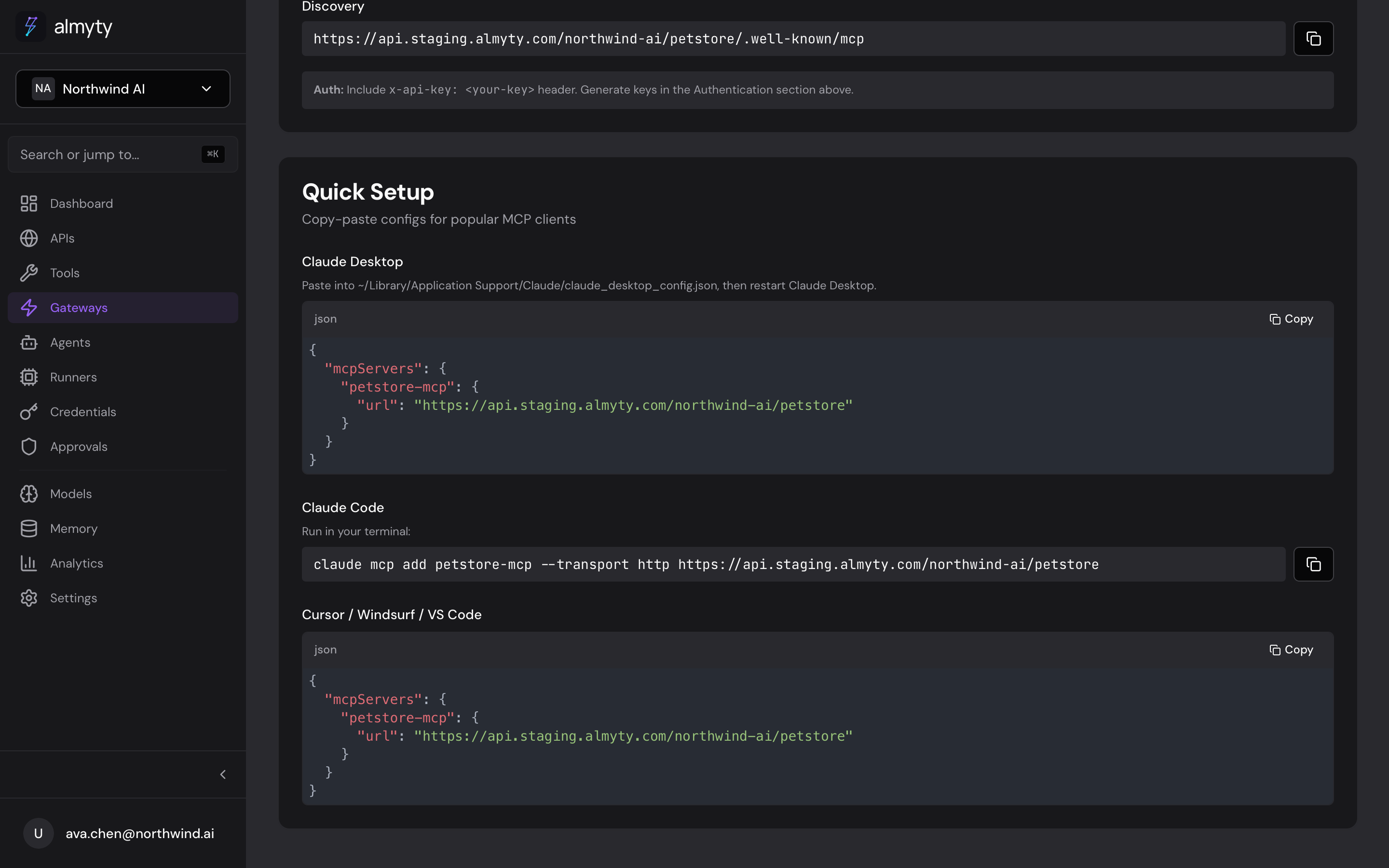
Claude Code
claude mcp add petstore --transport http https://api.almyty.com/acme/petstorePass your gateway key as an x-api-key header (generate it in the gateway’s Authentication panel).
Claude Desktop
Add to claude_desktop_config.json:
{
  "mcpServers": {
    "petstore": {
      "url": "https://api.almyty.com/acme/petstore",
      "headers": {
        "x-api-key": "your-gateway-key"
      }
    }
  }
}
Cursor / Windsurf
Add to .cursor/mcp.json:
{
  "mcpServers": {
    "petstore": {
      "url": "https://api.almyty.com/acme/petstore",
      "headers": {
        "x-api-key": "your-gateway-key"
      }
    }
  }
}
Once connected, the client calls tools/list and tools/call for you. You do not build those requests by hand.
Transport options
| Transport | URL pattern | Use case |
|---|---|---|
| HTTP | POST /{org}/{slug} | Standard request-response |
| SSE | GET /{org}/{slug}/sse | Streaming, long-running tools |
| WebSocket | WS /{org}/{slug}/ws | Bidirectional, real-time |
MCP tool schema
Tools exposed through the gateway follow the MCP tool format:
{
  "name": "get_users",
  "description": "Retrieve a list of users with pagination",
  "inputSchema": {
    "type": "object",
    "properties": {
      "page": { "type": "integer", "description": "Page number" },
      "limit": { "type": "integer", "description": "Items per page" }
    },
    "required": []
  }
}
OAuth 2.1
MCP gateways with OAuth enabled expose discovery endpoints automatically:
https://api.almyty.com/acme/petstore/.well-known/oauth-authorization-server
https://api.almyty.com/acme/petstore/.well-known/oauth-protected-resource
On 401 responses, the gateway returns a WWW-Authenticate header linking to the protected resource metadata so MCP clients can start the OAuth flow automatically. See Gateway Authentication for the full OAuth 2.1 walkthrough.
Error codes
MCP errors follow JSON-RPC 2.0:
| Code | Meaning |
|---|---|
-32700 | Parse error |
-32600 | Invalid request |
-32601 | Method not found |
-32602 | Invalid params |
-32603 | Internal error |