Credentials
Store your upstream secrets once, reference them everywhere. The credential vault holds encrypted secrets that your APIs and tools use for authenticated requests. almyty encrypts every value at rest and never exposes a raw secret after creation, so a leaked log or database dump does not leak your keys.

Add a credential
- Open Settings in the sidebar, then the Credentials tab.
- Click Add Credential.
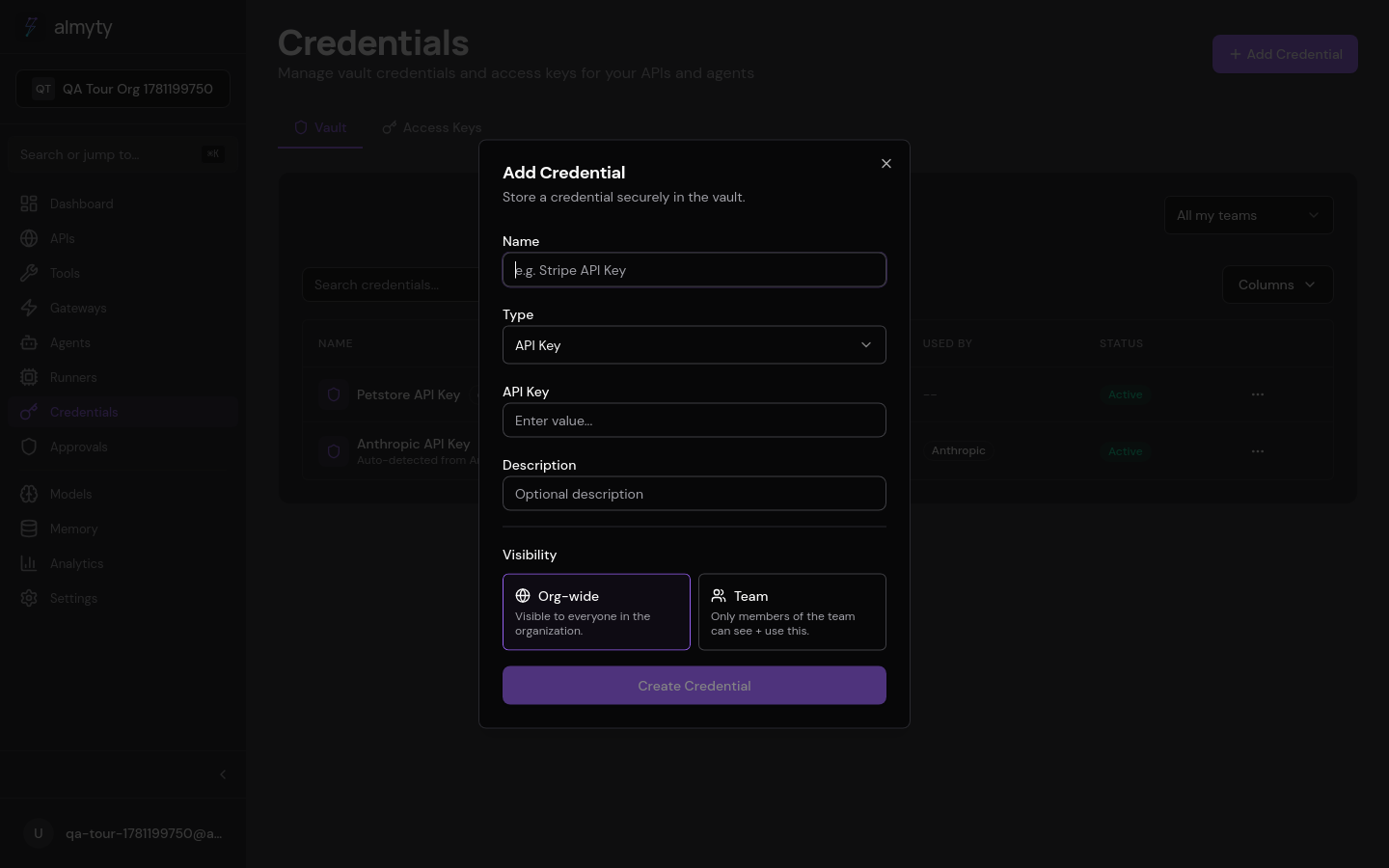
- Select a credential type (API Key, Bearer Token, Basic Auth, OAuth2, JWT, or Custom).
- Enter a name and the required fields for that type.
- Click Save. The raw value is encrypted immediately and cannot be retrieved later.
- To use a credential, select it from the credential dropdown when configuring an API or tool.
Access keys
The Access Keys tab manages keys for CLI and programmatic access to the almyty API itself (separate from gateway API keys).
- Open the Access Keys tab.
- Click Create Access Key.
- Copy the key immediately. It is shown only once.
Supported types
| Type | Fields | Use case |
|---|---|---|
api_key | value | Third-party API keys (Stripe, Twilio, etc.) |
bearer_token | value | Static bearer tokens |
basic_auth | username, password | HTTP Basic Authentication |
oauth2 | clientId, clientSecret, tokenUrl, scopes | OAuth2 client credentials flow |
jwt | secret or privateKey, algorithm | Signed JWT generation |
custom | headers (key-value map) | Arbitrary headers or custom auth schemes |
Configuration reference
| Field | Type | Description |
|---|---|---|
name | string | Display name for the credential |
type | string | One of the supported types above |
value | string | The secret value (encrypted at rest) |
description | string | Optional description |
expiresAt | string | Optional expiry date (ISO 8601) |
Security
- All values are encrypted with AES-256 using the server’s
ENCRYPTION_KEY. - Raw values are never returned by the API after creation.
- Credentials are scoped to the organization that created them.
- Deleting a credential does not affect historical request logs.
API
Credential CRUD is available over REST; values are never returned in list or detail responses. See the API reference.