Analytics
See what every protocol, tool, agent, and LLM provider is doing in real time. Seven tabs cover different aspects of your organization’s activity, and the numbers are live: gateway traffic, tool executions, and agent runs feed the tiles and charts as they happen, with a 30-second refresh on the Overview tab.
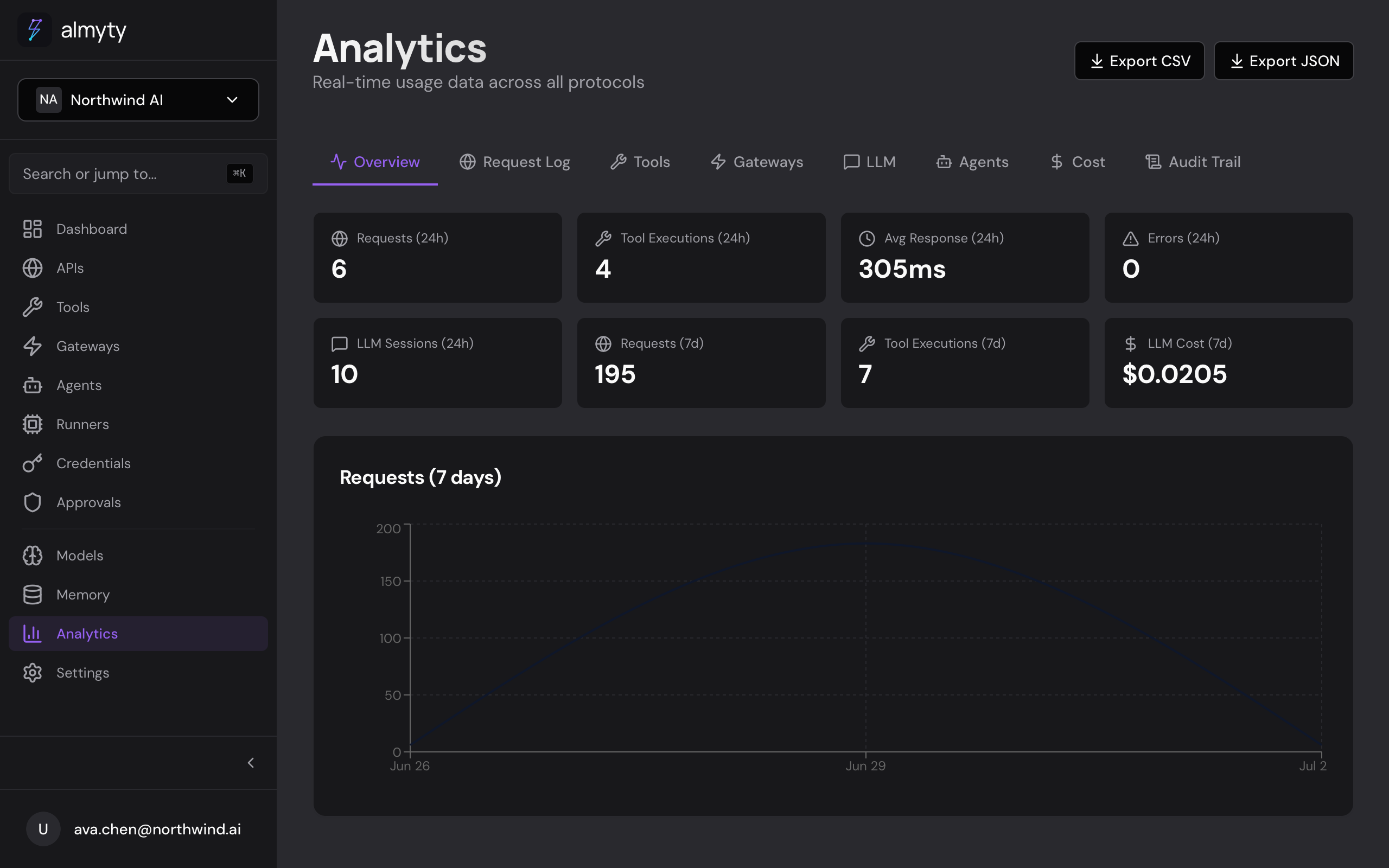
In the UI
- Open Analytics in the sidebar.
- The Overview tab loads by default, showing aggregate metrics.
- Use the date range picker in the top-right corner to filter data.
- Click any of the seven tabs to drill into a specific area.
- Click Export on any tab to download the data as CSV.
Tabs
Overview
Top-level metrics: total requests, success rate, average latency, active tools, active gateways, and LLM token usage. Includes a time-series chart of request volume over the selected period.
Request Log
Paginated list of every gateway request with timestamp, tool name, protocol, status code, latency, and caller IP. Click a row to see full request and response payloads.
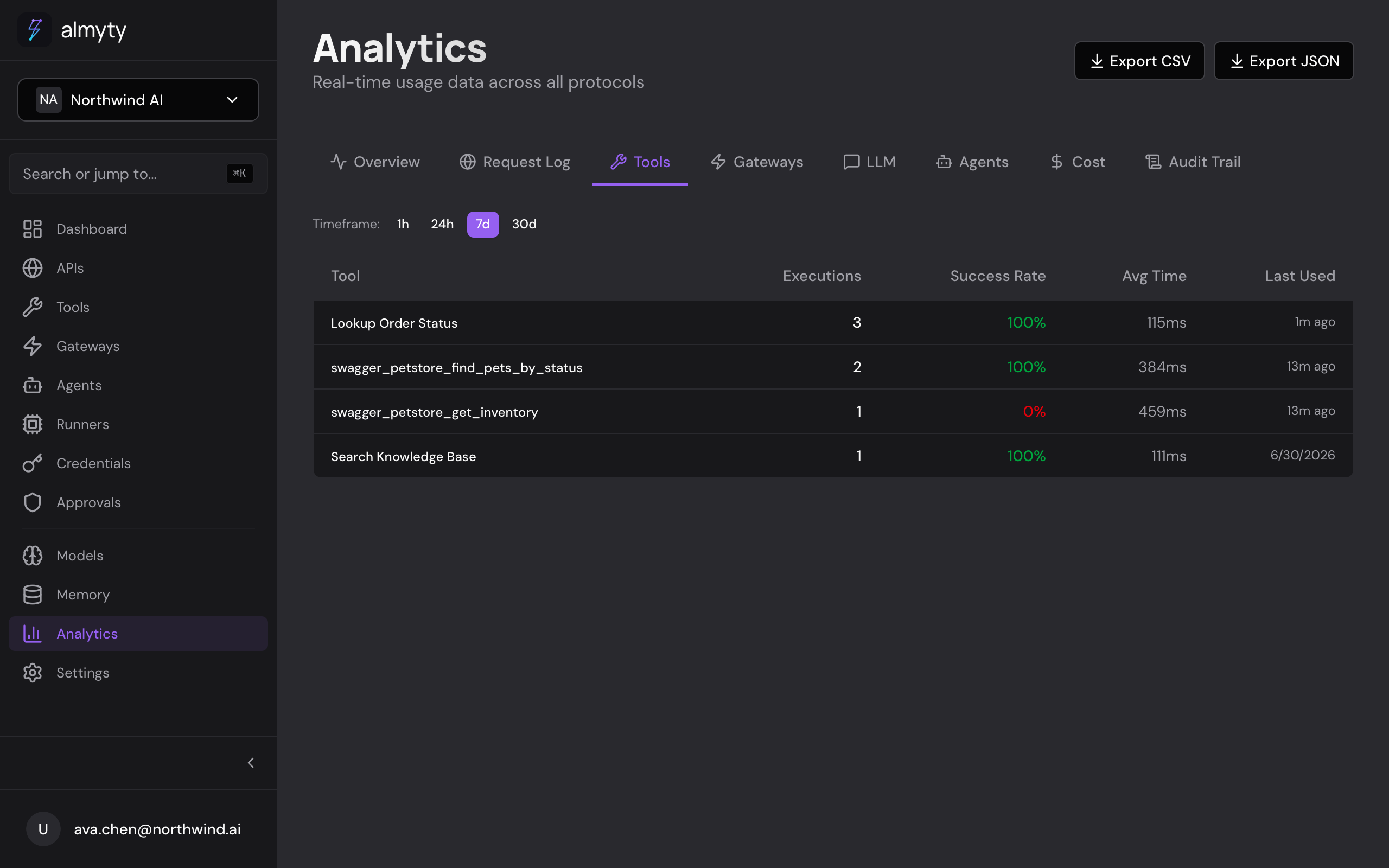
Tools
Per-tool breakdown: execution count, success rate, average duration, and last-used time. Sorted by most-used by default. Counts every execution path: direct test runs, MCP tools/call, UTCP execute, and agent tool_call nodes all roll up here.
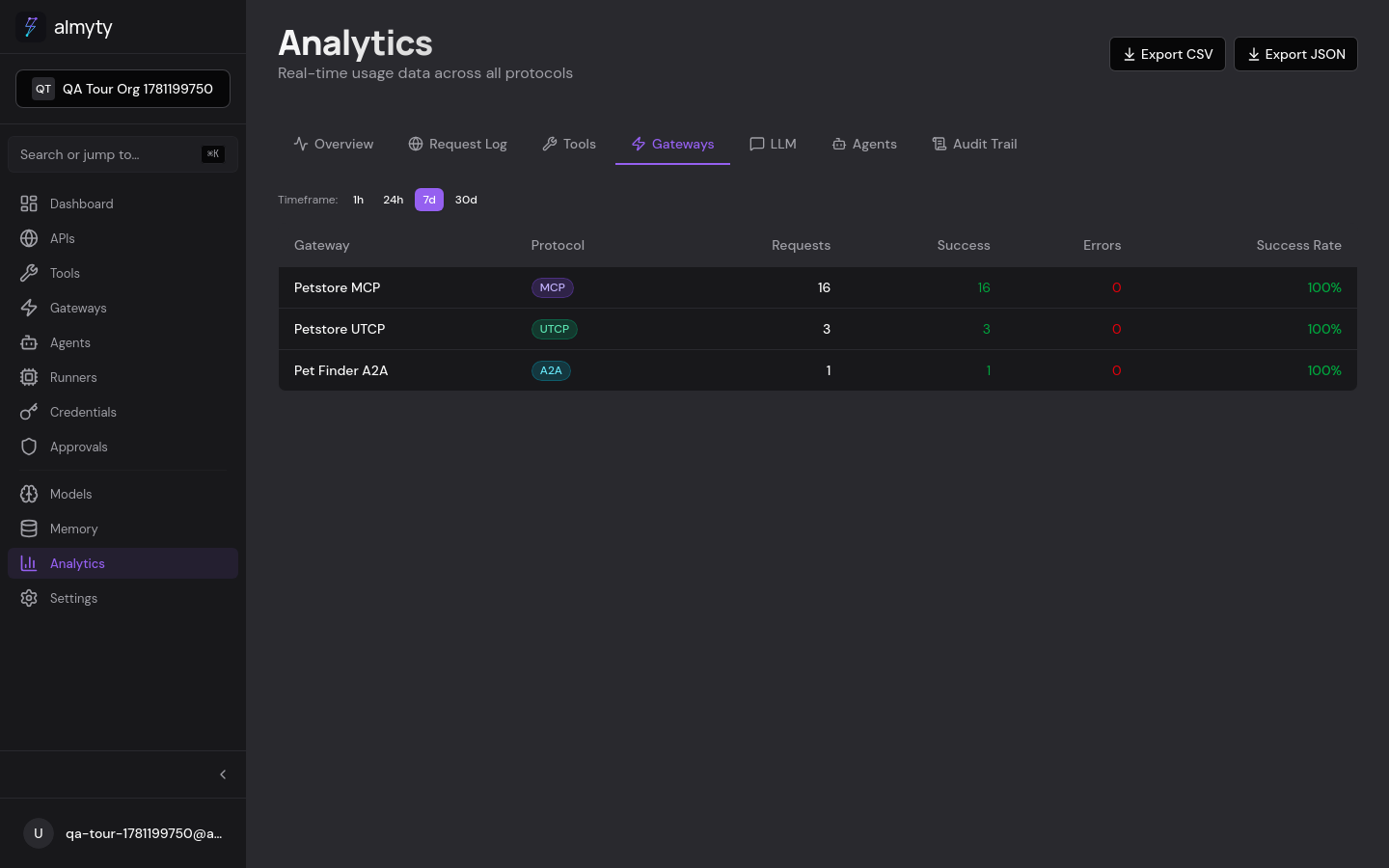
Gateways
Per-gateway breakdown: total requests, success and error counts, and success rate, attributed by protocol (MCP, UTCP, A2A, Skills). Useful for spotting misconfigured or underused gateways.
LLM
Per-provider usage: total calls, token counts (input and output), estimated cost, and average latency. Helps track spending across providers.
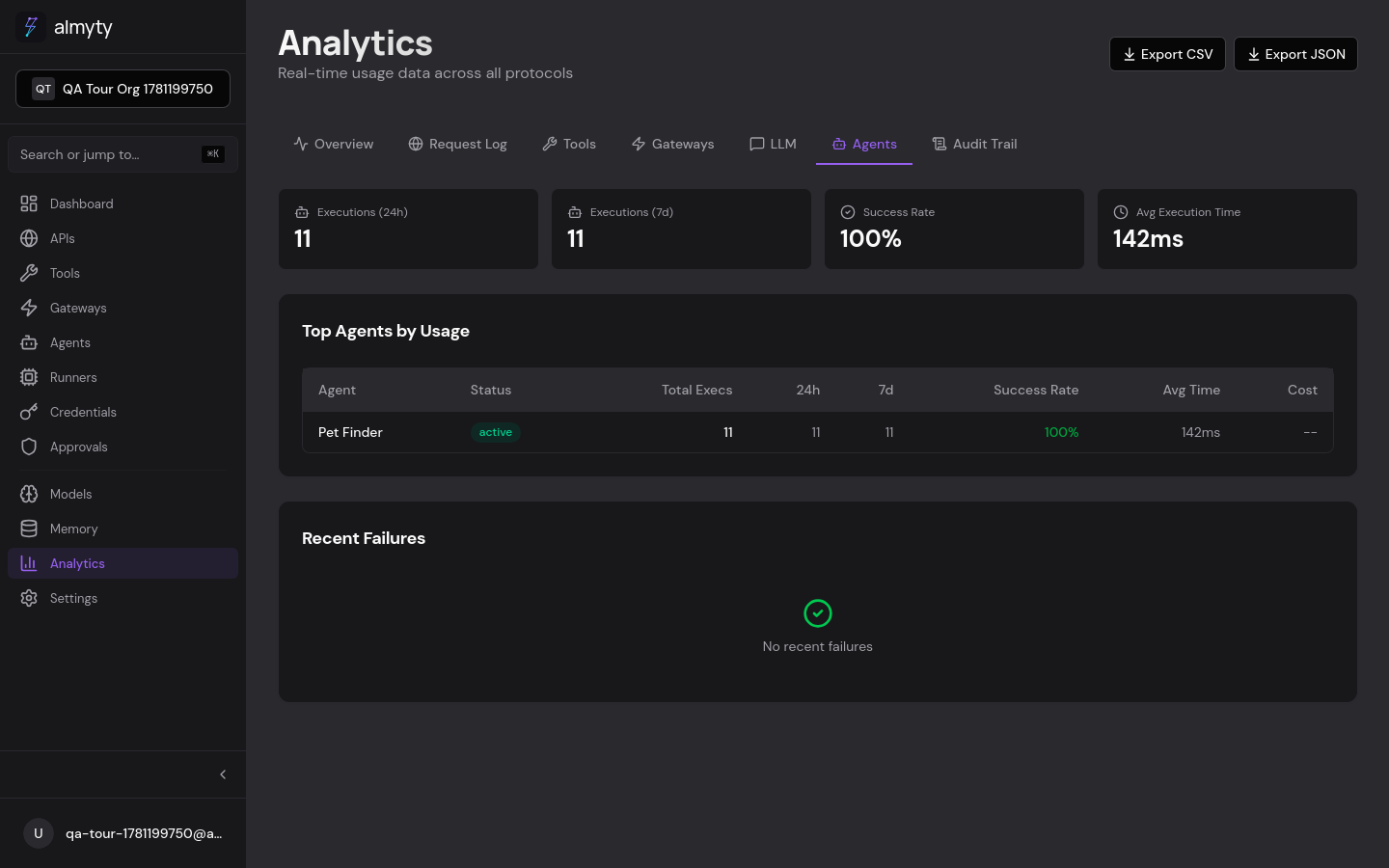
Agents
Per-agent execution metrics: run count (24h and 7d), success rate, average duration, and estimated cost, with a recent-failures list below the table.
Audit Trail
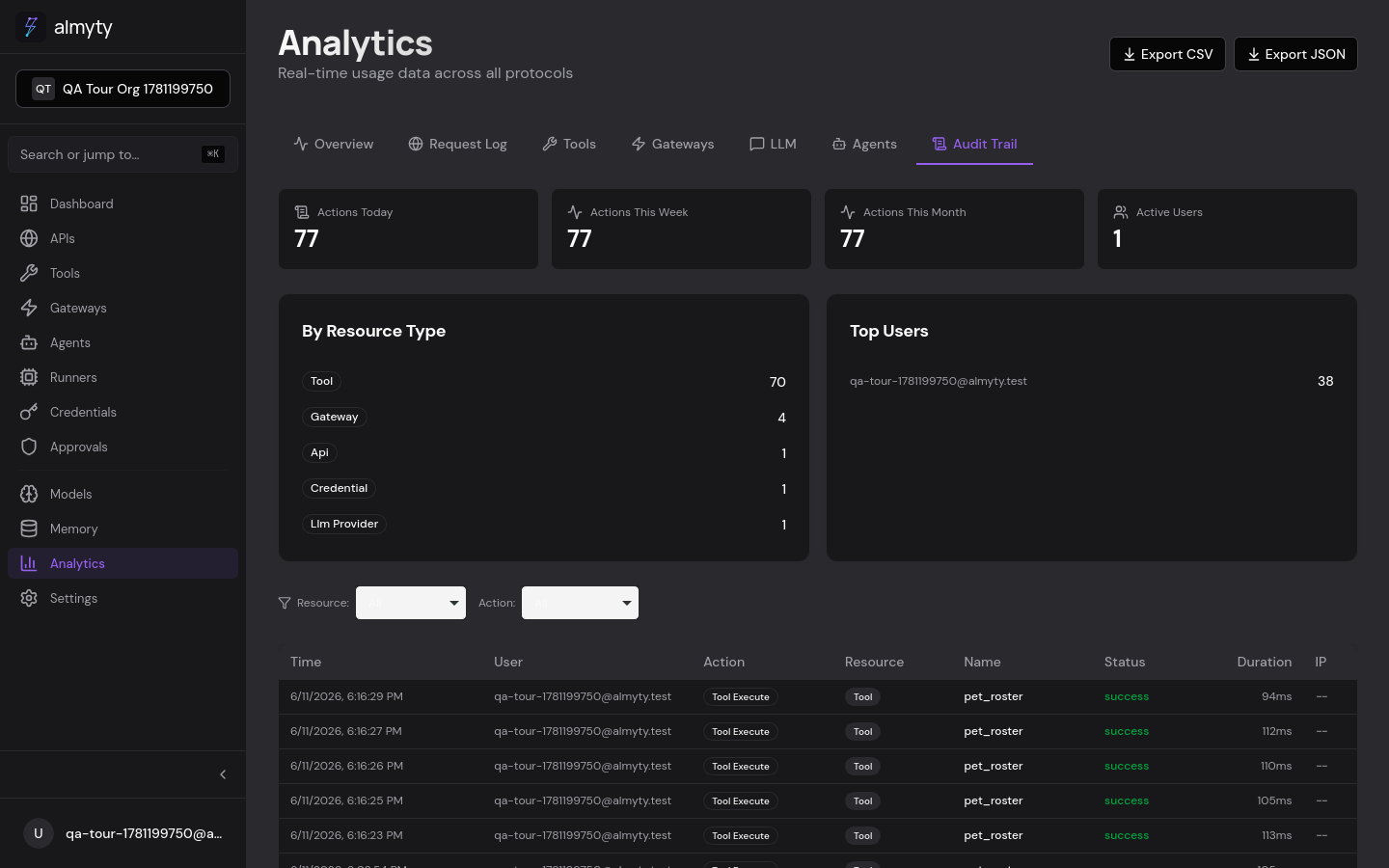
Chronological log of every sensitive action (create, update, delete, execute) with the acting user, timestamp, resource type, resource ID, and source IP.
Metrics reference
| Metric | Description |
|---|---|
totalRequests | Total gateway requests in the period |
successRate | Percentage of 2xx responses |
avgLatency | Average response time in milliseconds |
totalTokens | Total LLM tokens consumed (input + output) |
estimatedCost | Estimated LLM cost in USD |
uniqueCallers | Distinct API keys or IPs that made requests |
errorRate | Percentage of 4xx and 5xx responses |
Retention
Usage metrics and request logs are retained for 90 days by default, then pruned by a background sweep. Self-hosted deployments can change the window with the METRICS_RETENTION_DAYS environment variable, or set it to 0 to keep everything. See Self-Hosting for the full list of environment variables.
API
Usage metrics, request logs, audit logs, and CSV export are available over REST. See the API reference.