Give your coding assistant your own API
Let Claude Code, Cursor, Claude Desktop or another AI tool use an API your company already runs. You connect the API to almyty once, and every operation in it becomes a tool the AI can call. Ask “look up pet 2 and show its status”, and it calls your API to find out.
This works through MCP, the Model Context Protocol: a common way for AI tools to discover and call outside tools. In almyty, a gateway is the address your AI tool connects to, with a key and a chosen set of tools behind it.
For the full developer walk-through, see For developers: APIs and machines.
What you need
- An API with a description file (OpenAPI/Swagger, GraphQL, SOAP/WSDL or a gRPC .proto file), and its key if it needs one.
- An AI tool that supports MCP, such as Claude Code, Cursor or Claude Desktop.
How to build it
-
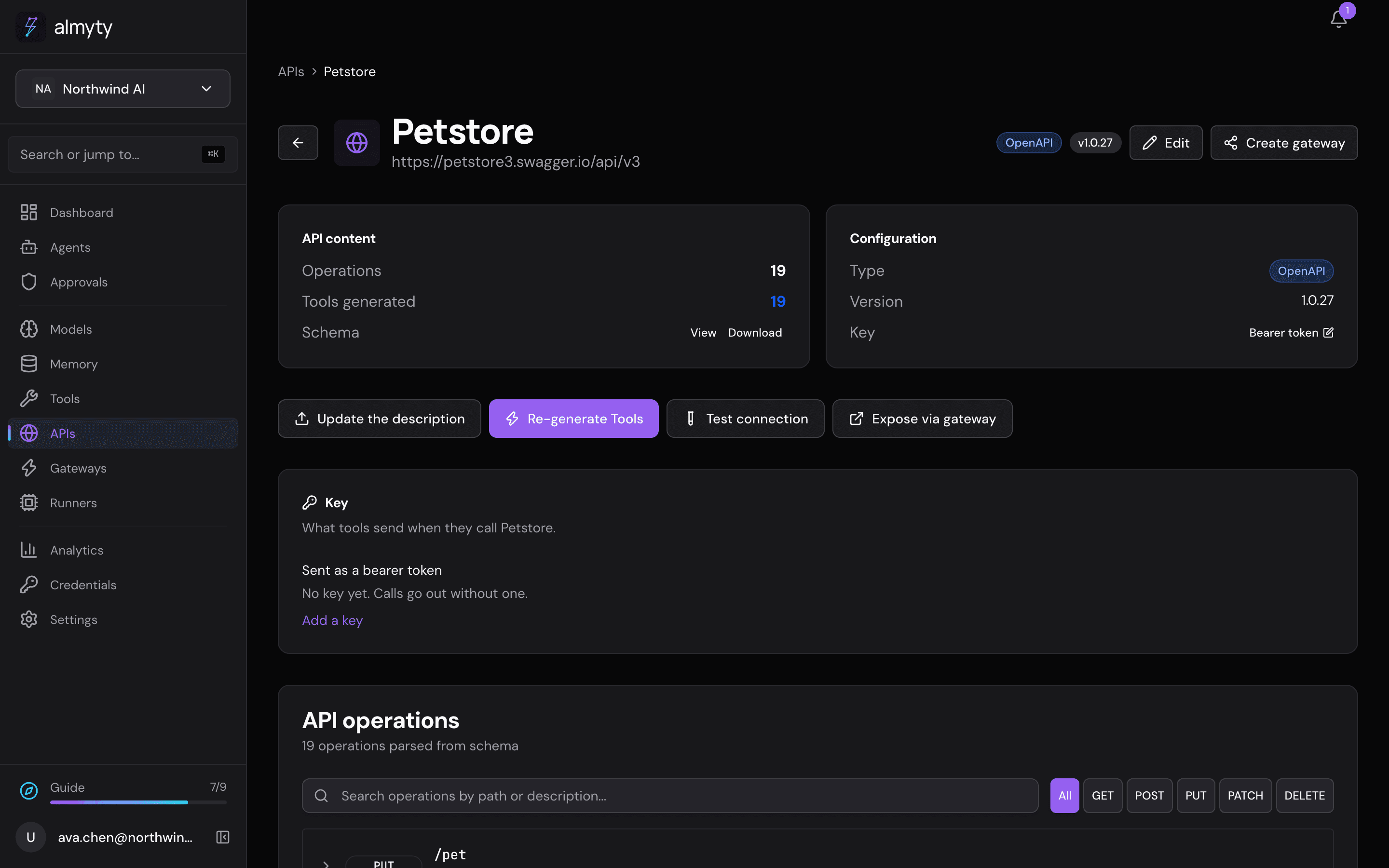
Connect the API. Open APIs, click Connect an API, pick its kind, give the link or the file, and click Connect API. Add the key when asked. almyty turns every operation into a tool. The demo uses the public Swagger Petstore:
-
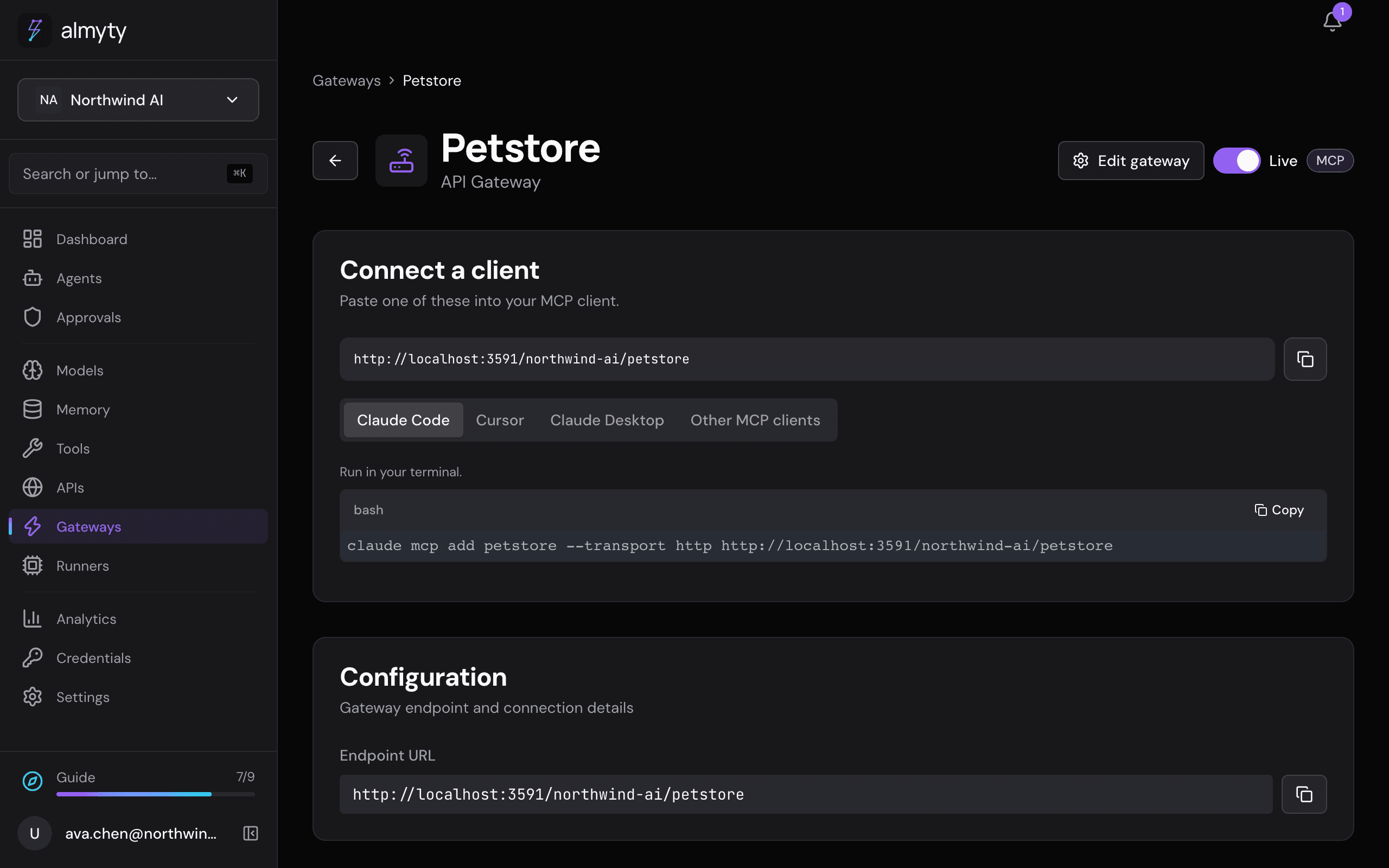
Create a gateway. Open Gateways and click Create gateway. Pick MCP, pick the API (or single tools), and click Create gateway. Its access key is shown once, next to ready-made setup for Claude Code, Cursor and Claude Desktop, so copy it then. The Tool scoping tab changes exactly which tools it offers.
-
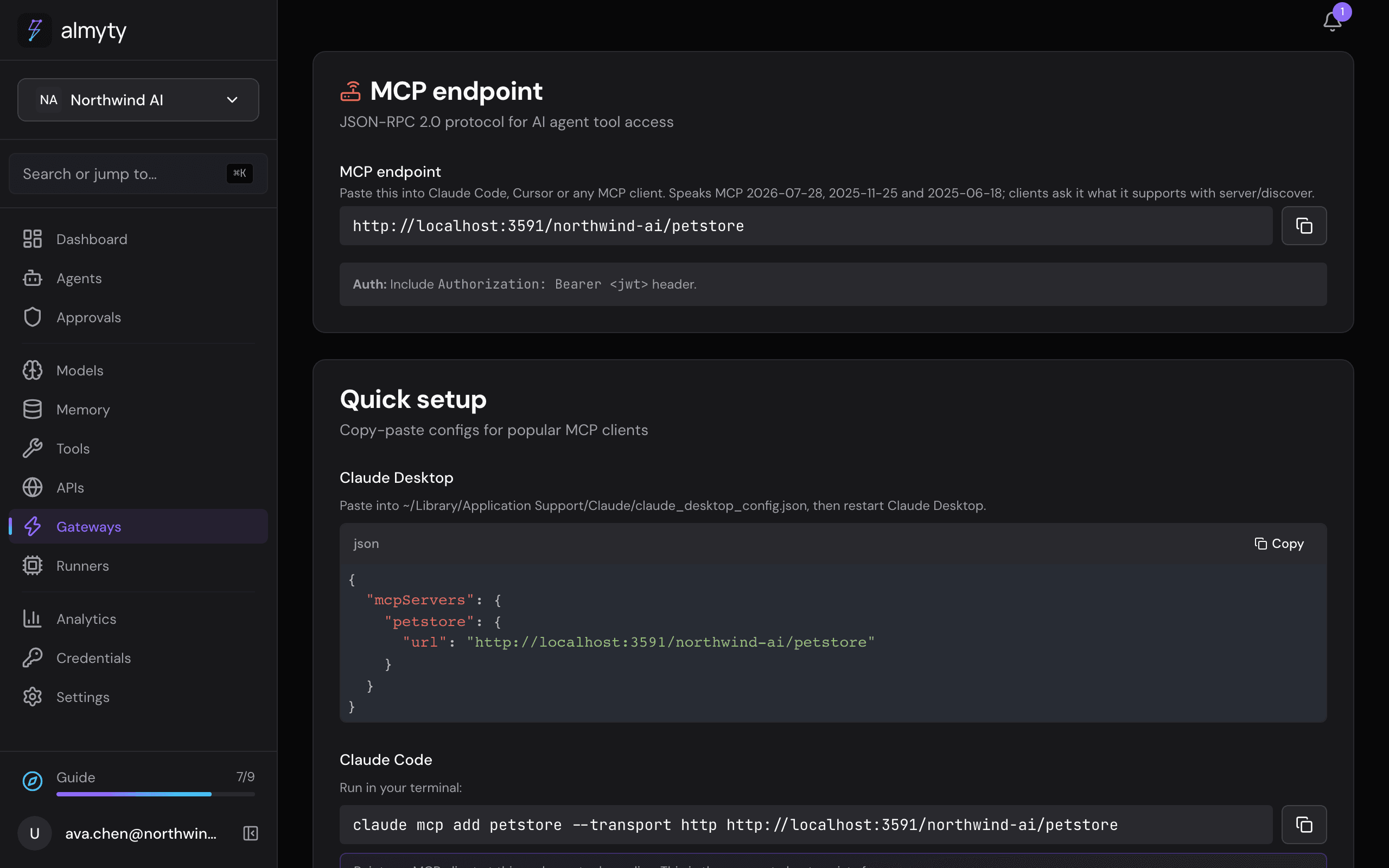
Copy the address. The gateway’s Integrations tab shows its address and the setup for each AI tool.
-
Add it to your AI tool and ask it to do something with your API.
Ideas
- A gateway speaks one protocol. For the same tools as Agent Skills (instruction files coding assistants read) or over UTCP, create another gateway of that kind with the same API.
- Give each person or tool its own key from the gateway’s Authentication section, so you can take one back without affecting the others.
- Old SOAP services work the same way: see Give an old SOAP service a modern front door.
For developers
In Claude Code:
claude mcp add petstore --transport http \
  --header "x-api-key: <your gateway key>" \
  https://api.almyty.com/<your-org>/petstore
For an AI tool that only runs local MCP servers, use the local proxy: npx @almyty/mcp-server <your-org>/petstore.