A nightly check on your data
For data teams who hear about broken pipelines from annoyed colleagues. Every night the assistant checks that your key tables are up to date, that row counts haven’t jumped or dropped, and that empty values haven’t spiked. It groups what it finds into a short report, or says “all clear”, before anyone opens a dashboard.
For a full walk-through with screenshots of a nightly report, see Nightly systems report.
What you need
- A way to run your checks over the web: a small query service in front of your data warehouse, or a metrics API.
- Somewhere for the report to go: a Slack or email tool, or an address of yours that receives it.
How to build it
-
Connect the checks. Open APIs, click Connect an API, pick its kind, give its description link and click Connect API. If it is a single call, create an HTTP tool under Tools instead.
-
Create the assistant. Open Agents, click Create agent and switch to Autonomous. In Instructions, write: “Run the freshness and anomaly checks, group failures by table, and write a short report. If nothing is wrong, say so.” Pick the tools under Tools and APIs.
-
Let it remember. Turn on Remember between conversations with This agent’s own memory, so it can say “third night in a row for the orders table” instead of reporting each night on its own.
-
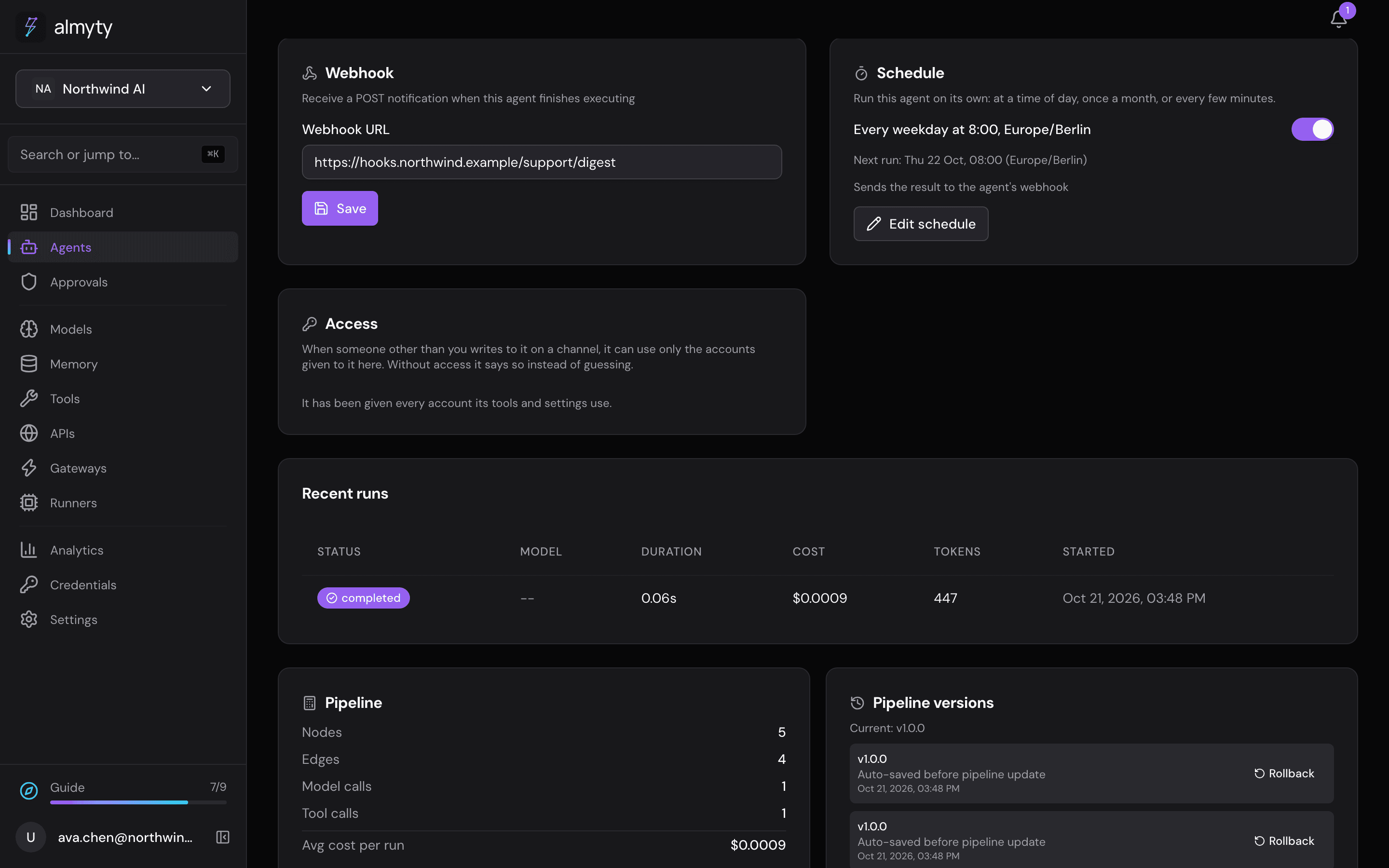
Put it on a schedule. On its Overview tab, in the Schedule card, turn on Enable schedule, set Interval (minutes) to 1440 (once a day) and click Save schedule. almyty starts each run itself.
-
Deliver the report. Either give it a Slack or email tool and tell it to send the report as its last step, or paste an address of yours into the Webhook card: almyty sends the finished run there, and your service passes it on.
-
Look back. Every night’s run is on the Runs tab, with exactly what it checked.
Ideas
- Swap the checks for uptime checks, service-level alerts or a daily numbers summary.
- Keep the thresholds in a table your analysts can change without touching the assistant.
Related
- Scheduling · Webhooks · Memory