Advanced RBAC
Give each person exactly the access they need. For example, an “agent operator” role that can run and inspect agents but only look at everything else, or a rule that nobody may run an agent on an amount over $10,000 unless they are in finance.
RBAC (role-based access control) means deciding what people can do by the role they hold. Every organization already has the basic roles (owner, admin, member, and team leads), which are free and enough for most teams. Advanced RBAC adds two things on top:
- Custom roles: your own named roles with exactly the permissions you choose.
- Access policies: rules that look at the details of a request, such as an amount, to allow or refuse it.
This needs the Business or Enterprise plan. Owners and admins manage it under Settings → People and access → Roles. Without the plan these controls are locked; members and teams stay available as usual.
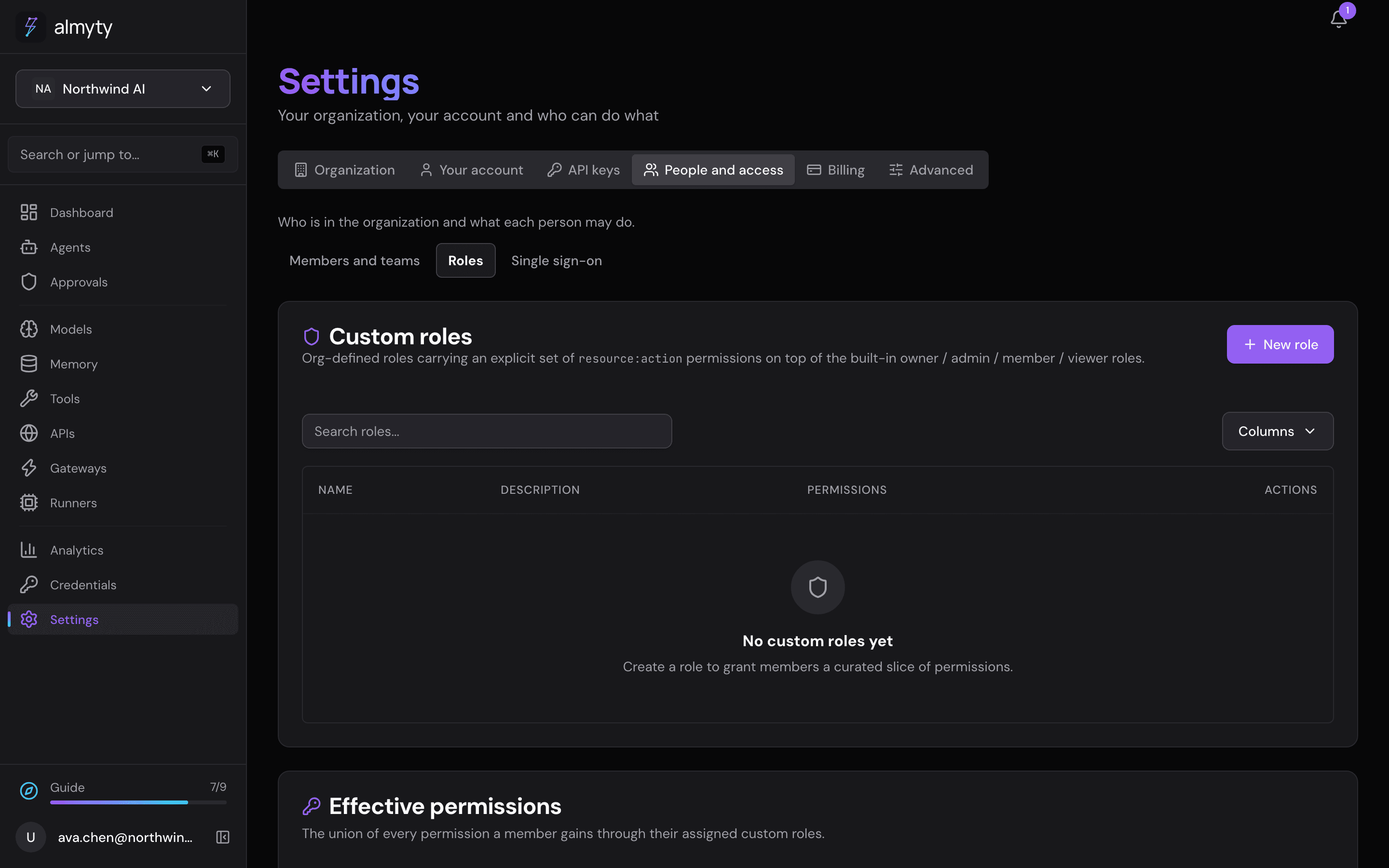
Create a custom role
- Open Settings → People and access → Roles.
- Under Custom roles, click New role.
- Enter a Name, an optional Description, and the Permissions, one per line (see how permissions are written).
- Click Create role.
- To give the role to people, use the assign action on the role’s row, pick the members and click Assign.
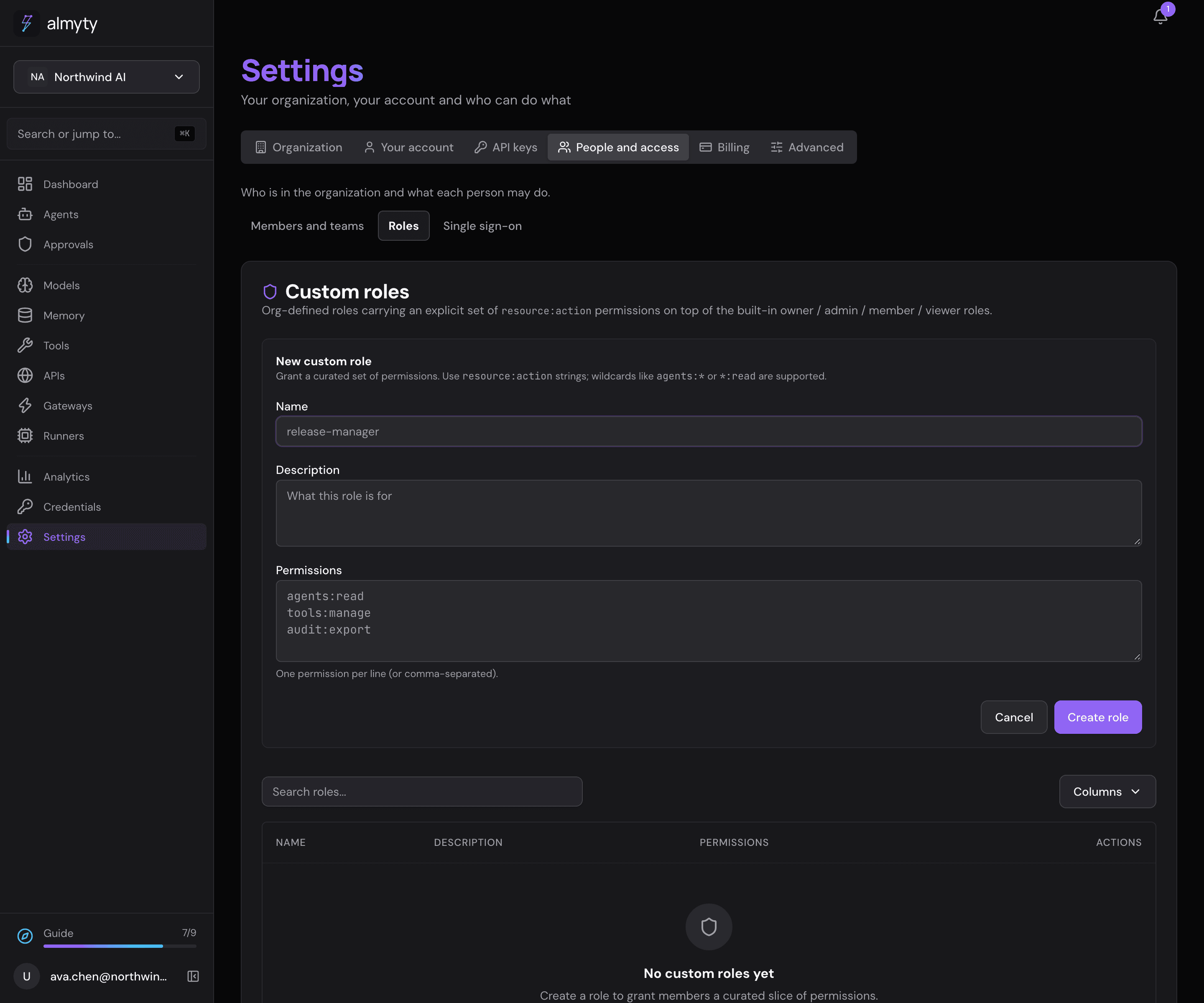
A custom role only ever adds to what someone’s basic role already allows; it never takes anything away. Effective permissions on the same page shows what a person can do with all their roles together.
How permissions are written
A permission is a thing and an action, such as agents:execute (run agents). A * stands for “any”:
| Permission | Means |
|---|---|
* | everything |
agents:* | anything on agents |
*:read | look at anything |
agents:execute | run agents, and nothing more |
Add an access policy
Use an access policy when the answer depends on the details of a request rather than on who is asking.
- Under Access policies (ABAC), click New policy.
- Enter a Name, choose the Effect (allow or deny), the Action it covers (such as
agents:execute), a Priority and a Description. - Click Create policy.
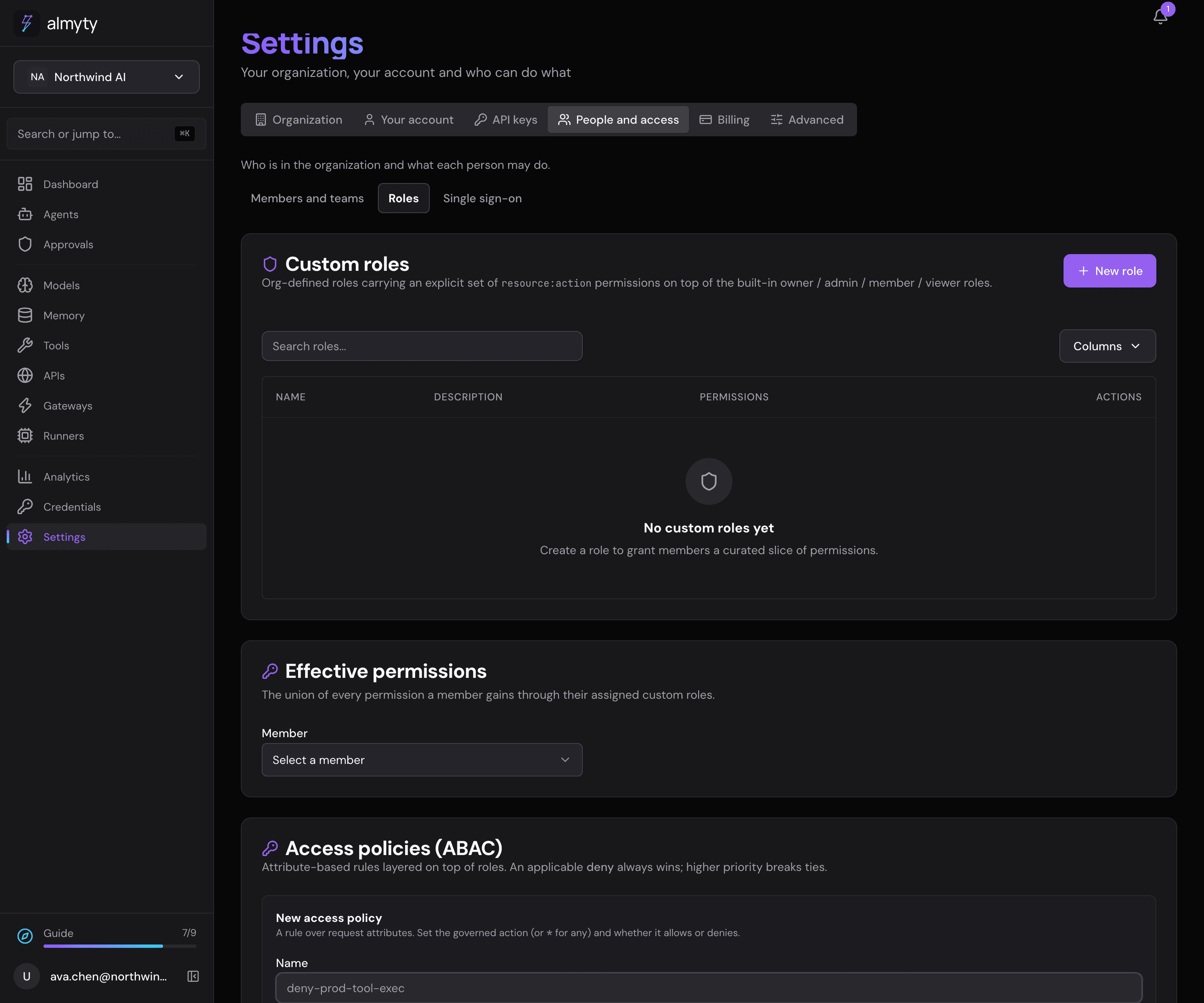
The form does not set conditions (such as “amount over 10,000”); those are added through the API (see For developers). A policy without conditions applies to every request for its action, so check the effect and action before you create one. Policies cannot be edited: delete one and create it again to change it.
How policies decide. If any matching policy says deny, the request is refused, whatever else allows it. Otherwise the matching allow with the highest priority wins.
How it all fits together
Basic roles answer “is this person an admin?”. Custom roles answer “may this person run agents?”. Access policies answer “is this particular request allowed?”. A matching deny policy beats everything.
For developers
A custom role:
{
  "name": "agent-operator",
  "description": "Run and inspect agents, read everything else",
  "permissions": ["agents:*", "*:read"]
}
Roles are assigned per user in addition to the core role. A role can be disabled without unassigning it (active: false). A user’s effective permissions are the union across their active custom roles. Role names are unique per organization; permission lists are trimmed and deduplicated on save. All RBAC management requires organization admin or owner.
An access (ABAC, attribute-based access control) policy with a condition:
{
  "name": "block-large-amounts",
  "effect": "deny",
  "action": "agents:execute",
  "conditions": [
    { "attr": "resource.amount", "op": "gt", "value": 10000 }
  ],
  "priority": 100
}- Conditions are
{attr, op, value}triples, ANDed together.attris a dot-path into the evaluation context (subject.*,resource.*,context.*). Operators:eq,neq,gt,gte,lt,lte,in,nin,contains(for examplesubject.roles contains "finance"). - Evaluation is deny-overrides: any applicable
denywins; otherwise the highest-prioritymatchingallow. - Policies are immutable.
The full endpoint list is in the API reference.