CLI
Drive almyty from your terminal. One login covers agent runs, chat, skill installs, an MCP proxy, and a machine runner. Install the umbrella binary, or run any package straight from npx.
npm install -g @almyty/cli
almyty login
almyty agents run research-bot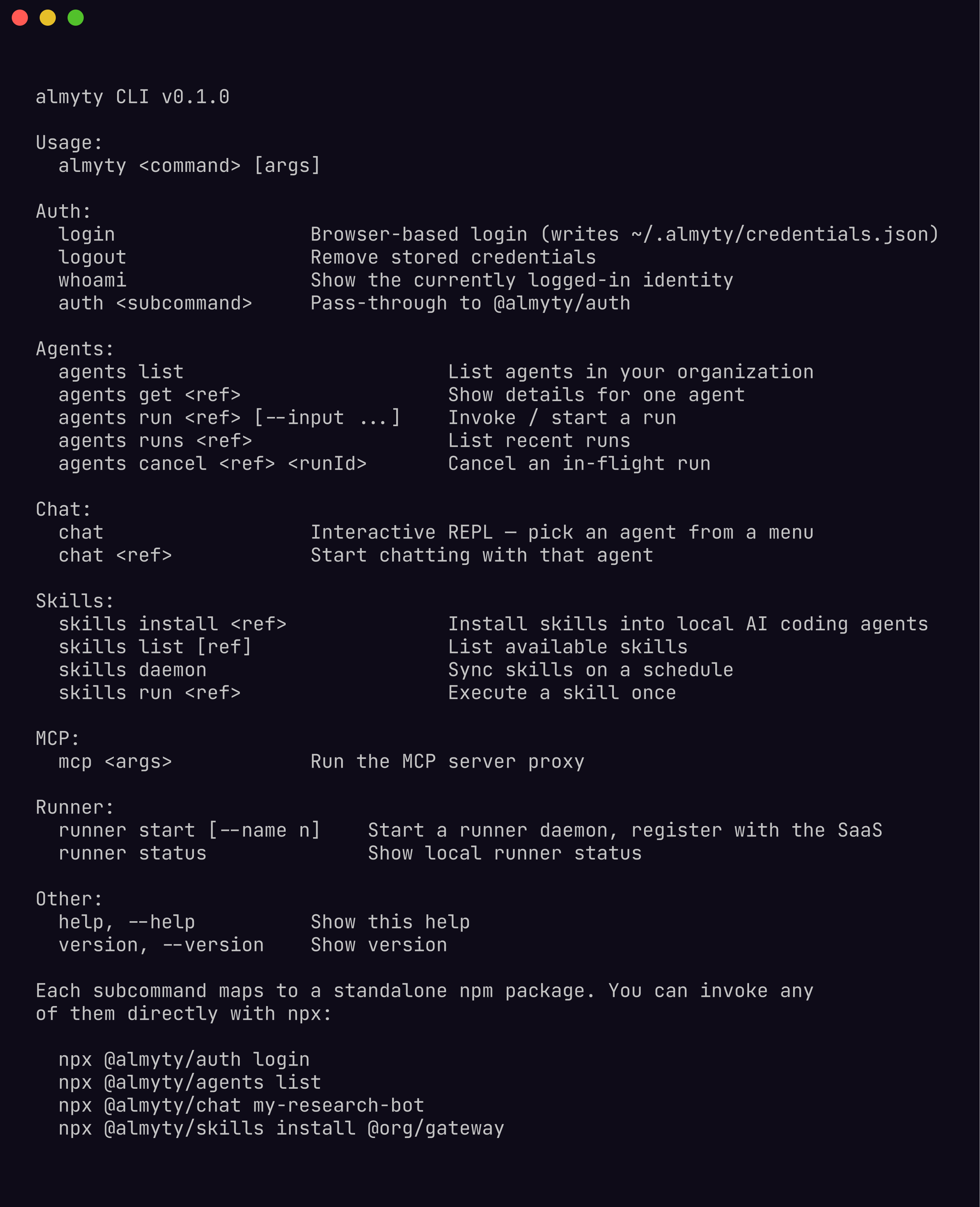
One login, every command
almyty login opens your browser, authenticates, and writes a key to ~/.almyty/credentials.json (mode 0600). Every CLI reads it, so you log in once.
almyty login                       # browser login
almyty login --token ak_live_...   # or pass a key directly
Two environment variables override the file when you need them (CI, containers):
| Variable | Description |
|---|---|
ALMYTY_TOKEN | API key or token |
ALMYTY_URL | Backend URL (default https://api.almyty.com) |
The commands
Each subcommand is also a standalone package you can npx without installing anything.
| Command | Package | Does |
|---|---|---|
almyty login | @almyty/auth | Browser login shared by every CLI |
almyty agents | @almyty/agents | List, run, and inspect agents |
almyty chat | @almyty/chat | Talk to an agent in an interactive REPL |
almyty skills | @almyty/skills | Install API skills into AI coding agents |
almyty mcp | @almyty/mcp-server | Serve a gateway to any MCP client |
almyty runner | @almyty/runner | Connect your machine so agents run tools on it |
almyty acp | @almyty/acp-server | Serve an agent over the Agent Client Protocol |
Run any of them standalone:
npx @almyty/agents run research-bot
npx @almyty/chat acme/support-bot
npx @almyty/skills install acme/petstore
Plug a gateway into Claude Code
The fastest payoff: point Claude Code (or any MCP client) at a gateway and its tools are live in your assistant.
claude mcp add petstore -- npx -y @almyty/mcp-server acme/petstoreThe gateway id is org/slug from the gateway’s detail page. See MCP server for every client config and the skill-first mode that keeps token overhead low.