Runner
A runner is a small program you start on one of your own machines (a laptop, a build server, a box inside your network) so almyty agents can do work there: run a script, read a file, run a command, or drive a coding assistant. For example, a nightly agent can run your backup check on the server that holds the backups, without that server being opened to the internet. Commands run on that machine, and their results go back to the agent, so read what a runner can do on your machine before you connect one that holds sensitive files or keys.
This page is the terminal reference. For what runners are and how to manage them in the app, see Runners.
npm i -g @almyty/runner @almyty/auth
almyty-auth login
almyty-runner start --name my-laptop --org <org-id>
Install once and call the installed almyty-runner binary: the runner is a
daemon (a program that keeps running in the background) you restart, query and stop on that machine. If you already have the
umbrella @almyty/cli, almyty runner … runs the same commands.
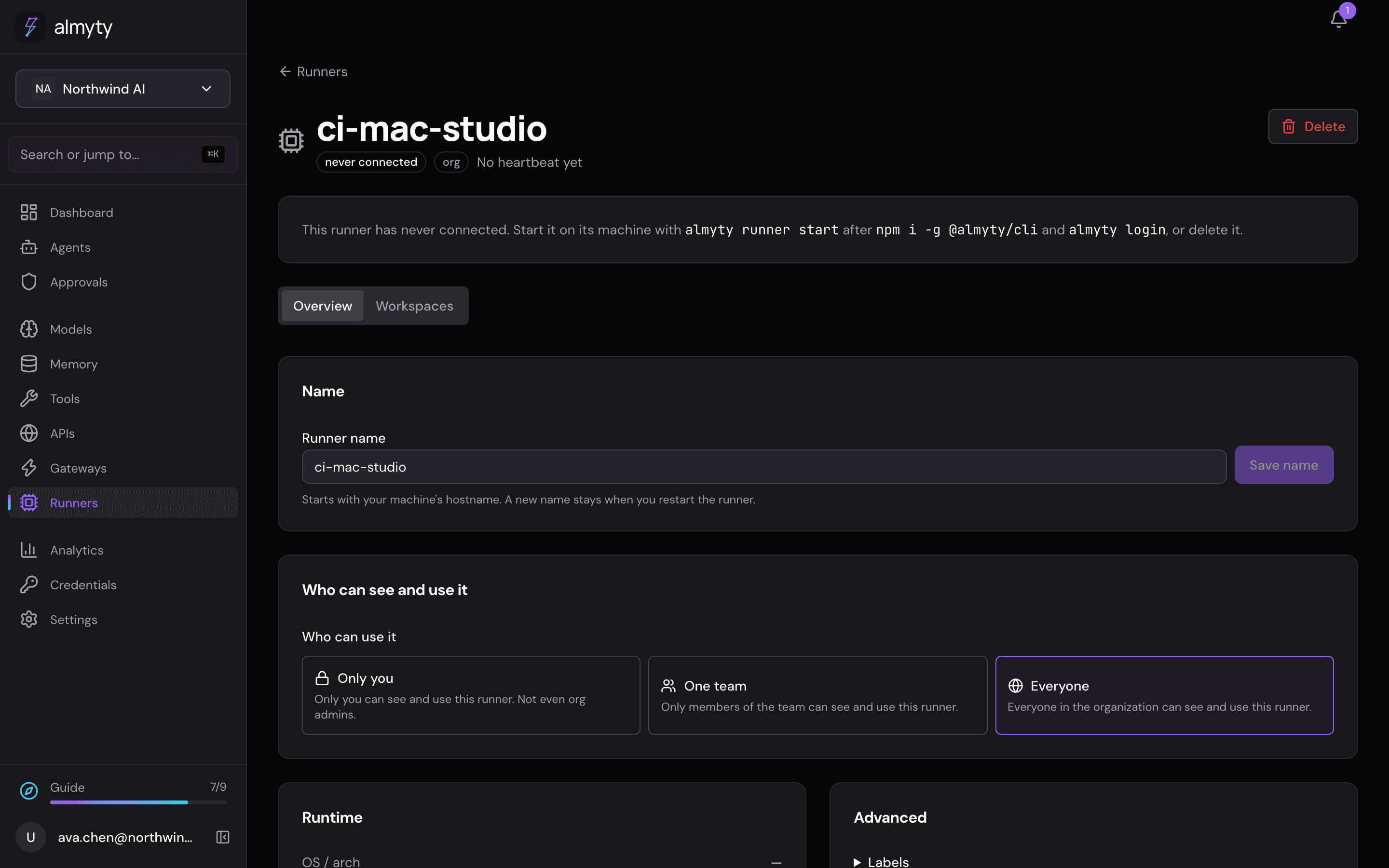
Once it is running, the machine appears under Runners and its capabilities show up as tools. Who can see and use them follows the runner’s Who can use it setting: Only you (the default), One team or Everyone, set on the Runners page.
Each account attaches one runner: registering a second one for the same account is refused (409, conflict) until you release the first.
Commands
almyty-runner start [options]   # register this machine and run the daemon
almyty-runner status            # show the local daemon status
almyty-runner stop              # send SIGTERM to the local daemon
Options for start
| Flag | Does |
|---|---|
--name <name> | Runner name, [a-zA-Z0-9_-], up to 64 chars, unique in the organization. A label, not a credential |
--org <org-id> | Organization to register in, if you belong to several. Refused for an org you are not in |
--label key=value | Add a label saying what the machine has. Repeat for several. Work that asks for a label (an agent’s Machine labels) runs only on runners that have it |
--config <path> | JSON config file, overrides global and project config |
--url <backend-url> | Override the backend URL, e.g. https://api.almyty.com |
almyty-runner start --name build-box --label gpu=true --label region=euWhat a runner can do on your machine
Read this before you start a runner on a machine you care about. The daemon prints the same summary as its third line at boot.
A runner uses host isolation by default: commands your agents dispatch run as the user who started the daemon, on that machine, with that user’s files and that user’s network access. There is no container and no sandbox, because this build does not implement one. Outbound network is not blocked.
| Setting | Default | What it actually does |
|---|---|---|
defaultIsolation | host | Commands run directly on the machine, as you |
installBlocked | true | Refuses npm install, pip install, brew install and friends |
maxConcurrent | 4 | Further commands are refused while at capacity; it also caps the active workspaces agent runs are given on this runner |
networkBlocked | false | Outbound network is available to dispatched commands |
allowedCwdRoots | [] | Empty means no restriction: commands may run in any directory |
denyPatterns | [] | Empty means nothing is denied by pattern |
To narrow it, put any of these in ~/.almyty/config.json:
allowedCwdRoots: directories commands may run in. Paths are canonicalized throughrealpath, so a symlink or..cannot escape. Folders for the workspaces agent runs are given go inalmyty-workspaces/under the first root (without roots, in~/.almyty/workspaces/).denyPatterns: regexes matched against the whole command line; a match is refused. An invalid regex falls back to a literal substring match, so a typo denies rather than silently allowing.installBlocked: on by default. Set it tofalseonly if your agents need to install packages.maxConcurrent: how many commands may run at once.
The backend can only constrain a runner further at registration time (lower limits, smaller path allowlists, more deny patterns). It can never escalate what your local config allows.
Container isolation and network blocking are not available
defaultIsolation: "container" and networkBlocked: true are accepted by the config loader but not implemented in this build. If you set either one, the runner refuses every spawn and every shell command rather than silently running on the host anyway.
So there is no configuration that gives you a sandboxed or network-isolated runner that still executes anything. Either the runner has host access, or it does nothing. Plan for that before you connect a machine. Both refusal cases are reported once at boot rather than per command, so a runner you meant to lock down does not sit there looking healthy while denying everything.
See docs/runner.md for the config schema and the full method surface (process.*, agent.*, coding.*).
Drive coding CLIs from chat
With a runner online, almyty chat can dispatch tasks to coding agents (Claude Code, Codex, Gemini, Cursor, aider, and more) on that machine using /code. One agent session orchestrating a coding CLI on your own hardware, output streaming back to you.
Authentication
Reads the shared ~/.almyty/credentials.json. Log in first, or set ALMYTY_TOKEN:
almyty-auth login
almyty-runner start --name my-laptop --org <org-id>
That login is what identifies and authorises the runner: the backend attaches the daemon to the logged-in user’s runner. The name is only a label, unique in the organization, so knowing someone’s runner name does not let you connect to it.