Approval policies
Make sure the right people sign off before an assistant does something that matters. For example: any refund over $1,000 needs finance to approve first and then an admin, or any payment needs two different reviewers.
Every organization already has simple approvals for free: an agent pauses, one person approves or rejects, and the run carries on or stops. That is enough for most teams. Approval policies, on the Business and Enterprise plans, add:
- Several steps in order: finance first, then an admin.
- Conditions: only for refunds over $1,000, or only for one tool.
- A quorum: any two reviewers must approve.
When no policy matches a request, the simple one-person approval applies as usual. When no policy matches a request, the simple one-person approval applies as usual.
To ask before a tool call over an amount whatever the agent was told, use an amount rule: it is free on every plan. See ask before a large amount. On these plans a rule can also be given its own steps.
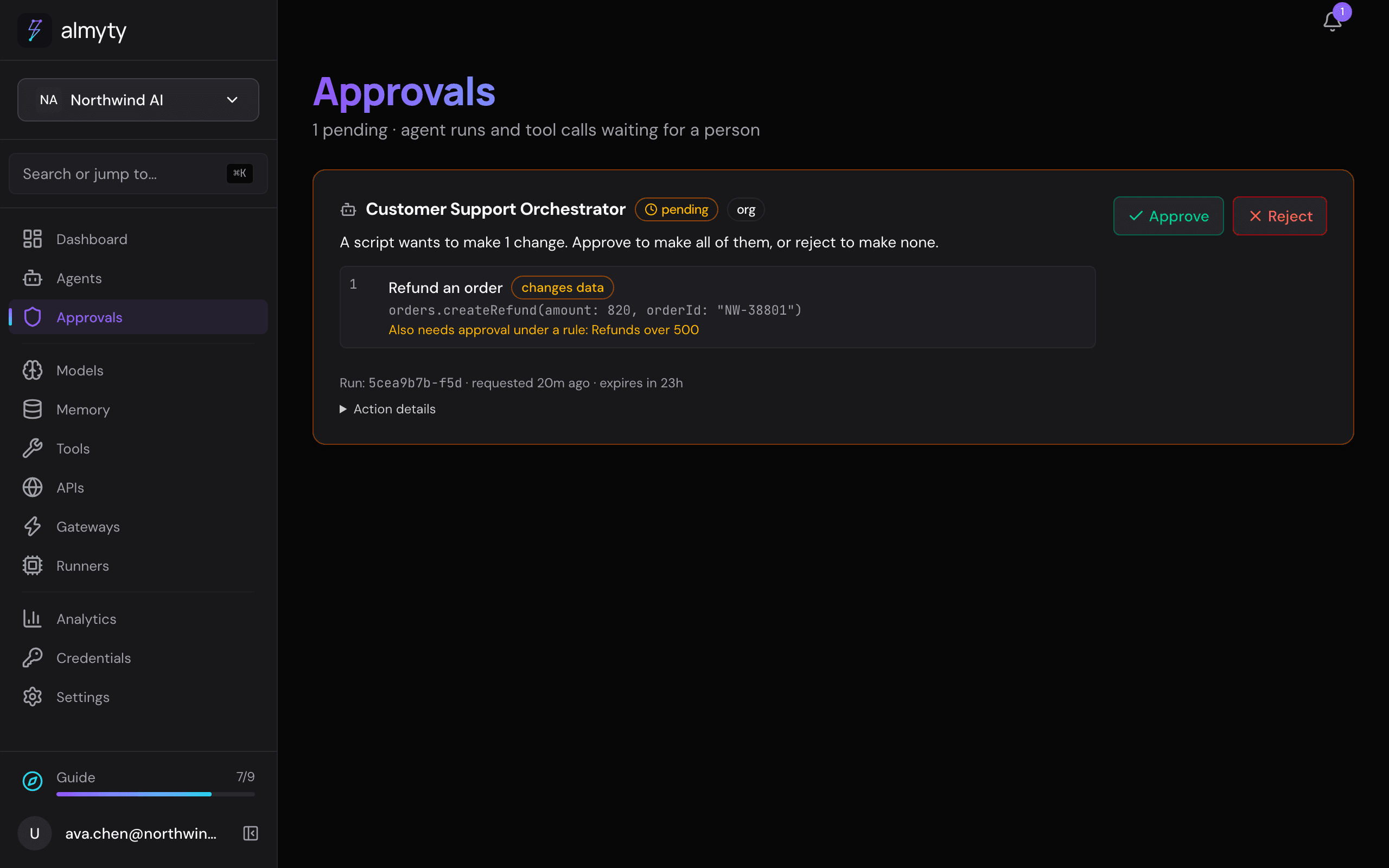
Create a policy
Owners and admins manage policies.
-
Open Settings → Advanced → Approvals and click New policy.
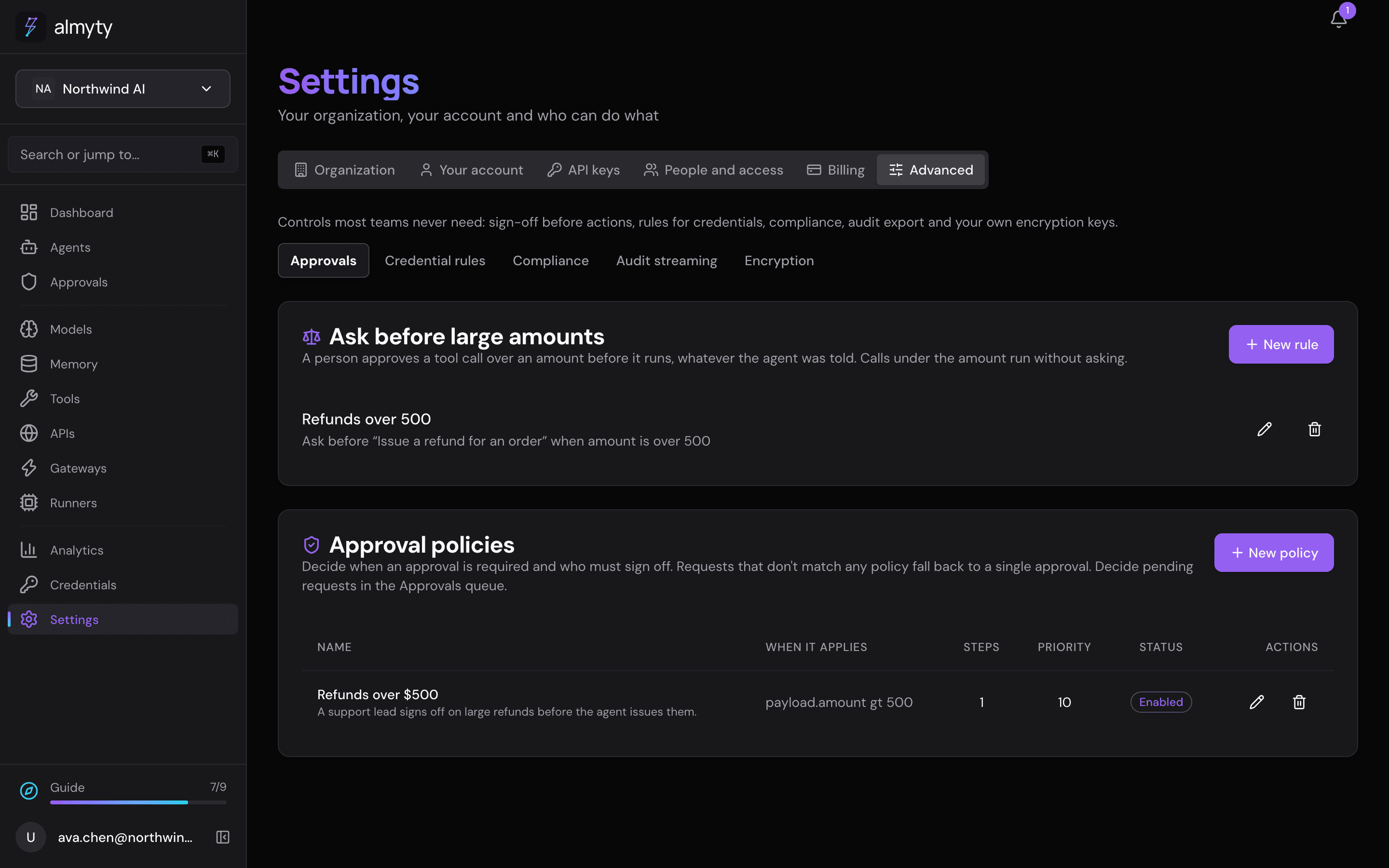
-
Give it a Name (for example “Refunds over $1,000”) and optionally a Description.
-
Under Match conditions, click Add condition for each thing that must be true, for example
amount, greater than,1000. All conditions must match. With no conditions, the policy matches every approval request. -
Under Which agents it applies to, choose Everyone or One team and pick the team. If two of your policies could fit the same request, open Advanced and give the one that should decide a higher Priority; otherwise leave it at 0.
-
Set the Priority: if several policies match, the one with the highest priority decides. Optionally scope it to one team with Team ID (optional).
-
Leave Enabled on and click Create policy.
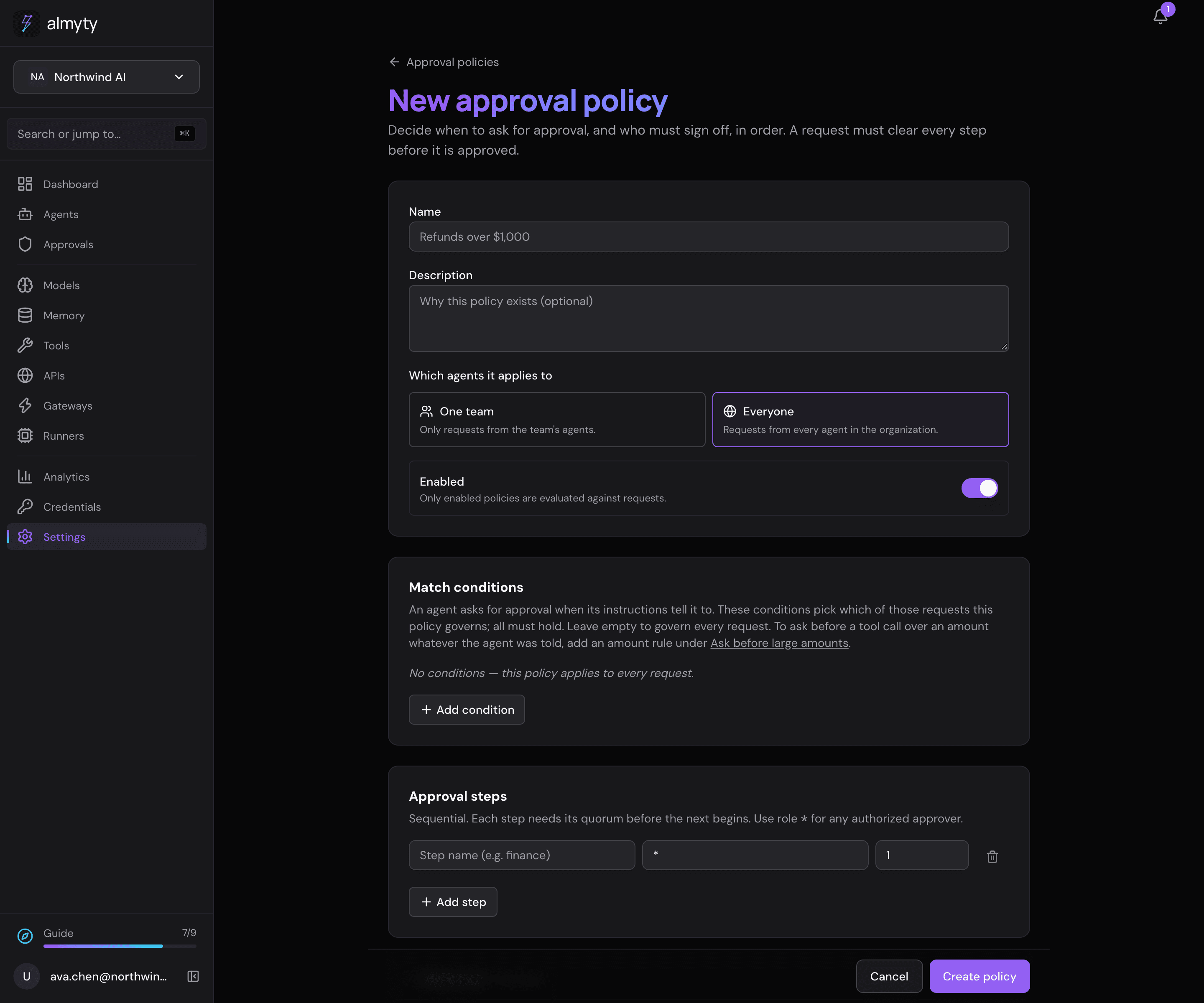
A plain “any two reviewers” quorum is one step with approver role * and two approvals.
How reviewers see it
Reviewers keep using Approve and Reject on the Approvals page. The policy decides when the request as a whole is approved:
- Steps go in order. Step 2 takes no approvals until step 1 is complete. An admin clicking early does not fill a later step in advance.
- One approval counts once. Someone who is both in finance and an admin cannot complete both steps with one click. Two steps means two separate approvals.
- Progress is visible. Each waiting request shows which step it is on and how many approvals each step has, for example “1 of 2 stages complete”.
For developers
A policy is a match condition, ordered steps and a priority:
{
  "name": "large-refunds",
  "match": [
    { "attr": "toolName", "op": "eq", "value": "issue_refund" },
    { "attr": "amount", "op": "gt", "value": 1000 }
  ],
  "steps": [
    { "name": "Finance review", "approverRole": "finance", "minApprovals": 1 },
    { "name": "Admin sign-off", "approverRole": "admin", "minApprovals": 1 }
  ],
  "priority": 10,
  "enabled": true
}match: conditions over the approval request’s context (agentId,toolName,amount, and whatever the requesting agent put in the payload), ANDed. Operators:eq,neq,gt,gte,lt,lte,in,nin. An emptymatchmatches every request.steps: ordered sign-off stages, each with anapproverRole(an org role or custom role name;"*"accepts anyone authorized to approve) andminApprovals(at least 1).priority: exactly one policy governs a request, the highest-priority enabled match.teamId: optional, scopes the policy to one team’s agents.trigger: set on an amount rule (see Approvals); such a policy asks on its own at the tool call and governs only the requests it raises. Amount rules are managed at/approval-ruleson every plan; this editor manages the rest.
A quorum is a single step: { "approverRole": "*", "minApprovals": 2 }. Each pending request under a policy reports per-step state (required, collected, satisfied) and the current step. Policy management (list, read, enable or disable, delete) is admin or owner only; endpoints are in the API reference.