Agents CLI
The Agents CLI lets you list, inspect, and run almyty agents from your terminal. Use it for quick invocations, scripting, and CI pipelines.
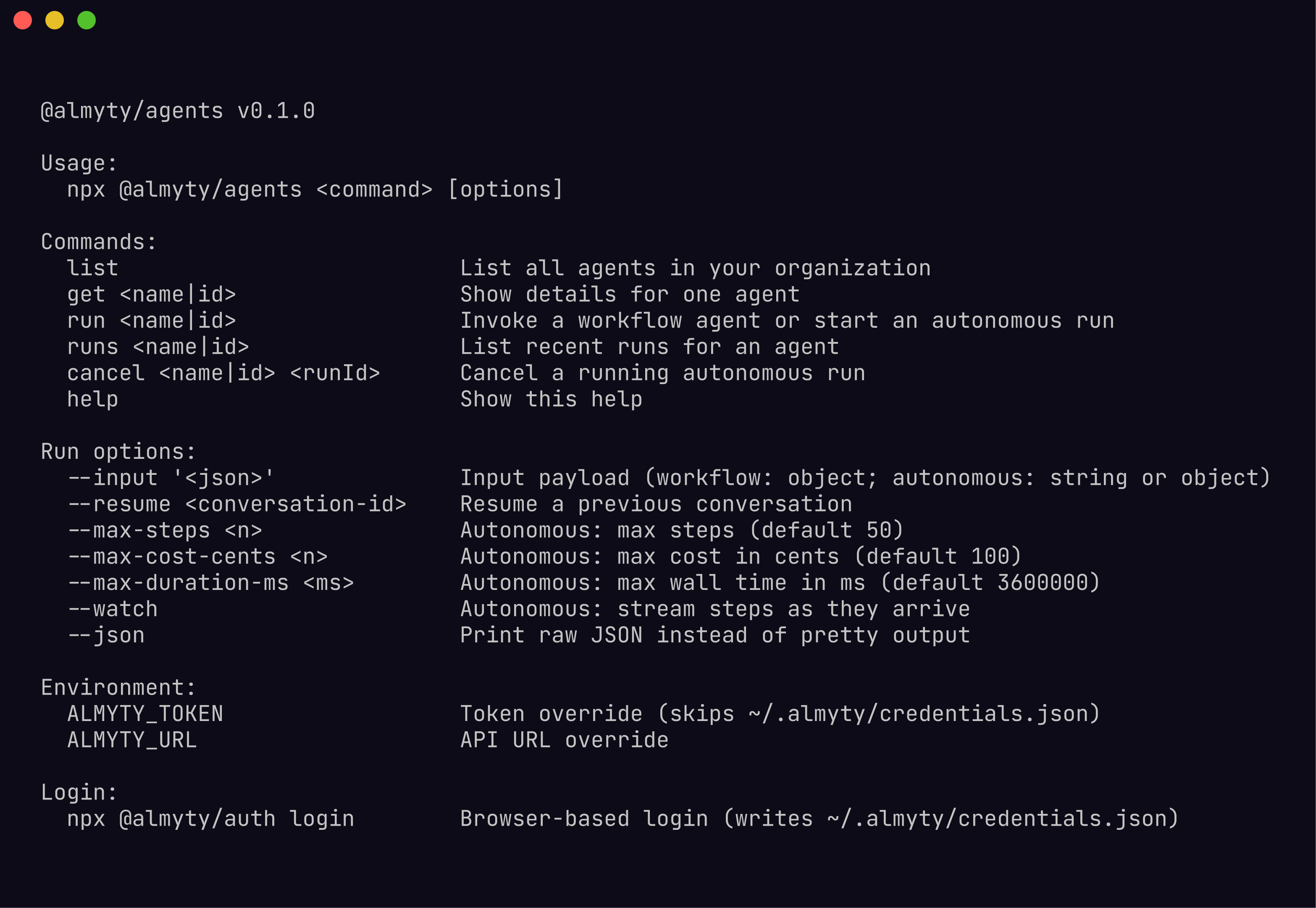
$ npx @almyty/agents --helpListing agents
List all agents in your organization:
$ npx @almyty/agents list
NAME              MODE          STATUS    LAST RUN
invoice-pipeline  workflow      active    2 hours ago
research-bot      autonomous    active    12 minutes ago
data-cleanup      workflow      paused    3 days ago
Add --json for machine-readable output:
$ npx @almyty/agents list --json
[
  {
    "id": "a1b2c3d4-...",
    "name": "invoice-pipeline",
    "mode": "workflow",
    "status": "active",
    "lastRunAt": "2026-04-09T08:12:00Z"
  }
]
Getting agent details
Inspect a single agent by name or UUID:
$ npx @almyty/agents get invoice-pipeline
Name:         invoice-pipeline
ID:           a1b2c3d4-...
Mode:         workflow
Status:       active
Nodes:        6 (input -> llm_call -> tool_call -> condition -> tool_call -> output)
Created:      2026-03-15
Last run:     2 hours ago (success)
$ npx @almyty/agents get a1b2c3d4-...Both name and UUID lookups work for every command that accepts an agent reference.
Running agents
Workflow mode
Workflow agents execute a fixed DAG of nodes (input, LLM calls, tool calls, conditions, transforms) and return a result. Each invocation is a single run:
$ npx @almyty/agents run invoice-pipeline --input '{"file_url": "https://example.com/invoice.pdf"}'
{
  "runId": "run-xyz",
  "status": "completed",
  "output": {
    "vendor": "Acme Corp",
    "amount": 1250.00,
    "currency": "USD",
    "due_date": "2026-05-01"
  }
}
The --input flag accepts a JSON string. The agent runs synchronously and prints the output when complete.
Piping output
Combine with standard Unix tools for scripting:
$ npx @almyty/agents run invoice-pipeline \
    --input '{"file_url": "https://example.com/invoice.pdf"}' \
    --json | jq '.output.amount'
1250.00
Autonomous mode
Autonomous agents run continuously, making decisions about which tools to call. Use --watch to stream execution steps in real time:
$ npx @almyty/agents run research-bot --input '{"topic": "quantum computing trends"}' --watch
[run-abc] Starting autonomous agent: research-bot
[step 1] llm_call: Planning research strategy
[step 2] tool_call: web-search {"query": "quantum computing 2026 breakthroughs"}
[step 3] llm_call: Analyzing search results
[step 4] tool_call: web-search {"query": "quantum error correction advances"}
[step 5] llm_call: Synthesizing findings
[step 6] output: Research complete

Final output:
{
  "summary": "...",
  "sources": ["..."]
}
Safety limits for autonomous runs
Autonomous agents can run indefinitely if unchecked. Use these flags to set guardrails:
| Flag | Description | Default |
|---|---|---|
--max-steps <n> | Stop after N execution steps | 50 |
--max-cost-cents <n> | Stop when LLM cost exceeds N cents | 100 |
--max-duration-ms <n> | Stop after N milliseconds | 3600000 (1 hour) |
--resume <conversation-id> | Continue a previous autonomous conversation | none |
$ npx @almyty/agents run research-bot \
    --input '{"topic": "AI safety"}' \
    --watch \
    --max-steps 20 \
    --max-cost-cents 500 \
    --max-duration-ms 300000
These limits apply server-side. If any limit is hit, the run terminates with status limit_reached and returns whatever output has been produced so far.
Listing recent runs
View the execution history for an agent:
$ npx @almyty/agents runs invoice-pipeline
RUN ID      STATUS      STARTED           DURATION
run-xyz     completed   2 hours ago       4.2s
run-wvu     completed   5 hours ago       3.8s
run-tsr     failed      1 day ago         12.1s
Add --json for the full run details including inputs and outputs.
Canceling runs
Cancel a running autonomous agent:
$ npx @almyty/agents cancel research-bot run-abc
Run run-abc canceled.
Cancellation is best-effort. If the agent is in the middle of a tool call, the current step may complete before the run stops. Workflow agents typically finish too quickly to cancel, but the command works for both modes.
Workflow vs autonomous mode
| Workflow | Autonomous | |
|---|---|---|
| Execution | Fixed DAG, deterministic path | LLM decides next action each step |
| Duration | Seconds to minutes | Minutes to hours |
| Output | Single result at end | Intermediate steps + final result |
--watch | Optional (shows node progression) | Recommended (streams decisions) |
| Safety limits | Usually unnecessary | Strongly recommended |
| Cancellation | Rarely needed | Common |
Scripting examples
Run an agent and check the exit code
$ npx @almyty/agents run invoice-pipeline --input '{"file_url": "..."}' --json > result.json
$ if [ $? -eq 0 ]; then
    echo "Success: $(jq -r '.output.vendor' result.json)"
  else
    echo "Agent failed"
  fi
Start an autonomous agent, watch it, then cancel
# Start in the background with a 5-minute timeout
$ npx @almyty/agents run research-bot \
    --input '{"topic": "market analysis"}' \
    --watch \
    --max-duration-ms 300000

# In another terminal, cancel if needed
$ npx @almyty/agents cancel research-bot <run-id>
List failed runs as JSON and pipe to a report
$ npx @almyty/agents runs data-cleanup --json | jq '[.[] | select(.status == "failed")]'