Sort support tickets and draft replies
For support teams with too many routine tickets and no room for a wrong answer. The assistant reads a ticket, looks up the order, and drafts a reply in your voice. A second AI model checks the draft against what the tools actually returned before it goes anywhere, and refunds over your limit go to a person.
For a full walk-through with screenshots, see Customer support assistant.
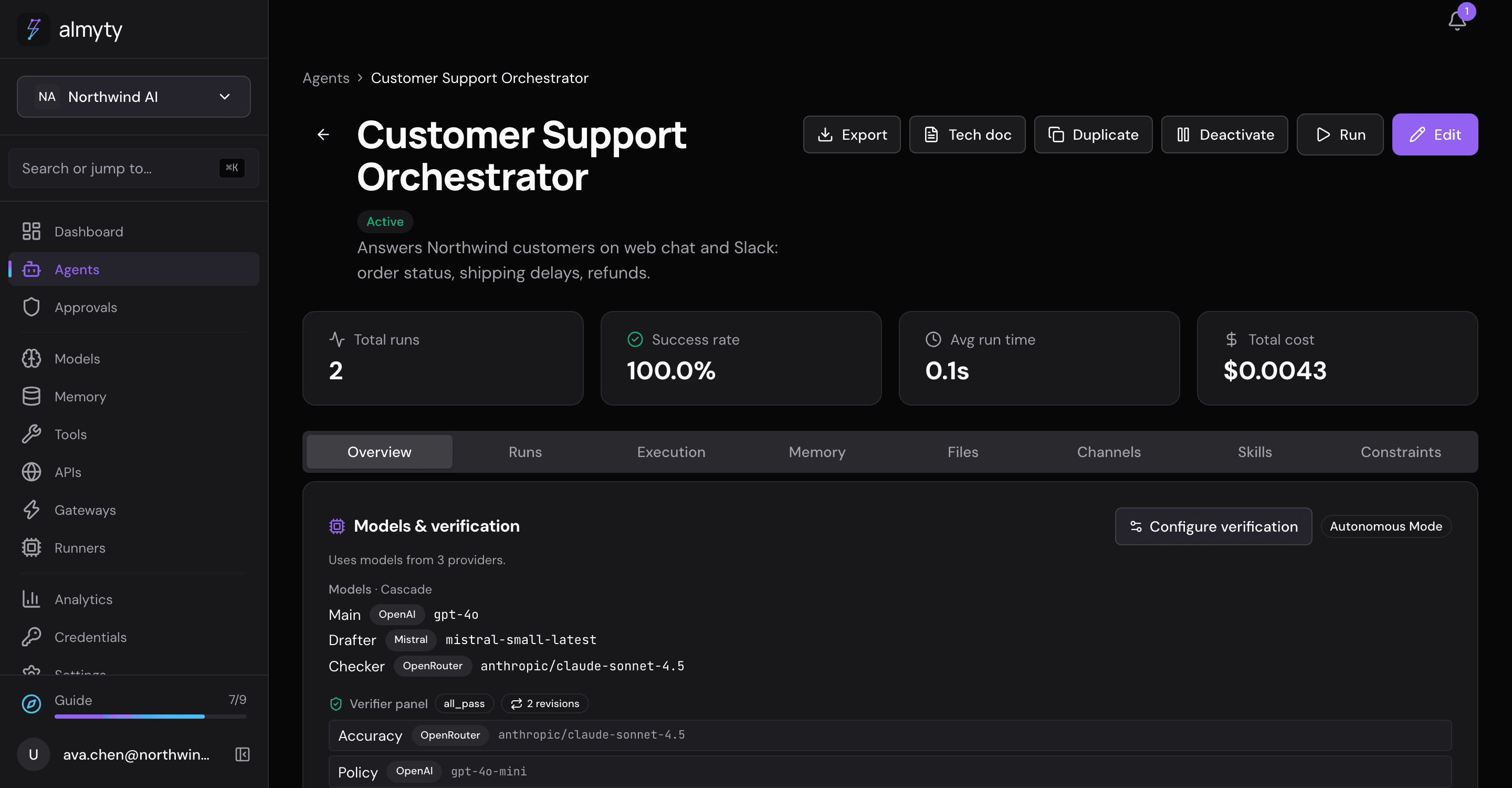
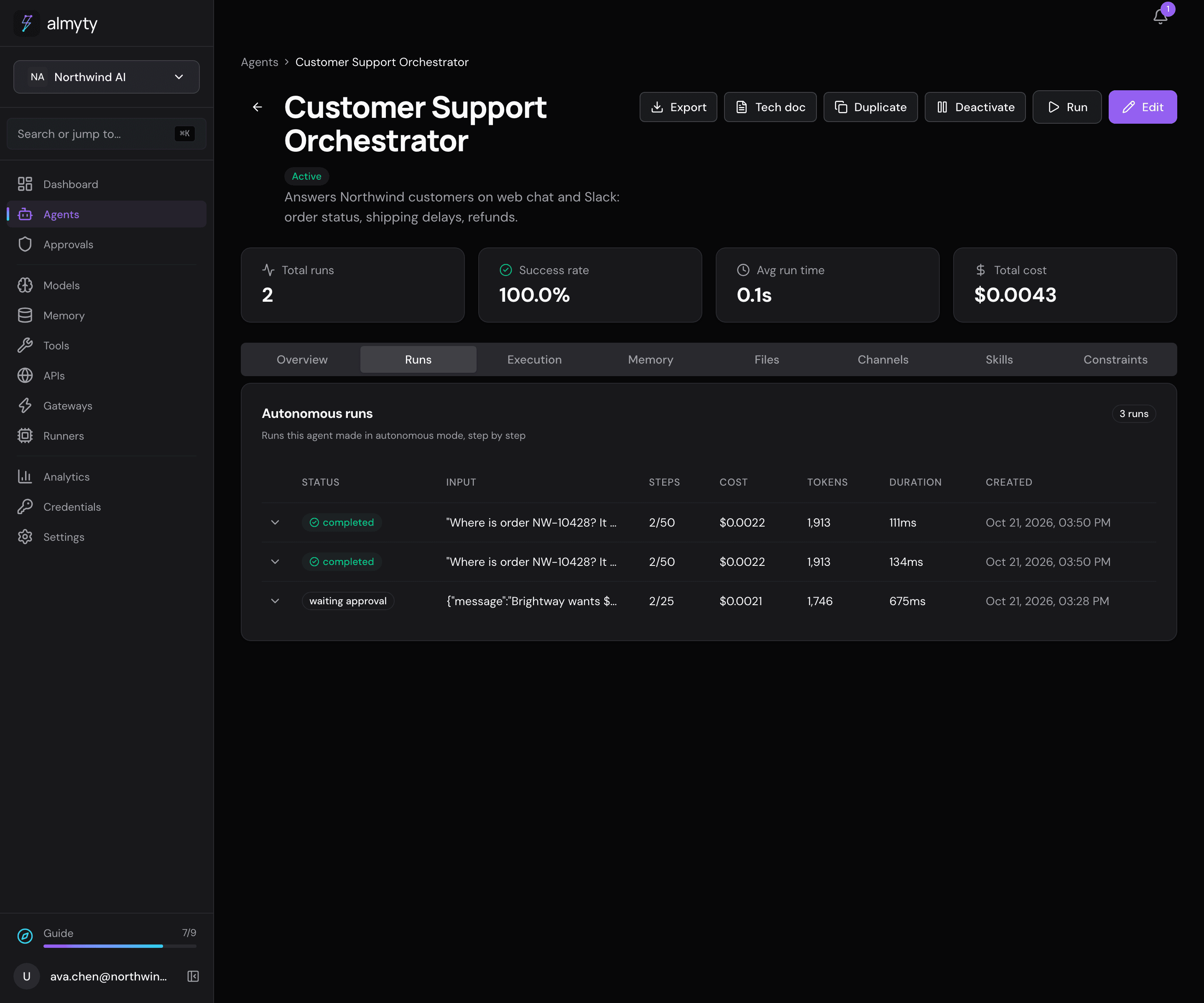
The screenshots here show the demo organization’s Customer Support Orchestrator on almyty’s local demo setup, with made-up orders and test runs, not a real support account.
What it does
- “Where is order NW-10428? The customer says it is late.” It tracks the shipment, finds the parcel held at customs in Leipzig, and drafts an apology with the new delivery date and your delayed-shipment offer.
- “Triage ticket T-5521 and draft a reply.” It sets the priority, routes the ticket and drafts a reply from your saved replies.
- “Brightway Logistics wants a refund of $820 on NW-44120.” That is over the $500 limit, so it asks for approval and waits for a person.
What you need
- Your order system and your help desk, connected as APIs.
How to build it
-
Connect your systems. Open APIs, click Connect an API, pick its kind, give the description link and click Connect API. Do this for the order system and the help desk; each operation, such as “track shipment” or “reply to ticket”, becomes a tool.
-
Create the assistant. Open Agents, click Create agent and switch to Autonomous. In Instructions, write the job: “Look orders up before answering, never promise a date the carrier hasn’t given, and ask a person to approve any refund over $500.” Under Tools and APIs, pick the two APIs.
-
Choose how it works. In Work mode, the demo uses Cascade: a cheaper model drafts, a checker model looks for mistakes, and the main model steps in only when the checker rejects the draft.
-
Add reviewers. On its Overview tab, under Models & verification, click Configure verification, turn on Enable verification and add reviewers from different AI companies. The demo has an “Accuracy” reviewer (every order fact must match the tool results) and a “Policy” reviewer (refunds over $500 go to approval), both must pass, with up to two revisions.
-
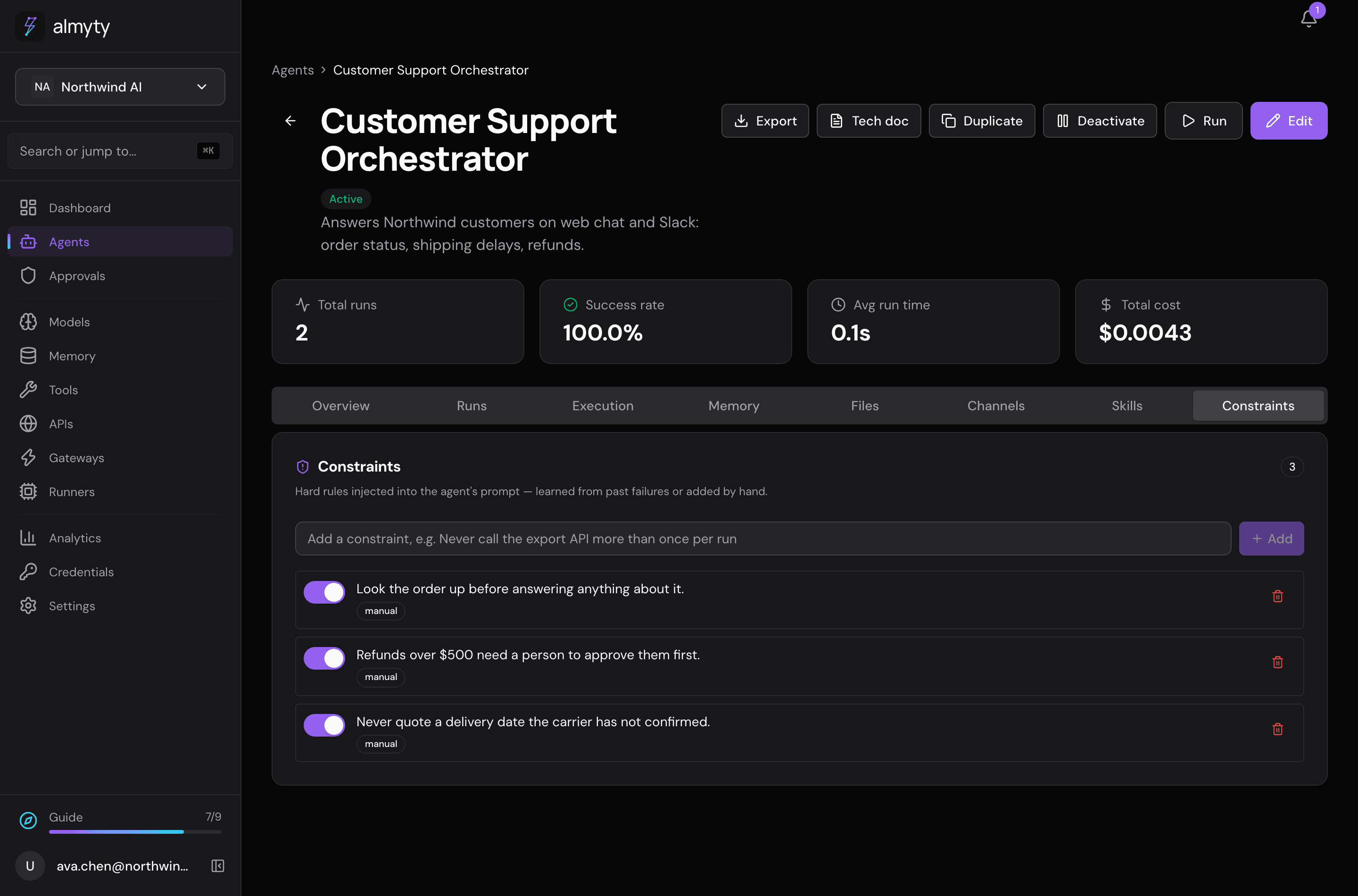
Add firm rules. On its Constraints tab, the demo has three: never quote a delivery date the carrier hasn’t confirmed, refunds over $500 need a person first, and look the order up before answering.
-
Put it where tickets arrive. On its Channels tab, add Slack, a web chat or email. Or have your help desk send tickets to it (see below).
Ideas
- Turn a good run into a reusable skill with Promote to skill on that run.
- Change the refund limit in the instructions and the constraint together.
For developers
The address to call and sample code are in the Integration card on the assistant’s Overview tab. See the OpenAI-compatible API.