SSO & SCIM
Let your team sign in to almyty with the company account they already use, and keep the member list up to date automatically. When someone joins, they can sign in with their work login; when they leave and IT switches off their account, they lose access to almyty too.
- SSO (single sign-on) means signing in through your company’s identity provider (the service that manages your staff’s logins, such as Okta or Microsoft Entra ID) instead of a separate almyty password.
- SCIM is a standard way for that identity provider to add, change and remove people in almyty automatically.
This needs the Business or Enterprise plan.
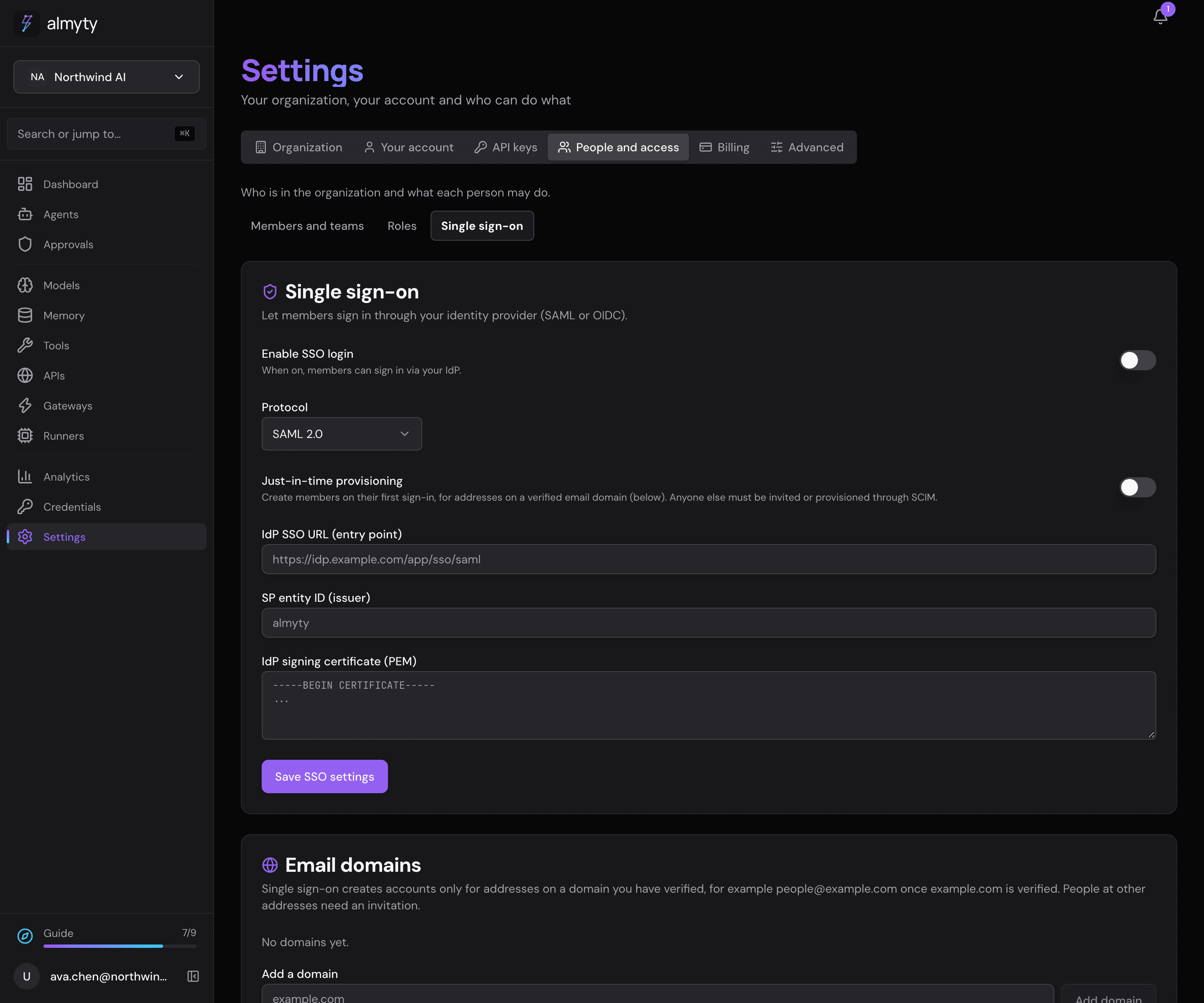
Set up single sign-on
Owners and admins do this once for the organization.
- Open Settings → People and access → Single sign-on.
- Under Protocol, pick SAML 2.0 or OpenID Connect, whichever your identity provider offers (ask your IT team if unsure).
- Fill in what your identity provider gives you:
- SAML 2.0: IdP SSO URL (entry point), SP entity ID (issuer) and IdP signing certificate (PEM).
- OpenID Connect: Issuer URL, Client ID and client secret. Give your identity provider the Redirect URI shown on the page.
- Turn on Just-in-time provisioning if people who sign in for the first time should get an account automatically (see below).
- Turn on Enable SSO login and click Save SSO settings.
Signing in with SSO gives the same session as signing in with a password, so roles, teams and the audit log work exactly the same.
Prove you own your email domain
almyty only creates accounts through SSO for addresses on a domain your organization has proven it controls, so an identity provider cannot create an account for someone else’s mailbox.
- Under Email domains, enter your domain (for example
example.com) and click Add domain. - Add the TXT record the page shows at your DNS provider (where your domain’s settings live; your IT team will know).
- Click Check DNS. The domain shows as Verified once the record is found.
A verified domain covers its subdomains too (people@eng.example.com). Only one organization can hold a given domain at a time. The same rule applies to SCIM.
Who gets in
When someone signs in through SSO, almyty looks them up by email:
- A member of your organization: signed in.
- A member whose access was switched off: refused.
- Someone new: gets an account with the default role, but only if Just-in-time provisioning is on and their address is on one of your verified domains. Otherwise refused, and they join through SCIM or an invitation.
- Someone with an almyty account who is not in your organization: refused. SSO never adds an existing account to an organization; invite them instead.
Keep members in sync with SCIM
- On the same page, click Generate SCIM token. This also turns SCIM on. The token is shown once: copy it.
- In your identity provider, set up SCIM with the SCIM base URL shown on the page and the token.
From then on your identity provider adds and removes people, and its groups become almyty teams. When someone is removed, they lose access to your organization, but their almyty account stays if they belong to other organizations. Use Rotate SCIM token to replace the token.
For developers
Configuration fields (one config per organization):
{
  "protocol": "oidc",
  "enabled": true,
  "oidcIssuerUrl": "https://login.example.com",
  "oidcClientId": "almyty",
  "oidcClientSecret": "…",
  "jitProvisioning": true,
  "defaultRole": "member"
}| Field | Notes |
|---|---|
protocol | saml | oidc |
enabled | master switch for the login endpoints |
SAML: samlEntryPoint, samlIssuer, samlCert | IdP SSO URL, entity ID, signing cert |
OIDC: oidcIssuerUrl, oidcClientId, oidcClientSecret | discovery-based; the secret is encrypted at rest |
jitProvisioning | create unknown users on first login |
defaultRole | organization role for users created on first login (default member) |
Reading the config back masks secrets and includes the computed loginUrl and scimBaseUrl. Set PUBLIC_API_URL on the backend so generated URLs (SAML ACS, metadata, SCIM base, login links) point at your public API address rather than an internal hostname. SSO issues the same httpOnly access_token cookie as password login.
Login endpoints (per organization, unauthenticated by design):
| Endpoint | Purpose |
|---|---|
GET /sso/:orgId/saml/login | redirect to the IdP (sets a relay-state cookie, 10 min) |
POST /sso/:orgId/saml/callback | SAML ACS (assertion consumer) |
GET /sso/:orgId/saml/complete | finishes the sign-in in the browser that started it |
GET /sso/:orgId/saml/metadata | SP metadata XML for IdP setup |
GET /sso/:orgId/oidc/login | start the OIDC flow (state cookie, 10 min) |
GET /sso/:orgId/oidc/callback | code exchange, then cookie and redirect |
Refused sign-ins answer 401.
Domain verification record:
| Record | Name | Value |
|---|---|---|
| TXT | _almyty-verify.example.com | almyty-domain-verification=<token> |
SCIM 2.0 under /scim/v2, authenticated by the SCIM bearer token and scoped to your organization:
- Users: create, list (filtering limited to
userName eq "…"), read, replace, patch, delete by id - Groups: create, list, read, patch, delete by id; groups map to teams
Deprovisioning (patch active: false or delete) deactivates the user’s organization membership, not their account. Both Okta and Entra patch payload shapes are handled. Creating a user at an address outside the verified domains is refused.