Gateways
A gateway is one address that offers a set of your tools to AI apps and other software, with access rules to control who gets in. Make one, and an AI app such as Claude Code or Cursor can look up orders, track shipments or open tickets in your own systems, using only the tools you chose.
For example, a “Northwind Support Tools” gateway can offer the order and helpdesk tools to the support team’s AI apps, while an “Orders for partners” gateway offers only order lookups to logistics partners.
Create a gateway
- Open Gateways and click Create gateway.
- Under Protocol, pick how the apps that will use it connect (nothing is picked for you):
- MCP: AI apps such as Claude Code, Cursor, Claude Desktop and VS Code. The usual choice.
- UTCP: programs and partner systems that call tools over plain web requests.
- Skills: AI coding assistants, as installable skill files.
- Under Tools, pick a whole API or single tools. A draft tool can’t be offered until it is active.
- Give it a Name and choose Who can use it. Advanced changes the path and who can manage it.
- Click Create gateway. If you chose Outside, protected, set up the keys or sign-in methods on the page that opens.
An API’s own page has Create gateway too, with that API’s tools already picked.
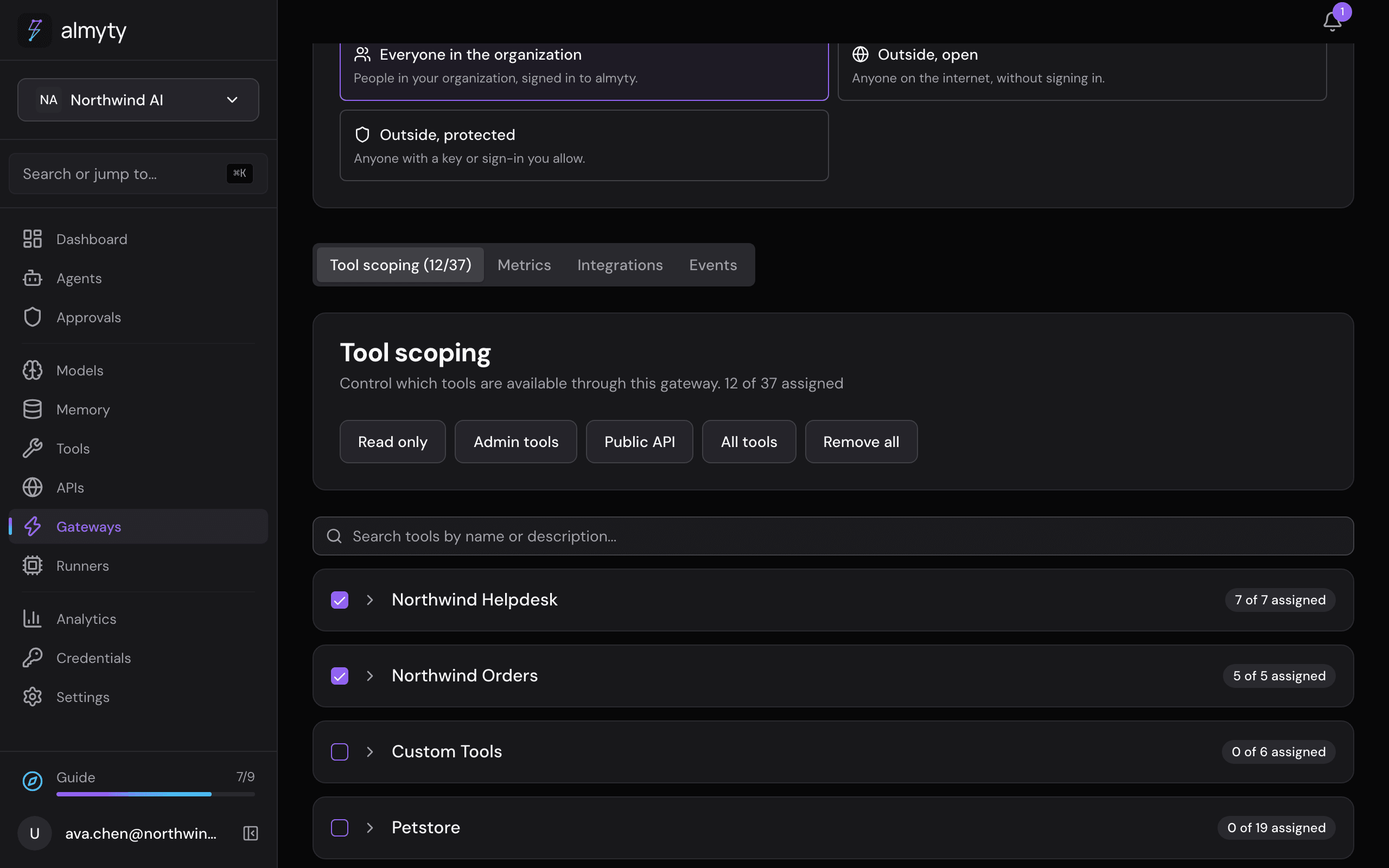
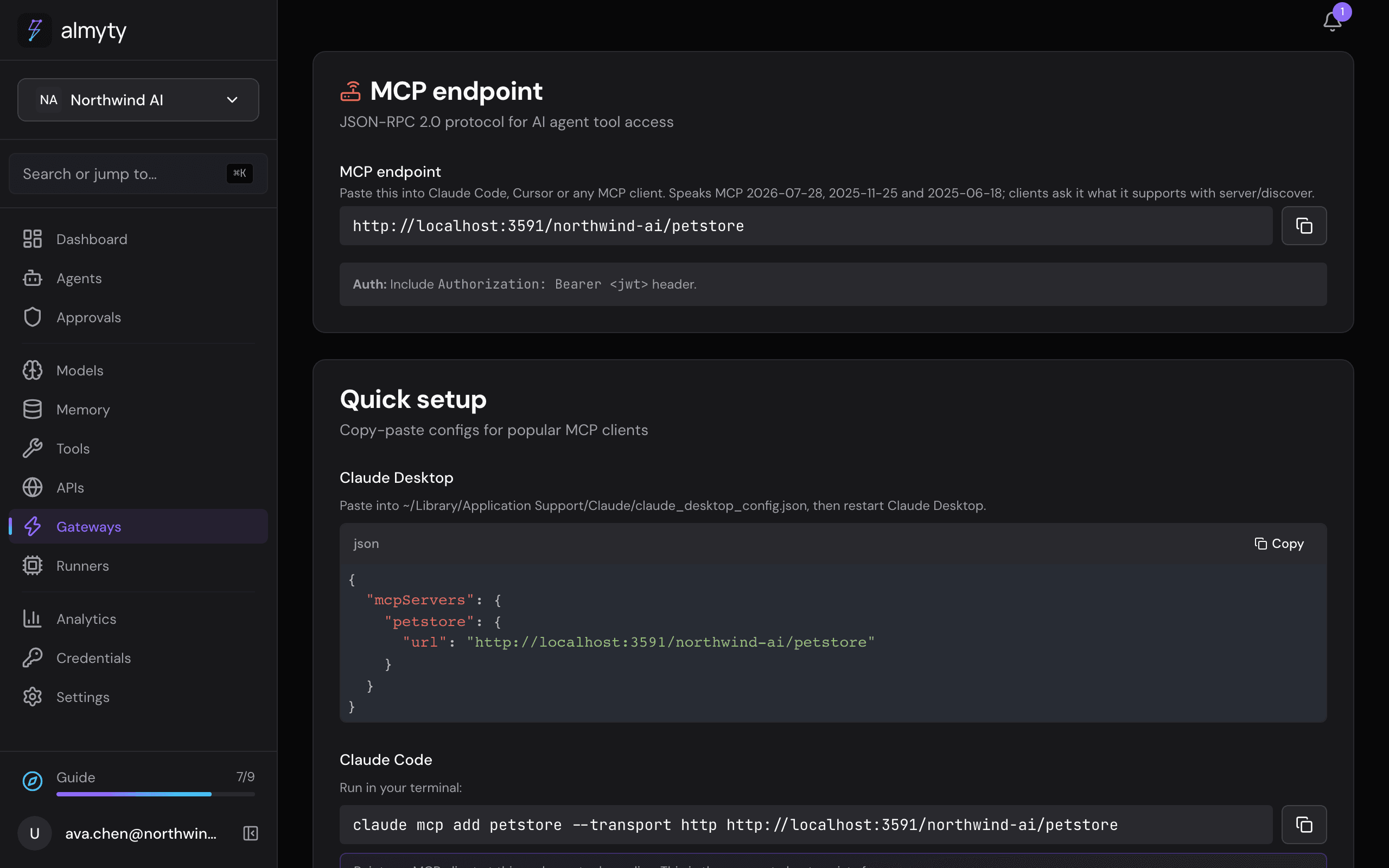
On the gateway’s page, Tool scoping changes which tools it offers, Who can use it manages endpoint access, keys and sign-in, and the Integrations tab gives the address and setup for each app:
Which kind of gateway
Each gateway speaks one protocol, the one it was created with. To offer the same tools over MCP and as Skills, create a gateway for each and pick the same tools.
| Kind | Who uses it | Page |
|---|---|---|
| MCP | AI apps: Claude Code, Cursor, Claude Desktop, VS Code | MCP gateway |
| UTCP | Programs and partner systems, over plain web requests | UTCP gateway |
| Skills | 30 AI coding assistants, through the Skills tool | Skills gateway |
Gateways offer tools; channels put an agent in front of people. A web chat, a website widget, Slack and the other messaging apps, and A2A (for other agents to call one of yours) are channels of an agent, added on the agent’s Channels tab. The Gateways page lists only MCP, UTCP and Skills gateways; see Channels and A2A.
Control what each gateway offers
- Access and sign-in: choose internal access, open outside access, or outside access protected by keys, usernames, company sign-in or your own tokens.
- Tool scoping: choose exactly which tools a gateway offers, and limit what each may reach.
- Search and scripts: offer a search box and scripts instead of every tool.
Search and scripts instead of every tool
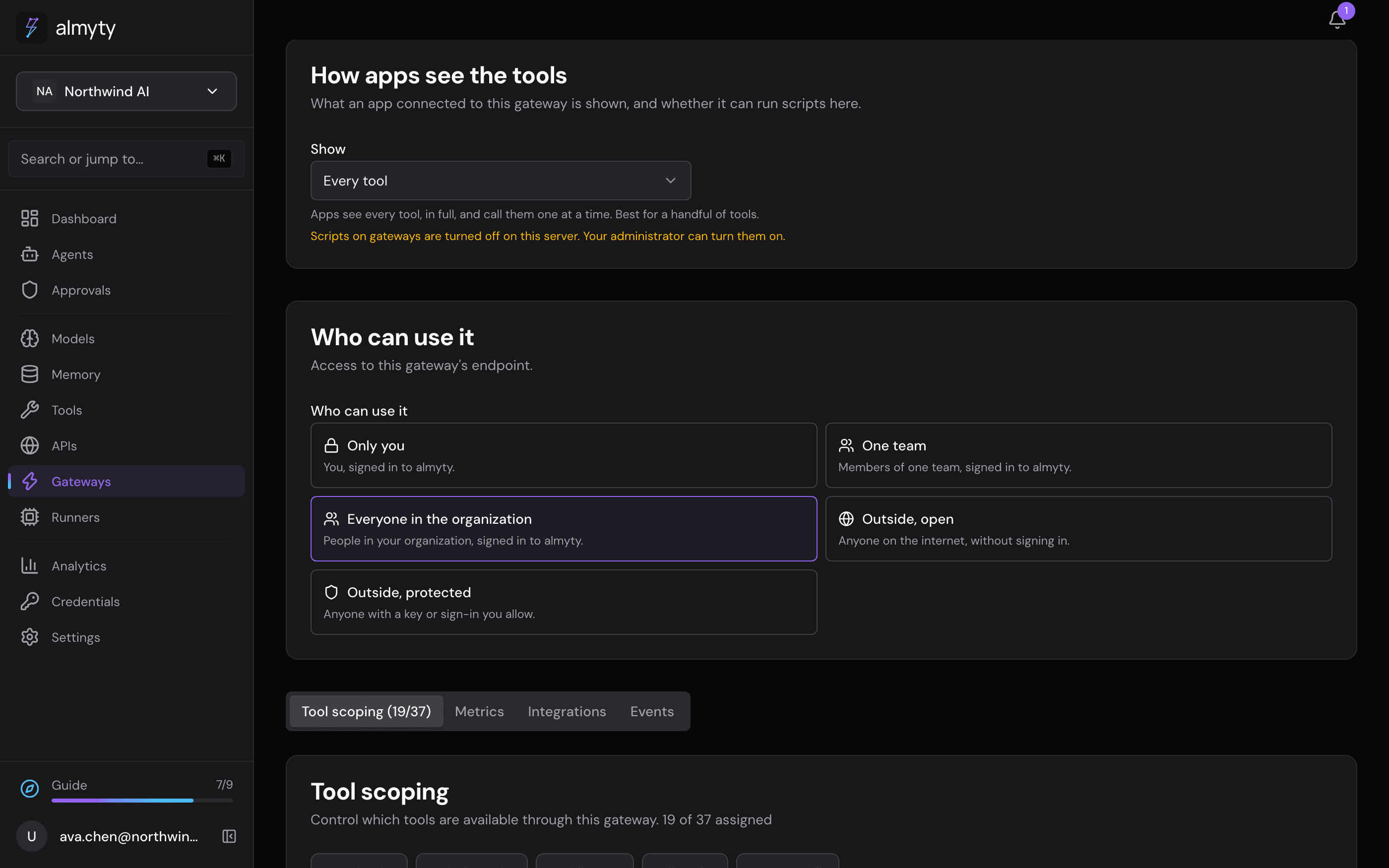
A gateway with many tools hands every connected app a long list to read before it can do anything. Under How apps see the tools on the gateway’s page you can offer something smaller instead:
- Every tool: the app sees each tool in full. The default, and best for a handful of tools.
- Search, and write scripts: the app sees three tools. One searches your tools, one reads a tool’s details, and one runs a short script that calls your tools, so a job like “archive every pet we sold last month” is one request instead of fifty.
- Every tool, plus search and scripts: both. Not offered on a Skills gateway, where scripts replace the per-tool skills with one skill.
A script runs on almyty in a locked box that holds nothing but the JavaScript language: no network, no files and no passwords. Each script gets a fresh box, thrown away when it ends, and is stopped if it uses too much memory, computes too long or takes too long. Every call it makes goes through the same checks, keys, approval rules and audit log as a direct call. Changes the gateway’s settings send to a person wait in Approvals as one list; the app is told they are waiting and asks again for the outcome.
Scripts have two conditions. Your administrator turns them on for the server, and the gateway must ask apps who they are: an access key or sign-in, not open to anyone. Until both hold, the choice is greyed out with the reason, and the gateway offers every tool.
For developers
Every gateway is served at https://api.almyty.com/{org}/{gateway}. Add an MCP gateway to Claude Code in one line:
claude mcp add petstore --transport http https://api.almyty.com/acme/petstore \
  --header "x-api-key: <your gateway key>"
An agent’s A2A channel answers at https://api.almyty.com/{org}/channels/{channel-id}, with its Agent Card next to it. Agents you build also have an OpenAI-compatible endpoint, so anything that talks to the OpenAI API can call an agent without code changes. To use a gateway from a client that only speaks stdio, see the MCP server CLI.
Search and scripts: configuration.exposure is tools, code or both, and configuration.codeMode holds the write policy, as on an agent. CODE_MODE_GATEWAYS=true turns scripts on for the install; without it, saving code or both is refused. In code exposure MCP tools/list returns exactly search_tools, get_tool and run_code; both adds call_tool after the gateway’s own tools. A waiting run_code answer carries an approvalId; calling run_code with only { "approvalId": "..." } returns what happened to the changes. UTCP serves the same tools at <gateway>/execute/meta/<name> and also accepts the names tool_info and call_tool_chain. A Skills gateway in code exposure generates one skill that posts scripts to POST /gateways/:id/skills/run-code. Gateway scripts run in QuickJS compiled to WebAssembly, one worker per script in a pool of its own (SANDBOX_QUICKJS_*), with a hard memory cap (CODE_MODE_MEMORY_MB), a CPU budget (CODE_MODE_CPU_MS) and a wall-time limit (CODE_MODE_TIMEOUT_MS); an organization can lower each in settings.codeMode. Agents and workflows inside almyty run their scripts in a separate Node sandbox. The design is in docs/design/code-mode.md.