Autonomous agents
An autonomous agent is an assistant you describe in plain words instead of drawing step by step. Tell it who it is, what it should do, and which of your systems it may use, and it works out the steps itself. For example: “You are Northwind’s support agent. Look orders up before answering, and ask a person to approve any refund over $500.”
On this page: how to set one up, how it can check its own answers, the rules it follows, what it remembers, and how a good run becomes a reusable skill. (If you would rather lay out every step yourself, see workflow agents.)
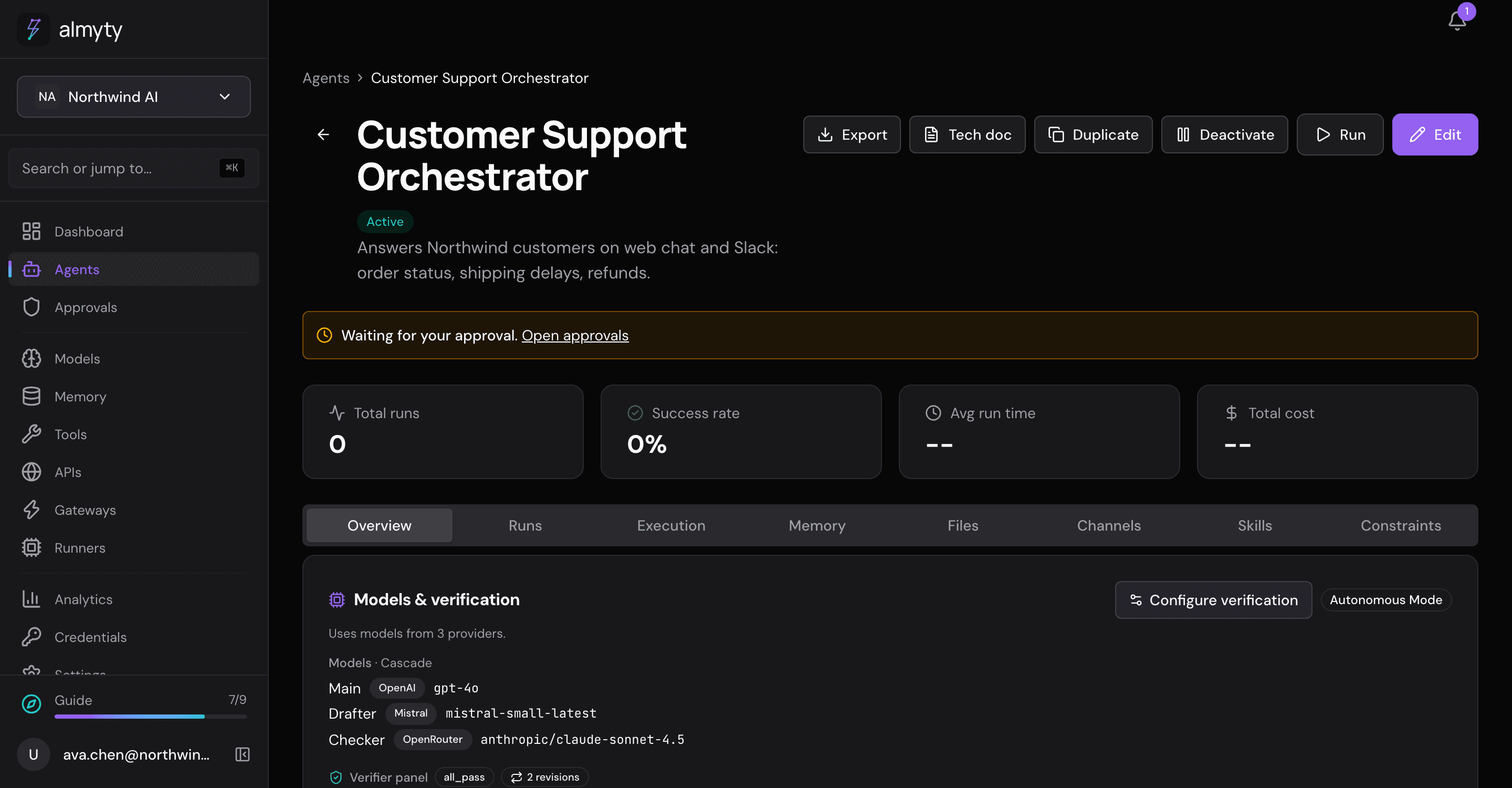
Create an autonomous agent
- Open Agents, click Create agent and pick Autonomous at the top.
- Fill in the page from top to bottom: Personality & style (the tone, such as “warm, brief, specific”), Instructions (the job), Work mode and its models, Memory, Capabilities (what it may use), Run limits, and Always on, which keeps it working in the background (set up on its own page; see Always on).
- Save it. Rules and answer checks are added on the agent’s own page afterwards.
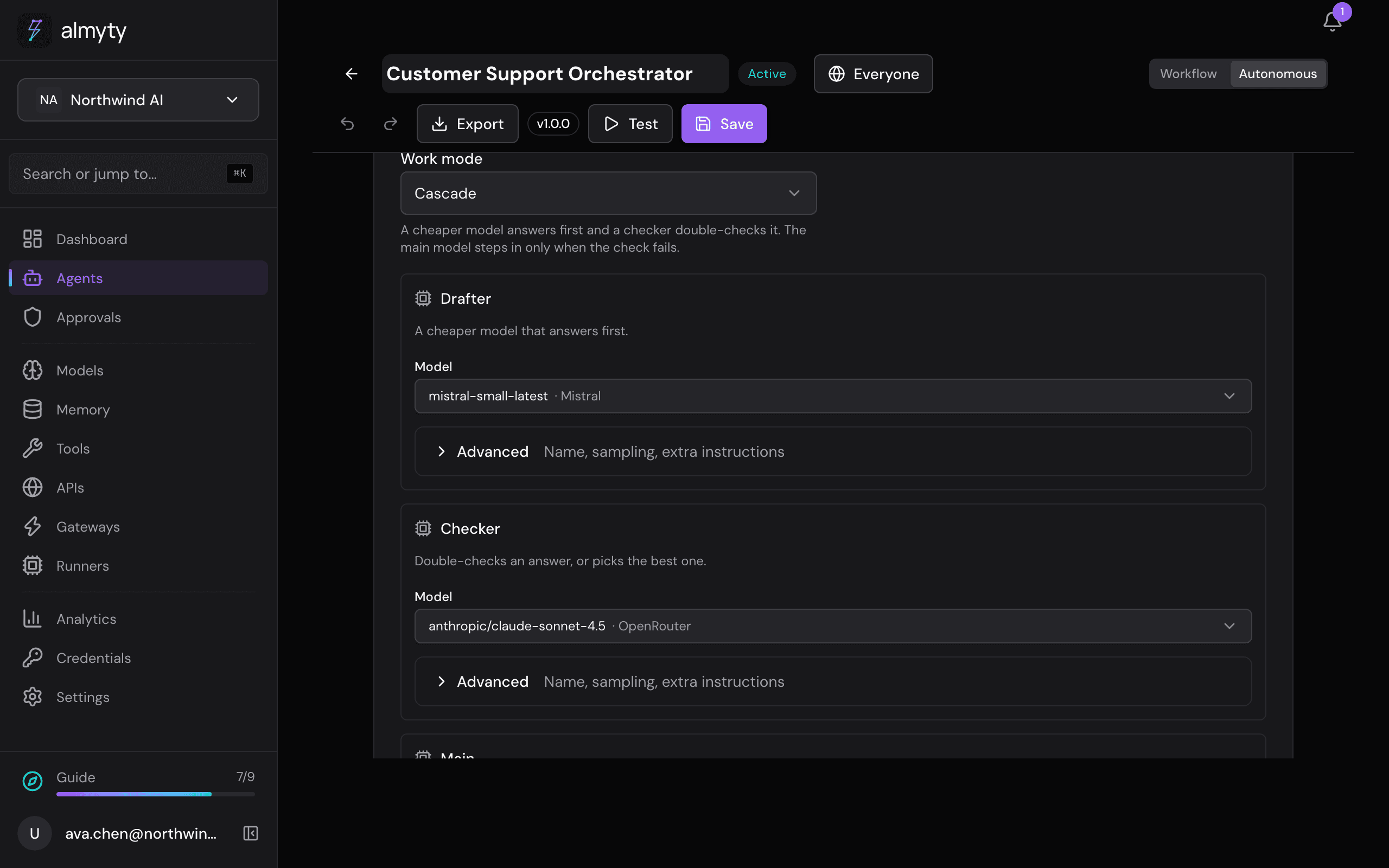
To try it, use Try it on the agent’s Overview tab.
Work mode: how it works, and which models do it
The work mode decides how many AI models take part in each answer and what each one does. Pick the mode from the Work mode dropdown; the model slots below it change to match, and each slot asks for exactly the model that mode needs.
| Work mode | What happens | Slots it shows |
|---|---|---|
| Single | One model does it all. | Main |
| Cascade | A cheaper model answers first and a checker double-checks it; the main model steps in only when the check fails. Good for keeping costs down. | Drafter, Checker, Main |
| Best of N | The main model writes several answers and the checker picks the best. You set how many (2 to 5). | Main, Checker |
| Panel | Several models (panelists) answer, and a judge writes one answer from all of them. | Main, two or more Panelists, Judge (optional) |
| Explore, extract, patch (experimental) | Explorers look around with the tools, a summariser sums up what they found, the main model works from that, and a checker checks the answer. | Explorers, Summariser, Main, Checker |
For each slot you pick a model from one searchable list of the models your connected providers offer, or Automatic, which lets almyty choose for each call by the rules you set (see Routing). A panelist can also be another of your agents. The Judge is optional: without one, the main model judges the panel. A judge is always a model.
Switching modes keeps what you picked for the other slots while you edit, so switching back brings them back; saving keeps only the slots the chosen mode uses. Each slot’s name, temperature, token limit and extra instructions are under its Advanced. Under the section’s own Advanced, you can add other models the main model may hand a piece of work to, in any mode.
Whatever the mode, the person asking gets one answer. Each step of a run records which slot took it and which model answered, including, for an Automatic slot, which model was picked and why.
Verification
Verification is a second opinion before the agent answers. Reviewer models each try to find a reason the answer is wrong; if they find one, the agent fixes it and tries again.
To set it up, open the agent’s Overview tab and, on the Models & verification card, click Configure verification:
- Turn on Enable verification.
- Add reviewers. Each is a model with its own focus, such as “check every order fact against the tool results”.
- Choose the Merge policy, which decides how the reviewers’ verdicts combine.
- Pick the Triggers, which decide when they run.
- Set Max revise loops (how many times the agent may fix and retry), then click Save verification.
| Merge policy | The answer passes when |
|---|---|
| All pass | every reviewer approves |
| Majority | most reviewers approve |
| Any fail blocks (default) | a single failure blocks it |
| Trigger | What it does |
|---|---|
| On final output (block + revise) | The answer is checked before it goes out. On a failure the agent gets the feedback and revises, up to the revise limit (two by default), then finishes. The run records the verdict, how many revisions it used, and whether it ran out. |
| Every N steps (advisory) or On tool result (advisory) | A check during the run that adds a course-correction note without stopping it. |
Workflow agents can do the same with a Verify step.
Capabilities
Capabilities is the list of what the agent may use. Anything not given here is refused when the agent asks for it, and nothing runs.
- Tools and APIs: pick single tools, or tick All tools on an API. An API picked this way gives the agent every active tool of it, including tools added to the API later.
- Other agents it can call: tick the agents it may hand work to, and it gets their answers back. With none ticked, it calls none.
- Machine: labels of the computer its runner tools run on, such as
gpu=yes. (A runner is a small program that lets almyty run jobs on a machine you choose.) Work goes only to an online machine with all the labels; see Send work to a matching machine. - Temporary agents: let it create helper agents for part of a task, with a limit per run and a limit on how many may exist at once. A helper only gets tools this agent has, and is removed when its run ends.
- How the model sees its tools: with a few tools the model reads all of them on every step. With many, their descriptions alone fill much of what the model can read at once, and cost money on every step. Automatic (the default) shows every tool while the list is small and switches to searching once it would take more than 3% of the model’s context window; the agent’s own threshold, in tokens, replaces that share. Search for tools always searches: the model gets three small tools to search for a tool, read its details and run it, and finds what it needs as it works (see How assistants find the right tool). Show every tool never searches. Tools under Always show in full are shown to the model in full either way. Every tool stays exactly as usable as before: the same permissions, approvals and audit apply to a tool found by searching. The choice is made once at the start of a run and kept until it ends.
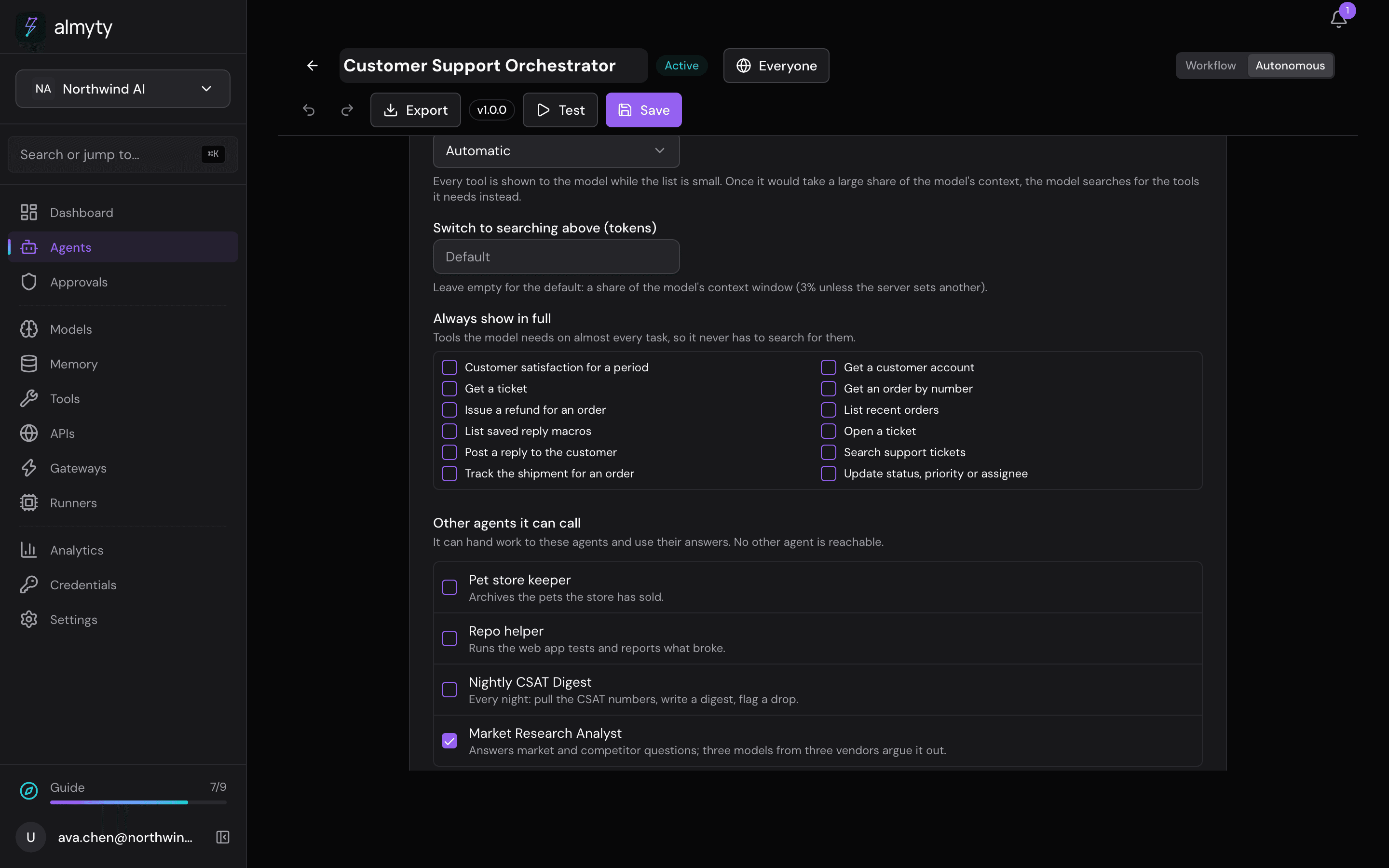
Several models working together inside one agent is the work mode; several agents working together is this list.
Scripts: many tool calls in one go
Some jobs take many small steps: “archive every pet we sold more than a month ago” means finding the sold pets, checking each date, and archiving each old one. Calling a tool, waiting, reading the whole answer and calling the next one costs a model call per step.
Choose Search, and write scripts under How the model sees its tools, and the agent can do such a job in one go. It writes a short script that calls its tools, almyty runs the script in a locked box, and only what the script returns comes back to the model.
What stays the same:
- The script can only use the agent’s own tools. It has no network, no files, no passwords and no other software: every call it makes goes through the same permissions, approval rules, credentials and audit log as a call the model makes directly.
- Reading data always runs.
What you decide, under When a script changes data:
- Changes to data: make them (the default), ask a person first, or never.
- Deletions: ask a person first (the default), make them, or never.
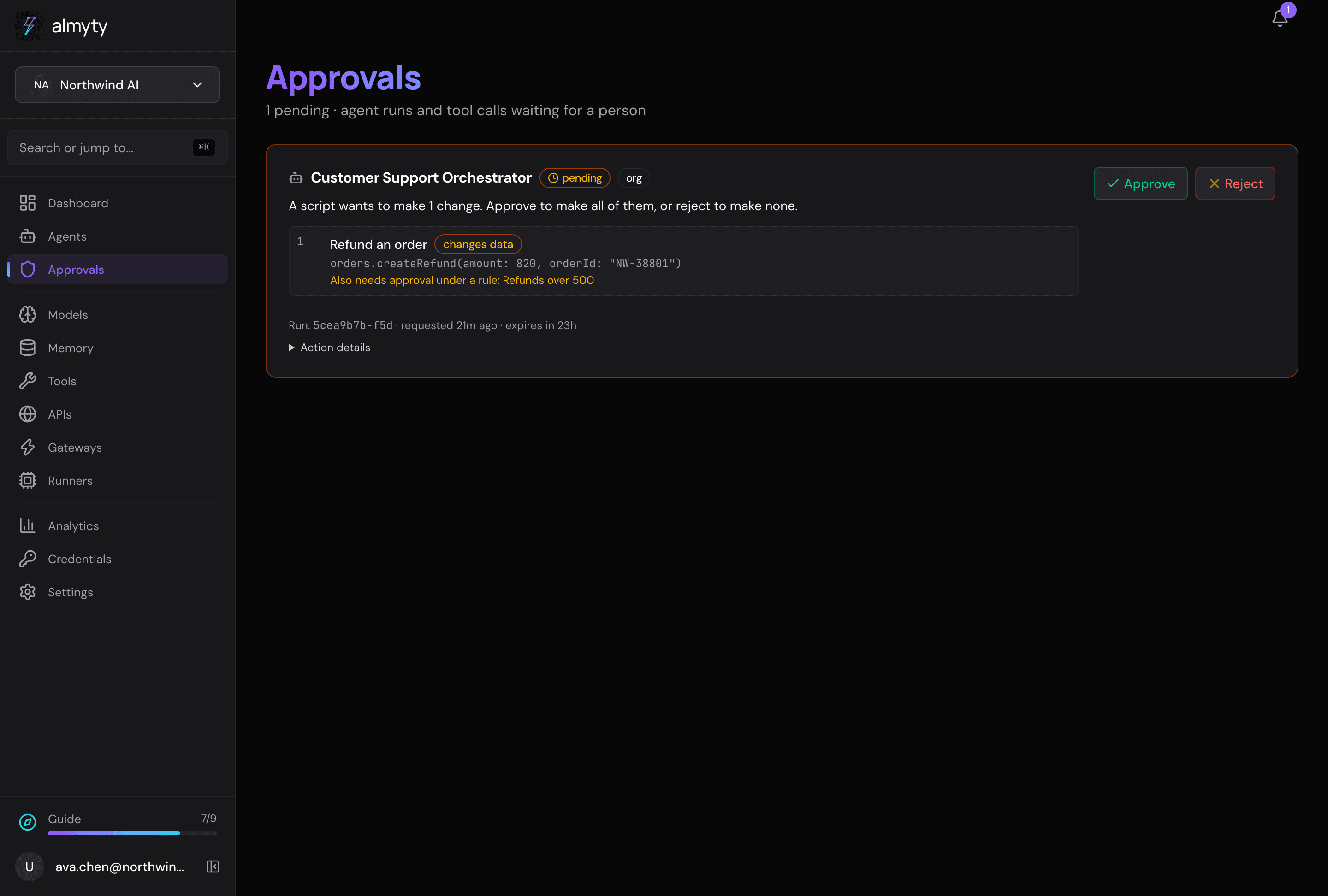
When a script wants changes a person has to approve, they are collected into one list. The agent’s run waits, and the request shows up in Approvals with every change in it: what it changes, and any approval rule it also trips. Approve makes all of them, in order; if one fails, the ones after it are not made and nothing is undone. Reject makes none of them; the agent is told and carries on.
Every script is kept with its run. On the agent’s Runs tab, open a run and choose Show script on a script step to see the script, what it logged and returned, the changes it asked for, and every call it made.
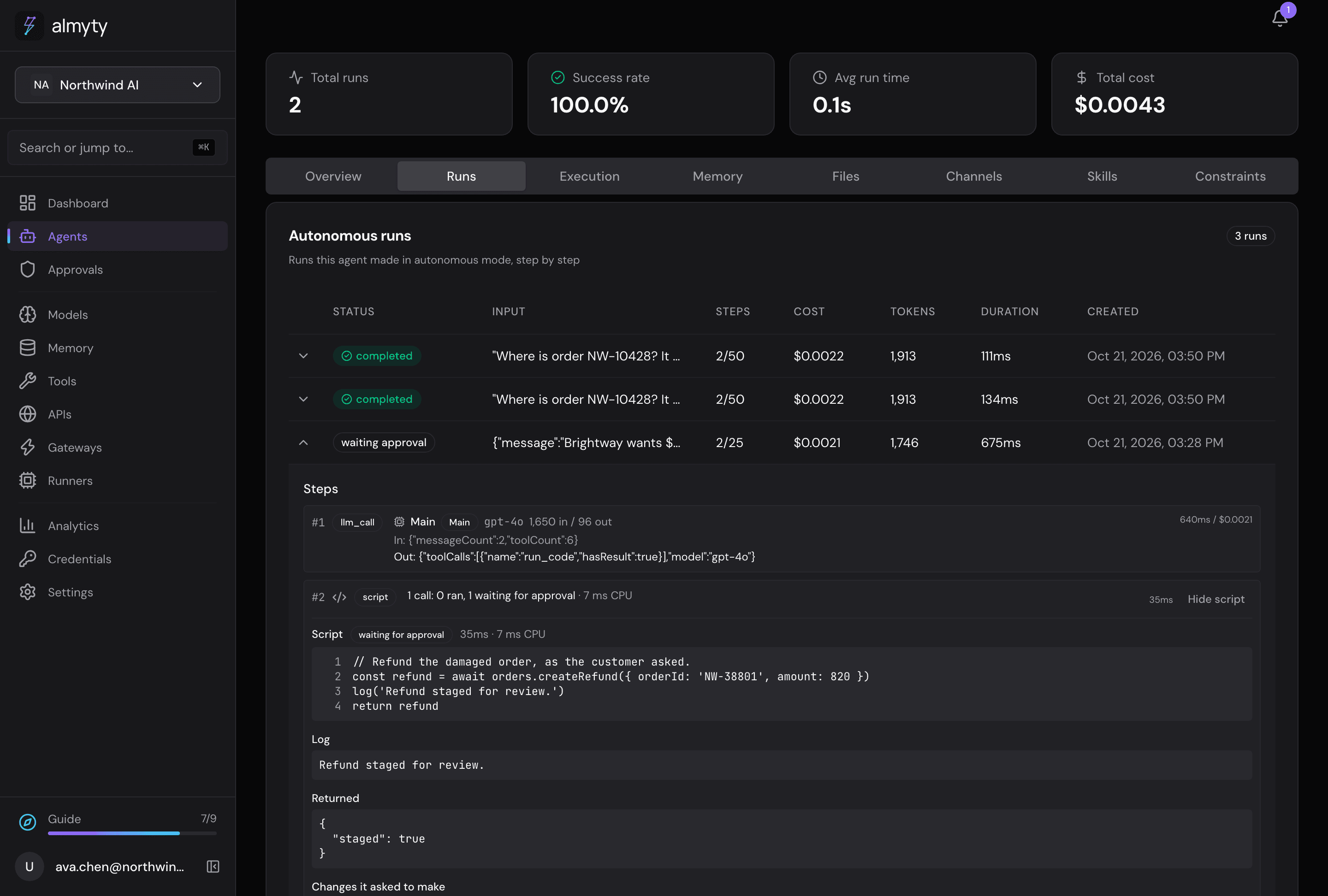
A script ends after 30 seconds unless it asks for more (at most 2 minutes), may make 100 calls, and runs 4 at a time. Your administrator can change these numbers.
Constraints
Constraints are standing rules the agent follows on every run, such as “never promise a refund over $500 without approval” or “keep replies under 150 words”. Add them on the agent’s Constraints tab. The agent can also learn them: when a run fails, the lesson is turned into a new constraint automatically, for example “a run was blocked for issuing a $900 refund without approval, gate refunds over $500”.
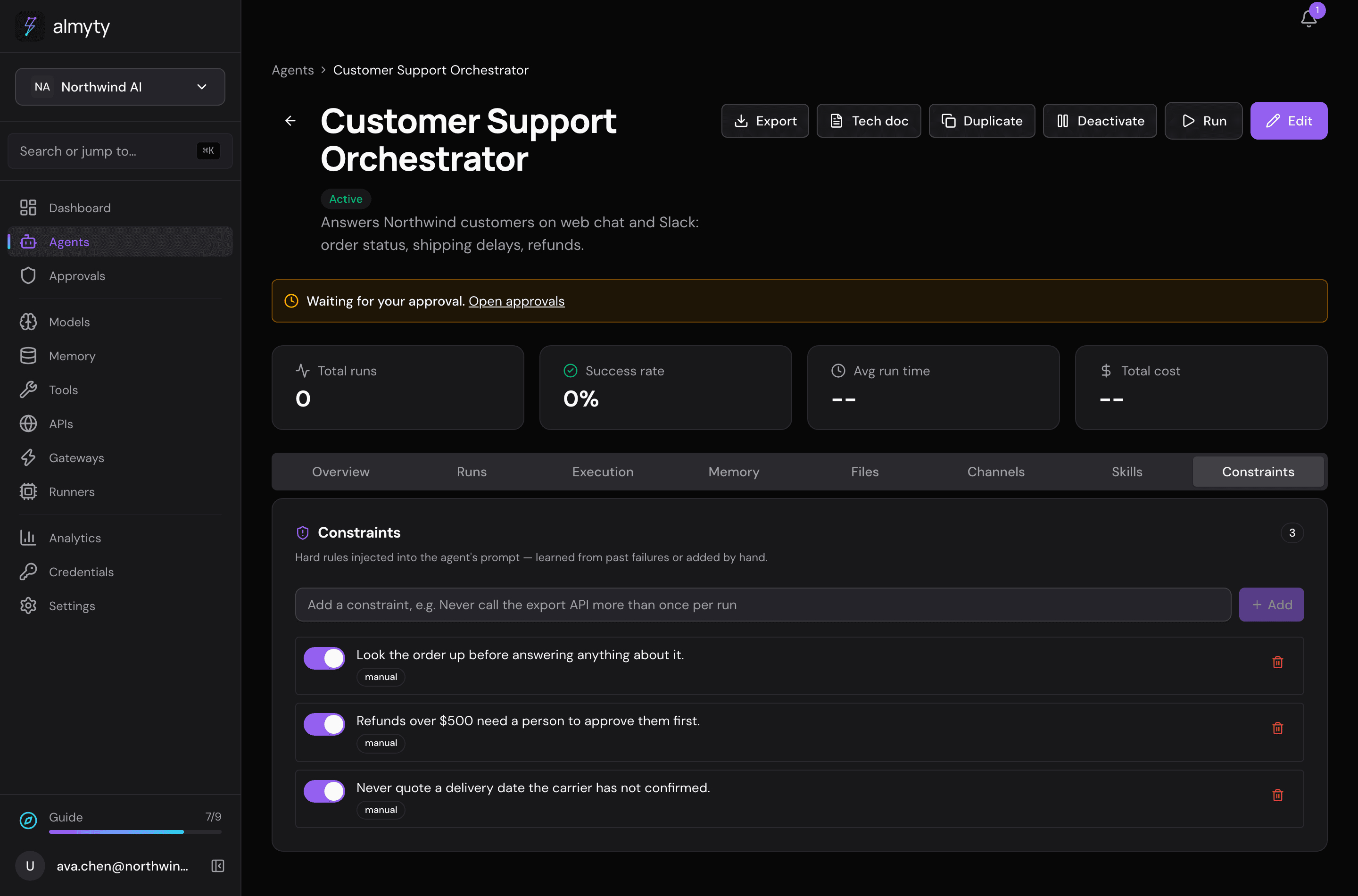
Constraints always apply. Memory is different: it is recalled only when it seems relevant.
Promote a run to a skill
When a run goes well, you can save how it was done as a skill, so the agent (or another agent, or a coding assistant) can repeat it without working it out again.
- Open the agent’s Runs tab and expand the run.
- Click Promote to skill and fill in the short form.
almyty writes the run’s steps down as a skill file in the open Agent Skills format, and keeps versions of it. A run that called tools lists them in order (“1. Look up order status, 2. Search the knowledge base, …”); a run that only reasoned is written as prose. On the Skills tab you can view, replay or delete it.
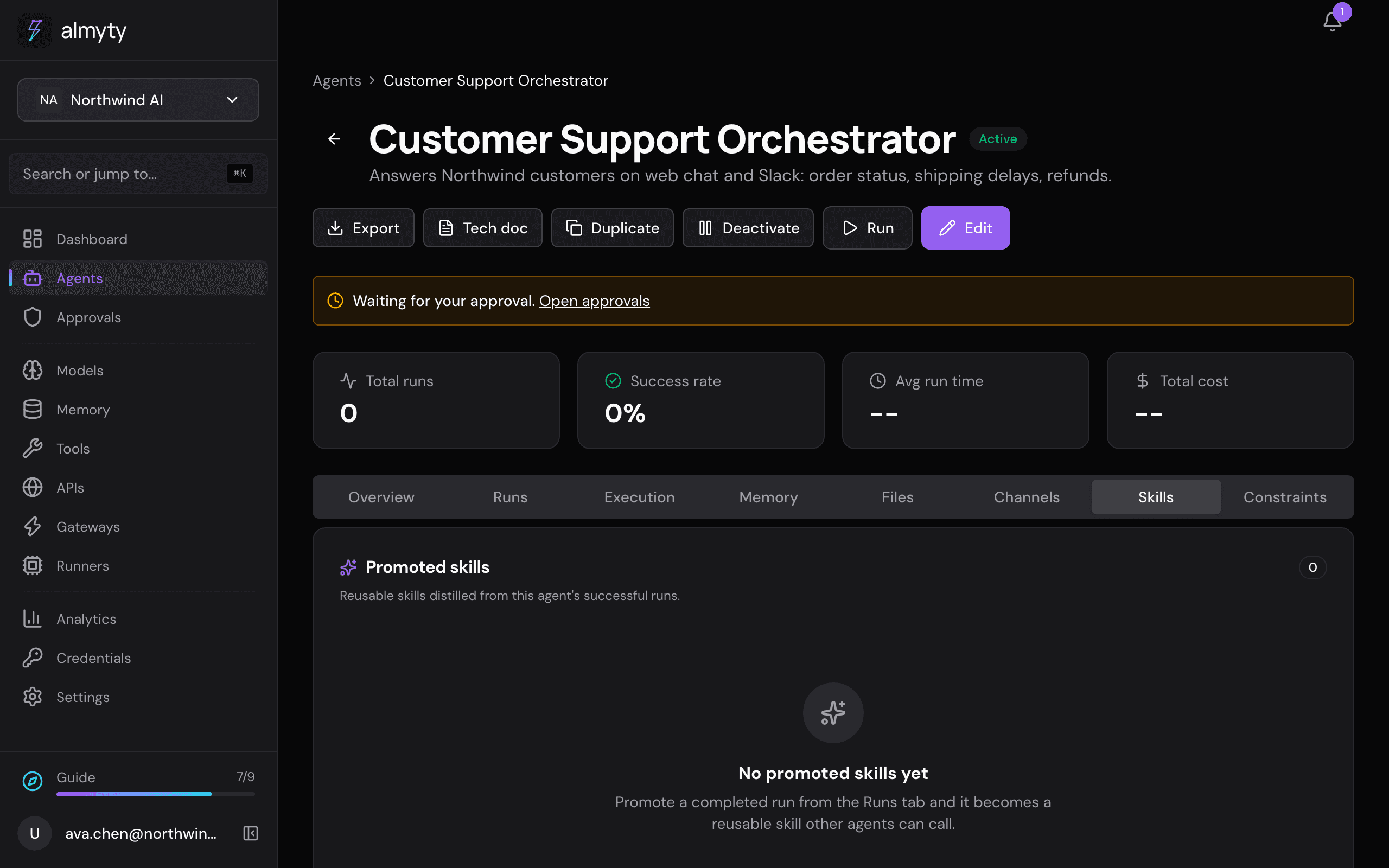
Skills are shared through a Skills gateway, and coding assistants can install them with @almyty/skills.
Memory
Turn on Remember between conversations and the agent looks up what it saved earlier before it answers. For example, it can remember that a customer prefers email. Then choose:
| Setting | Choices |
|---|---|
| Memory account | almyty’s own memory, an outside memory service (Mem0, Zep, Supermemory and others) your organization has set up, or an account of the agent’s own: anyone who can edit the agent can connect one with Add a memory account. |
| Whose memory | Each person has their own, This agent’s own, or Shared by all agents. |
| What it saves | Facts it learns (after each conversation, the agent’s main model picks out what is worth keeping), Whole conversations, or Only when asked. |
| Never save | Rules, one per line, such as “payment details”. Every save is checked first, and what the rules cover is taken out. |
| How long it keeps memories | Until deleted, or For a number of days. |
See Memory for what each setting does while the agent runs.
Long runs
A long run can outgrow how much text a model can read at once. Context compaction keeps it within bounds: past a token budget, older parts of the conversation are folded into a summary while the most recent messages are kept word for word. It is off unless turned on, and there is no switch for it on the edit page; it is set through the API (see below).
Related
- Approvals: pause a run for a person’s sign-off before something that cannot be undone
- Memory: what agents remember
- Gateways: Skills: share promoted skills
- Workflow builder: lay out every step yourself
For developers
Run an autonomous agent from the terminal and stream each step (tool calls, verifier verdicts, revisions) as it happens:
$ npx @almyty/agents run support-orchestrator \
    --input '{"ticket": "Where is my order #4821?"}' --watch
See the Agents CLI for the full command set. Any client can also call an active agent through the OpenAI-compatible API.
- Verification lives in
agentConfig.verify(enabled,checkers,policy:all_pass,majorityorany_fail_blocks,triggers:on_final_output,every_n_steps,on_tool_result,maxReviseLoops, default 2). The same checking logic backs the workflowverifynode. - Context compaction lives in
modelConfig.compaction:enabled,maxContextTokens,keepRecentMessages(default 8),strategy(summarizeortruncate), and an optionalproviderId/modelfor the summariser. - Promoted skills are stored as
SKILL.mdand are also served over REST. - Tool mode lives in
agentConfig.toolMode(direct,discover,codeorauto),agentConfig.toolModeThresholdTokensandagentConfig.pinnedToolIds. Indiscoverthe tools array issearch_tools,get_tool,call_tool, the pinned tools and the built-ins, the same on every step.call_toolruns through the same executor, approval rules and audit as a direct call, and only reaches the agent’s own tools.autoestimates the definitions at four characters per token and compares them withAGENT_TOOL_MODE_THRESHOLD_PERCENT(default 3) of the main model card’scontextLength, or withAGENT_TOOL_MODE_FALLBACK_TOKENS(default 4000) when there is no card or the role is routed.AGENT_TOOL_MODE_DEFAULT(defaultauto) applies when an agent sets nothing. The decision is kept in the run’sworkingMemory.toolMode. - Code mode is
agentConfig.toolMode: 'code': the tools array issearch_tools,get_tool,call_tool,run_code, the pinned tools and the built-ins, and the system prompt names the namespaces (one per API, fromtool-discovery/tool-signature.ts).autonever pickscode. run_code({ code, timeoutMs? })strips TypeScript types (module.stripTypeScriptTypes) and runs the body as an async function in the sandbox’scodeprofile (NodeSandboxService.executeCode,code-sandbox-worker.ts):--permissionwithout--allow-net, the net guard in deny-all mode, an empty environment, every module resolution refused, its own pool (SANDBOX_CODE_*). Each namespace function posts to the broker (code-mode/code-broker.ts), which resolves the name in the run’s executable tools, claims the budget, appliesagentConfig.codeMode.writes(write,destructive, per-tooltools),grants({ toolId, max }per run) and callsToolExecutorService.executeToolwith the run’s principal,holdForApproval: 'caller'andcodeExecutionId. An amount rule’s hold becomes a staged entry.- Limits are
CODE_MODE_*(calls 100, in flight 4, 30 s default and 120 s maximum, 128 MB, 16 KB of log and of return value, 50,000 characters of script);organization.settings.codeModemay lower each.extract(value, schema)usesagentConfig.codeMode.extractor({ providerId, model }) or the organization’s routing policy withobjective: 'cheapest'; its cost goes to the run. - A script with staged calls creates one approval request with
payload.kind: 'change_set'andpayload.changeSet; the run waits withworkingMemory.pendingChangeSets. Approved, the entries run in order withapprovedGate(an amount rule accepts a change set that contains the call) and stop at the first failure; rejected or expired, none run and the run resumes. - Traces:
code_executions(script, logs, result, error, status, change set, approval, call count, CPU ms, duration) andtool_executions.codeExecutionId.GET /agents/:id/runs/:runId/code-executions[/:codeExecutionId]returns a run’s scripts and one script with its calls. Retention deletes them withtool_executions. - The tool-mode benchmark (
backend/scripts/tool-mode-benchmark/) runs a fixed task set against three mock APIs (53 tools) in each mode, on the models you name, and reports tokens, turns, tool calls, latency, cost and success;--self-checkverifies the task checks without a model.