Visitor data requests
Anyone who talks to your assistant can ask what you keep about them, ask for a copy, or ask you to delete it. Many privacy laws (the GDPR in Europe, for example) give them that right, and you have to answer.
People on your web chat and on your website’s chat bubble can do it themselves, from the chat. Everyone else asks you: someone who wrote to the assistant on Slack, WhatsApp, by text message or by email, or a company whose agent calls yours over A2A. You answer from the assistant’s Channels tab, under Visitor data. It takes a minute: say who they are, look at what is kept, then download a copy for them or delete it.
What people can do themselves
On the web chat, the menu offers:
- Download my data: a file with their visitor record, every conversation, the memories the assistant kept from those conversations, and a list of the files they sent.
- Delete this conversation: that conversation and everything that came of it.
- Delete everything about me: everything the chat holds about them, then the chat starts them afresh.
The chat bubble on your website offers Download my chat and Delete my chat for the conversation in that browser.
Both are on by default. You can switch them off under Branding and visitor rules, Advanced (Let visitors download their data, Let visitors delete their data). A visitor who asks then gets a plain refusal, and you answer their request yourself, as below.
Answer a request
Requests are answered by whoever may change the assistant: an owner or admin of your organization, or the member who owns that assistant. Each can answer only for the assistants they may change.
- Open the assistant and go to its Channels tab.
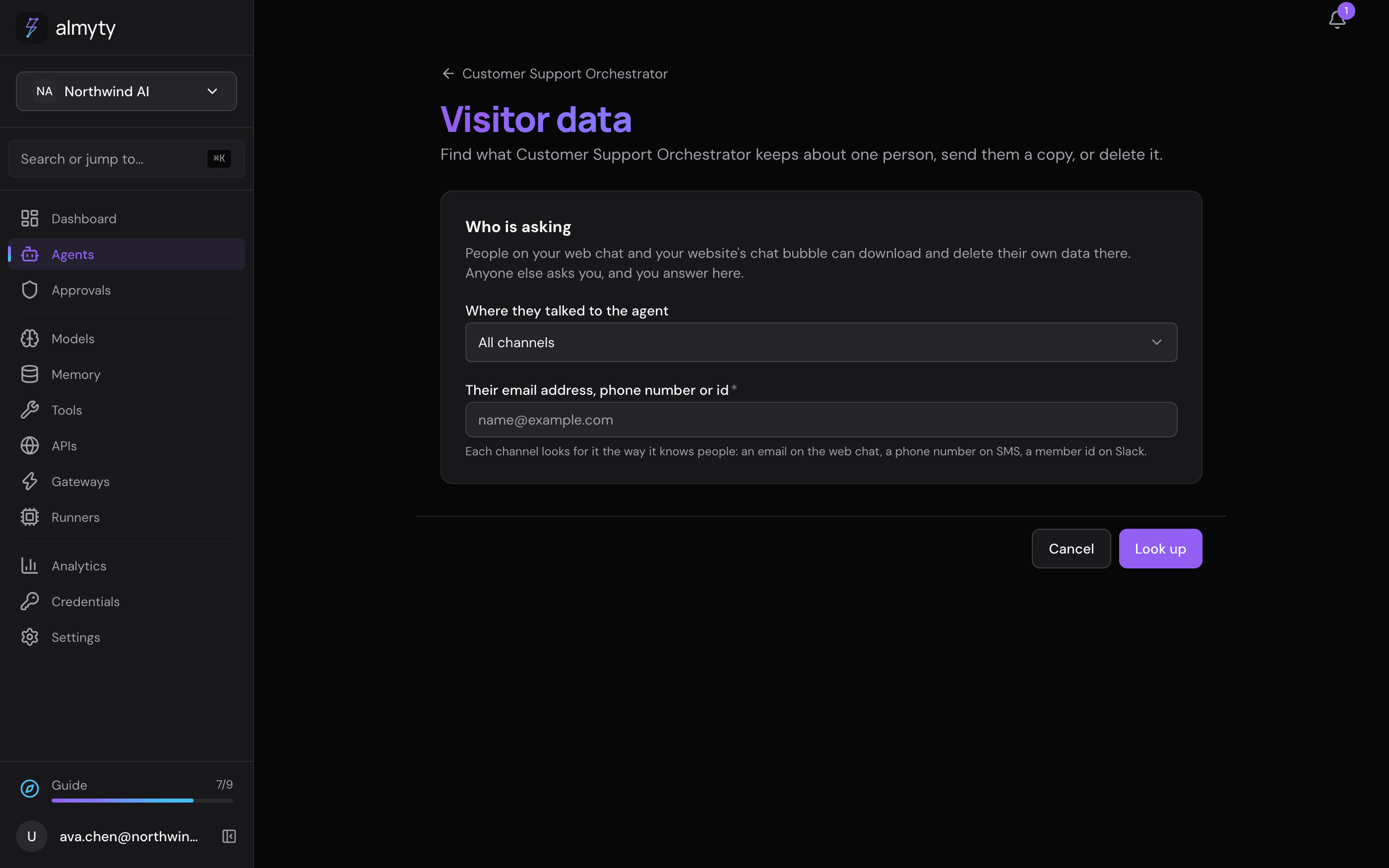
- Click Visitor data (next to Branding and visitor rules).
- Under Where they talked to the agent, leave All channels, or pick the channel they used if you know it.
- Type what that channel knows them by, and click Look up:
| Channel | What to type |
|---|---|
| Web chat | The email address they signed in with, or the visitor id in the file they downloaded |
| Chat bubble on your website | The conversation id (threadId) in the file they downloaded from it |
| Slack | Their member id, such as U012ABCDEF. In Slack: their profile, then More, then Copy member ID |
| Telegram | Their Telegram user id (a number), not their @name |
| Discord | Their user id. With developer mode on: right-click them, then Copy User ID |
| WhatsApp, SMS, Signal | Their phone number with the country code. Spaces, dashes and brackets do not matter |
| iMessage | The phone number or Apple ID email they wrote from |
| The address they wrote from | |
| Microsoft Teams, Google Chat, Matrix, IRC, Webhook | The id the platform sends for them (29:…, users/…, @name:server, their nick, or the userId your system sends) |
| Other agents (A2A) | The API key id or OAuth client id their agent calls yours with |
With All channels, each channel looks for what you typed the way it knows people: an email address is looked up on the web chat and by email, a phone number on WhatsApp and SMS, and so on.
- The page shows what the assistant keeps about them, in counts and dates: conversations, messages, memories, files, saved replies, messages it never answered and runs, which channels they were found on, and their conversations in a table, each named after the first thing they said in it. Nothing kept means there is nothing to send or delete. Check how the channel writes the id first: a Slack member id is not a display name.
- Download their data gives you a file to send them: every conversation’s messages, the memories (including those kept in an outside memory service, read back from it; if that service cannot give one back just then, the file lists it with a note saying so), the files by name and date, the replies saved for them, and the messages it never answered: when, why, what they wrote and the names of the files they sent.
- Delete their data, after one confirmation, removes everything the assistant keeps about them on those channels. This cannot be undone.
What deleting removes
The same, whether the person does it themselves or you do it for them:
- Their conversations and every message in them.
- The runs behind those conversations (each time the assistant worked on a message), with the steps and tool calls it made, and the runs those started.
- The files they sent, uploaded and not sent yet, or that the assistant made while answering them, and the stored copies of those files.
- Their memories: what the assistant remembered about them in their own memory, and anything those conversations added to the assistant’s other memory. Memories kept in an outside memory service (Mem0, Zep and the like) are deleted there too. If that service does not answer, almyty tries again every hour until it does, and the page tells you.
- The replies saved for them, the deliveries their messages arrived in, and the messages the assistant never answered (because they were over a message limit, the spend limit was reached, or the assistant could not take them).
- On the web chat, their visitor record.
Nothing of another person, another assistant or another organization is touched.
What it does not reach: copies other services keep. The Slack workspace’s own history, the email in your inbox and the messages on someone’s phone are yours to handle on that service. The same goes for what an AI provider or a tool kept from the requests the assistant sent them.
The record of it
Every download and every deletion, by you or by the person, is written to the audit log (Analytics, then Audit; filter by Visitor data sent or Visitor data deleted). The entry says who answered, for which assistant and channel, and how much was removed. It never holds the person’s email address, phone number or id, nor anything that was deleted: the person is written as a code made from what you typed, so someone holding their id can find the entry, and the log itself names no one.
If the record cannot be written, nothing is downloaded or deleted.
How long data is kept anyway
Without a request, visitor data is kept until your retention period removes it. See How long data is kept for the organization’s periods, and Delete visitor data after under Branding and visitor rules for a shorter period for one assistant.
Related
- Hosted chat app: what almyty keeps about a visitor, where it goes and who can read it
- Channels: put an assistant where people are
- Compliance: the GDPR, and what stays your job
For developers
One scope. VisitorDataService (backend/src/modules/gateways/visitor-data.service.ts) is the only code that reads, exports and erases a person’s data. The web chat (DELETE /public/chat/:slug/me, DELETE /public/chat/:slug/conversations/:id, GET /public/chat/:slug/export), the widget (DELETE /gateways/:id/widget/threads/:threadId, GET .../export) and the owner’s requests all build a footprint (runs, child runs, conversations, visitor rows, widget threads, all under one organization and the channels’ gateways) and hand it to the same summarize, export and erase. A source-reading guard (visitor-data.guard.spec.ts) fails the build if one of them erases rows by hand or takes the service as optional.
Finding a person. Web chat: end_users on that gateway by email (case-insensitive), sign-in id or visitor id. Widget: runs with metadata.gatewayId and metadata.threadId. Messaging channels: runs with metadata.gatewayId and metadata.channelUserId; SMS, WhatsApp, Signal and iMessage also match on the digits of a phone number, email and iMessage on an address inside Name <address>. A2A: runs stamped with metadata.a2aCaller (key:<id>, oauth:<client>, jwt:<sub>, user:<id>) by the A2A channel; a bare id matches any of them.
Owner API. Anyone who may manage the agent, the rule agent editing uses (manageableAgent): an organization owner or admin, or the member who owns the agent. Viewers are refused by role; a member is refused for an agent they do not own; another organization’s agent is a 404.
Outside memories in a download. Each is read back from its service by the id the service knows it by (MemoryRouter.getOn, through the service’s own client and its egress gate), five seconds each. One that cannot be read (service down, refused, slow, or no way to read one memory) is listed with its id, service and a note. A lookup counts them without asking the service.
Messages that never became a run. A messaging channel writes the sender on every inbound delivery it accepts (channel_events.senderId, the same id it puts on a run as channelUserId). A delivery with no run (sender over the message limit, spend limit reached, run refused) is found by that sender with the same matching rules, counted as unanswered, exported with its date, reason and what it said, and deleted with the rest. What it said is kept on the delivery as the channel normalized it (channel_events.message: the text, at most 20,000 characters, and up to 20 file names), never the platform’s raw delivery, which also carries your workspace and bot ids; it goes with the row on erasure and when the channel’s retention sweeps it. A delivery whose signature failed was never read, so it has no sender and is left to retention.
POST /agents/:agentId/visitor-data/lookup   { "id": "+14155550100", "channelId": "<optional>" }
POST /agents/:agentId/visitor-data/export   same body; the JSON file
POST /agents/:agentId/visitor-data/erase    same body; counts of what was removed
POST throughout, so the identifier stays out of URLs and access logs. Without channelId every channel of the agent that people talk to (web chat, widget, messaging, A2A) is searched. An unknown channelId, or one of another agent, is a 404.
Erasure. Stored file objects and outside memories go first (an object whose row is gone could never be found again); then, in one transaction, memories in almyty’s store (the visitor’s own scope, and any whose provenance.session_id is one of the runs), channel events, tool executions, runs, messages, conversations and visitor rows, with the audit row last. An outside memory is found by its memory_expiries row (by the visitor’s scope, or by run_id, the run that saved it); one the service would not delete gets expires_at = now() and the hourly sweep retries it (memoriesPending in the answer).
Audit. visitor_data_export and visitor_data_erase on resource agent, with details: { request, by: "owner" | "visitor", channel, subject, counts }. subject is sha256(organizationId:identifier), lower-cased and trimmed, first 24 hex characters. An export is refused with 503 when its audit row cannot be written; an erasure’s audit row commits in the erasure’s transaction.