Providers
A provider is where the AI models run: a company such as OpenAI or Mistral that you reach with your own key, a server you run yourself, Ollama, or a cloud account. This page is the list of providers almyty can connect to and what each one needs. To connect one step by step, see Connect a provider.
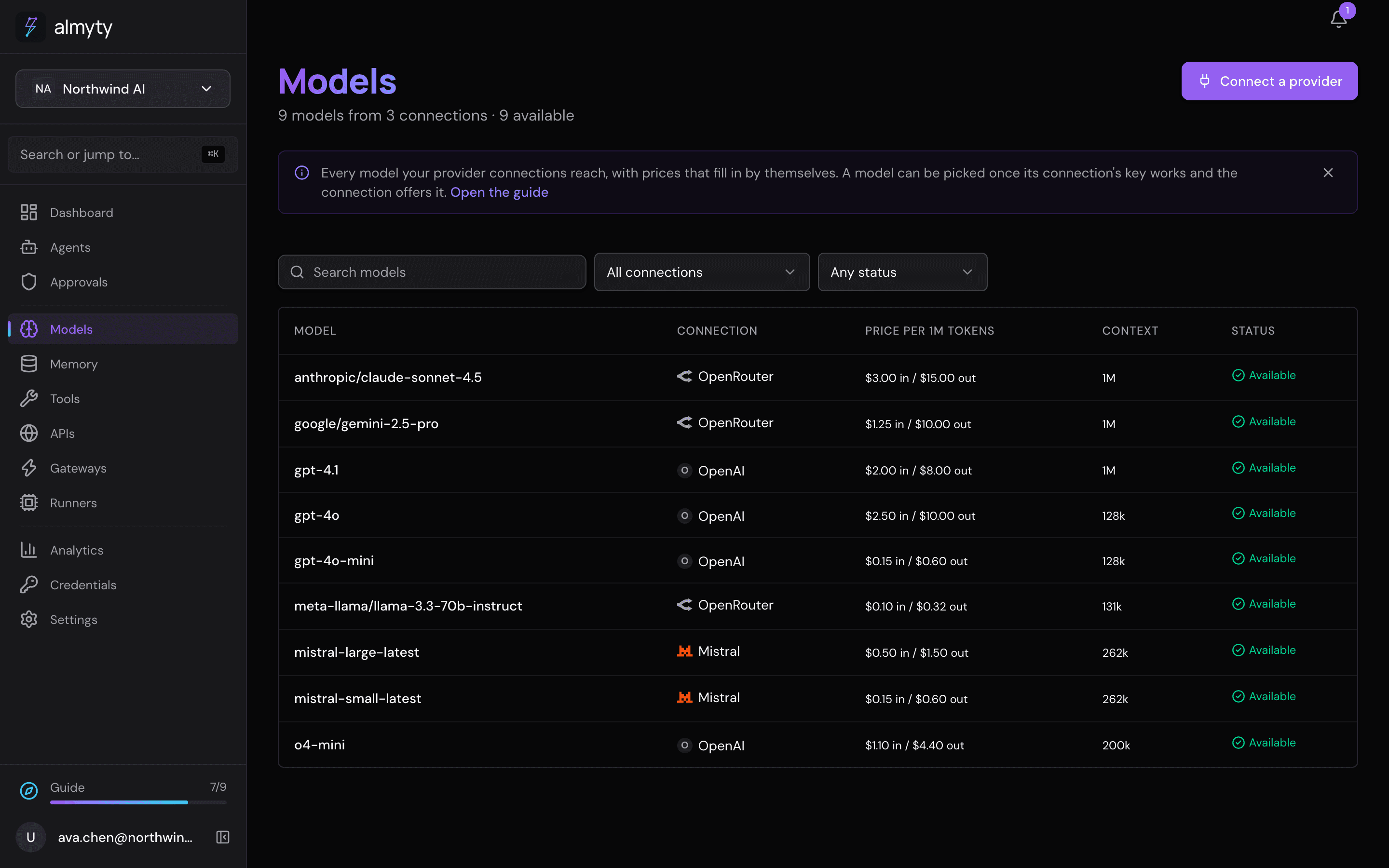
almyty connects to 39 kinds of provider: 38 named vendors, plus Your own server, which takes any server that answers in the OpenAI format. Connect as many as you like; every model their keys reach appears on the Models page, ready to use once the key check passes.
A vendor’s API or your cloud
- A vendor’s API hosts models and answers chat requests. almyty calls it with your key, or calls your own server at its URL. Every provider in the tables at the end of this page is one of these.
- Your cloud account runs an open model you pick on capacity in your own account, which almyty starts, sizes and stops. You connect the cloud account like any other provider and use Start a model under Open models on this account on its page. A few names appear on both lists (Together, Fireworks, Baseten, Nebius, DigitalOcean, Modal) because the vendor both serves a pay-per-call catalog and rents dedicated capacity.
DigitalOcean is the clearest case of both: Gradient Serverless Inference is a pay-per-call provider here, nothing to start. Gradient Dedicated Inference is a cloud you run a model on with reserved GPUs. They are different products behind the same account.
Your own server
If you run a model yourself (for example with vLLM, TGI, llama.cpp or a proxy), or use a vendor that is not on the list, connect it as Your own server. It works with anything that answers in the OpenAI chat format.
- Open Models and click Connect a provider.
- Pick Your own server (OpenAI-compatible).
- Give its address and, if the server asks for one, a key.
- Click Save. almyty checks it with one real call and lists the models the server offers.
Choosing Ollama shows Where Ollama runs. Ollama Cloud is picked first; choose Your own server for an Ollama you run.
Your own server has no price in the automatic price list. To let Automatic weigh its models by cost, give them a price under Advanced on the connection’s page; otherwise they are tried last. Set their privacy level there too (local for a machine in your office). On hosted almyty the server must be reachable at a public address.
Keys
Each connection holds its own key. The key is kept in Credentials under the connection’s name (renaming one renames the other), encrypted, and never shown again. The connect form links to each vendor’s page for creating a key. Instead of pasting a key, Use a saved key instead picks one already in Credentials; its Create one here adds one without leaving the form, including by signing in with vendors that offer it (OpenRouter makes a key for almyty when you approve it). The same key also shows up in every key picker, since it serves the provider’s other services (images, speech, embeddings).
Keys are encrypted with the platform key, or your own key management service on Enterprise.
Related
- Connect a provider: the connect page, the provider’s page and the key check
- Models: the list, when a model is usable, and pricing
- Your cloud account: start an open model on capacity in your own account
- Credentials: keys, sign-in flows and who may use them
For developers
Connect your own server over the API
The type of Your own server is custom; anything that answers POST <base>/chat/completions works, and its models are read from GET <base>/models. An Ollama you run is the ollama type and its pulled models come from GET /api/tags.
curl -X POST https://api.almyty.com/llm-providers/connect \
  -H "Authorization: Bearer $TOKEN" \
  -H "Content-Type: application/json" \
  -d '{
    "type": "custom",
    "name": "Lab box",
    "configuration": { "apiUrl": "http://10.0.0.7:8000/v1", "apiKey": "..." }
  }'
The answer carries the provider and the models it found. A model the server serves but does not list can still be added against the provider with POST /models (or npx @almyty/models register); it is usable when the provider is. A server on a private or loopback address needs LLM_ALLOW_PRIVATE_URLS=true on a self-hosted API (OLLAMA_ALLOW_PRIVATE_URLS=true for the ollama type).
Verification
Every row below was checked against the vendor’s current documentation on 2026-09-09, with a source URL per row in docs/design/call-only-vendors.md. Where a doc was ambiguous, an unauthenticated HTTP or DNS probe filled the gap. No live API key was used for any of it: nothing here was tested against a real account. Anything a vendor’s docs do not state is marked “not documented” rather than assumed.
Provider types
First-party model vendors
| Type | Vendor | Default base URL | Auth | Live model list | Tools | Stream |
|---|---|---|---|---|---|---|
openai | OpenAI | https://api.openai.com/v1 | Authorization: Bearer | yes | yes | yes |
anthropic | Anthropic | https://api.anthropic.com/v1 | x-api-key + anthropic-version | yes, requests the documented maximum page size | yes | yes |
google | Google Gemini | https://generativelanguage.googleapis.com/v1beta | x-goog-api-key header | yes | yes | yes |
mistral | Mistral AI | https://api.mistral.ai/v1 | Authorization: Bearer | yes | yes | yes |
xai | xAI (Grok) | https://api.x.ai/v1 | Authorization: Bearer | yes | yes | yes |
deepseek | DeepSeek | https://api.deepseek.com | Authorization: Bearer | yes | yes | yes |
moonshot | Moonshot (Kimi) | https://api.moonshot.ai/v1 | Authorization: Bearer | yes | yes | yes |
qwen | Qwen (QwenCloud) | https://dashscope-intl.aliyuncs.com/compatible-mode/v1 | Authorization: Bearer | none documented | yes | yes |
zai | Z.ai (GLM) | https://api.z.ai/api/paas/v4 | Authorization: Bearer | none documented | yes | yes |
cohere | Cohere | https://api.cohere.ai/compatibility/v1 | Authorization: Bearer | yes, from the native /v1/models | yes | yes |
perplexity | Perplexity | https://api.perplexity.ai/v1 (Responses-shaped) | Authorization: Bearer | yes, unauthenticated | yes, flat Responses shape | yes |
minimax | MiniMax | https://api.minimax.io/v1 | Authorization: Bearer | yes | yes | yes |
upstage | Upstage Solar | https://api.upstage.ai/v1 | Authorization: Bearer | yes | yes | yes |
writer | Writer (Palmyra) | https://api.writer.com/v1 | Authorization: Bearer | yes | yes | yes |
qianfan | Baidu ERNIE (Qianfan) | https://qianfan.baidubce.com/v2 | Authorization: Bearer | yes | yes | yes |
hunyuan | Tencent Hunyuan (TokenHub) | https://tokenhub-intl.tencentcloudmaas.com/v1 | Authorization: Bearer | yes | yes | yes |
volcengine | ByteDance Doubao (Ark) | https://ark.ap-southeast.bytepluses.com/api/v3, or the mainland endpoint via ark.edition | Authorization: Bearer | none documented | yes | yes |
spark | iFlytek Spark | https://spark-api-open.xf-yun.com/x2, generation selected by spark.generation | Authorization: Bearer | none documented | yes | yes |
Aggregators and OpenAI-compatible hosts
| Type | Vendor | Default base URL | Auth | Live model list | Tools | Stream |
|---|---|---|---|---|---|---|
openrouter | OpenRouter | https://openrouter.ai/api/v1 | Bearer + HTTP-Referer + X-OpenRouter-Title | yes, unauthenticated | yes | yes |
groq | Groq | https://api.groq.com/openai/v1 | Authorization: Bearer | yes | yes | yes |
together | Together AI | https://api.together.ai/v1 | Authorization: Bearer | yes (the response is a bare array, not {data:[...]}, and the parser handles both) | yes | yes |
fireworks | Fireworks AI | https://api.fireworks.ai/inference/v1 | Authorization: Bearer | not documented on the OpenAI-compatible surface | yes | yes |
cerebras | Cerebras | https://api.cerebras.ai/v1 | Authorization: Bearer | yes | yes | yes |
deepinfra | DeepInfra | https://api.deepinfra.com/v1/openai | Authorization: Bearer | yes, from https://api.deepinfra.com/v1/models (one segment above the chat base) | yes | yes |
novita | Novita | https://api.novita.ai/openai/v1 | Authorization: Bearer | yes | yes | yes |
baseten | Baseten | https://inference.baseten.co/v1 | Authorization: Bearer | yes | yes | yes |
nebius | Nebius Token Factory | https://api.tokenfactory.nebius.com/v1 | Authorization: Bearer | yes | yes | not documented |
sambanova | SambaNova | https://api.sambanova.ai/v1 | Authorization: Bearer | none documented | yes | yes |
huggingface | Hugging Face | https://router.huggingface.co/v1 | Authorization: Bearer hf_... | yes, with per-provider supports_tools and pricing | yes | yes |
straitly | Straitly | https://api.straitly.ai/v1 | Authorization: Bearer | yes | yes | yes |
Inference APIs in your own cloud account
| Type | Vendor | Default base URL | Auth | Live model list | Tools | Stream |
|---|---|---|---|---|---|---|
azure_openai | Azure OpenAI | https://{resource}.openai.azure.com/openai/v1 | api-key header | yes, the resource’s catalog, not its deployments | yes | yes |
azure_ai_foundry | Azure AI Foundry | https://{resource}.services.ai.azure.com/openai/v1 | Authorization: Bearer or api-key | yes | yes | yes |
aws_bedrock | AWS Bedrock | https://bedrock-runtime.{region}.amazonaws.com/openai/v1 | Authorization: Bearer (Bedrock API key, no SigV4) | yes | client-side | yes |
vertex_ai | Google Vertex AI | https://aiplatform.googleapis.com/v1/projects/{project}/locations/{location}/endpoints/openapi | Authorization: Bearer (short-lived OAuth token) | none on this surface | yes | yes |
Vendor serverless, pay per call
| Type | Vendor | Default base URL | Auth | Live model list | Tools | Stream |
|---|---|---|---|---|---|---|
digitalocean | DigitalOcean Gradient | https://inference.do-ai.run/v1 | Authorization: Bearer (model access key) | yes | not documented | implied, not shown in a documented example |
runpod | RunPod | https://api.runpod.ai/v2/{endpoint}/openai/v1 | Authorization: Bearer rpa_... | yes, scoped to that endpoint | per-model | yes |
modal | Modal | https://inference.us-west.modal.direct/v1 | Authorization: Bearer wk-<id>.ws-<secret> | yes, scoped to the token | implied, not shown | implied, not shown |
Local and generic
| Type | Vendor | Default base URL | Auth | Live model list | Tools | Stream |
|---|---|---|---|---|---|---|
ollama | Ollama | Ollama Cloud https://ollama.com/v1 from the tile; http://localhost:11434/v1 when an API call gives no apiUrl | Bearer key for Ollama Cloud; none for your own server (optional Bearer behind a proxy) | yes, native GET /api/tags | yes | yes |
custom | Custom (any OpenAI-compatible server) | your configuration.apiUrl | per custom.authMethod | yes, GET <base>/models | operator’s | operator’s |
Every native type ships with its default base URL; set configuration.apiUrl to point at a compatible proxy instead. There is no top-level baseUrl field. The key field takes whatever token the vendor issues and is encrypted at rest.
Live model list. Where the vendor serves a listing, the model dropdown is populated from it, a configured model is checked against it on save, and a blank model resolves to the vendor’s current default by family, never a hardcoded id. Where no listing exists, a blank model resolves to NO_MODEL_CONFIGURED rather than a guessed id; the health check and the catalog surface the vendor’s own reason when a request still fails.
Dispatch. Most types ride the OpenAI-compatible chat client: <base>/chat/completions with a Bearer key (or an api-key header for the two Azure surfaces). Anthropic, Gemini, Cohere, Perplexity, Vertex AI and Hugging Face have their own request shapes, and Writer is OpenAI-shaped in body but posts to /chat rather than /chat/completions; nothing vendor-specific is added for a plain OpenAI-compatible host beyond its base URL, its auth header, its key page and its price-feed namespace.
Notes per vendor
- AWS Bedrock answers through the
bedrock-runtimeOpenAI-compatible surface with a Bedrock API key sent as a plain bearer token. There is no SigV4 signing. Claude is not served on this surface: the API compatibility matrix lists ChatCompletions as unsupported for every Claude row on Bedrock, so Claude requires the native Converse or Messages API, which almyty does not call here. Models that do work include the OpenAI, xAI, Qwen, Z.ai and Writer families. Model ids are often inference profile ids (us.,global.prefixed), read from the live list rather than hardcoded. - Azure OpenAI uses the
/openai/v1data-plane surface with noapi-versionquery string, and the key travels asapi-key, notAuthorization: Bearer, because on this surface a bearer token means an Entra ID token and fails. The listing is the resource’s catalog, not its deployments, so the deployment name is still what you name as the model. - Vertex AI cannot use a static API key. Google’s docs state that only Google Cloud Auth works on this OpenAI-compatible surface; the credential is a service-account JSON key (or a pasted access token), and a short-lived OAuth token is minted per call. It serves no model list on this surface, so a model must be named at save time. Partner models on Vertex (Claude, Mistral, Grok, Jamba) run through Model Garden’s native
:rawPredict, not this surface, sovertex_aionly serves Gemini plus self-deployed endpoints. Llama on Vertex Model-as-a-Service is retired. - Qwen, Z.ai, SambaNova and Fireworks document no model listing on their OpenAI-compatible surface (nor do Doubao Ark and Spark). Connecting one asks for the model to use, and that model is what it serves in almyty; add more with
POST /models. - Azure OpenAI, Azure AI Foundry and Modal cannot be validated by key alone.
modelis the customer’s own deployment or endpoint name, so a valid key against nothing deployed still cannot answer. Modal in particular needs a Shared Endpoint created first from its own dashboard. - RunPod always carries an endpoint id in the URL. There is no shared base URL: for the public catalog it is a shared model slug, for a private worker it is the customer’s own endpoint id. Either way it is a required field.
- DigitalOcean’s tool calling is not documented on the Gradient Serverless Inference surface, and streaming is only implied by “OpenAI-compatible” rather than shown in a documented example. Nebius streaming is not documented either, though the rest of the surface is OpenAI-compatible. None of these is asserted as working; the health check is what tells you.
- Perplexity is Responses-shaped, not Chat Completions, and the Router API is still private preview. The default base targets the Responses-shaped surface a paying customer can use.
- Hosts that serve other authors’ open models (DeepInfra, Novita, Together, Fireworks, Baseten, Nebius, SambaNova, Cerebras, RunPod, Modal, OpenRouter) are priced from the feed under their own namespace. A DeepSeek model on RunPod is never billed at DeepSeek’s list price; without a feed quote it stays unpriced. DigitalOcean, RunPod and Modal currently have no LiteLLM namespace at all, so models there are unpriced until one exists.
- Usage reconciliation. Only OpenAI and Anthropic document a usage or billing API almyty can ingest, so cost governance cannot reconcile estimates against actuals for anything else.
- Replicate is not a provider type: its API is predictions-based and has no chat-completions endpoint to ride.