Audit export & SIEM streaming
Give your security team a file of everything that happened, and send the same events straight into the security tools they already watch. For example: download every change made to your agents last quarter as a spreadsheet for an auditor, or have every credential use appear in Splunk or Datadog within seconds.
The audit log (who did what, to which item, from which IP address) is free and always readable under Analytics → Audit trail. The Business and Enterprise plans add:
- Export: download the audit log as CSV (opens in a spreadsheet) or JSON.
- Streaming: forward each event as it happens to a SIEM (security information and event management: the system a security team uses to collect and alert on events, such as Splunk or Datadog), or to any web address that accepts it.
Download the audit log
- Open Analytics → Audit trail.
- Filter it to what you need, such as a type of item or a kind of action.
- Click CSV or JSON next to the filters. The file downloads straight away.
An export holds up to 50,000 rows. Only admins and owners can export. The Export CSV and Export JSON buttons at the top of the Analytics page download the request log, not the audit log.
Stream events to your security tools
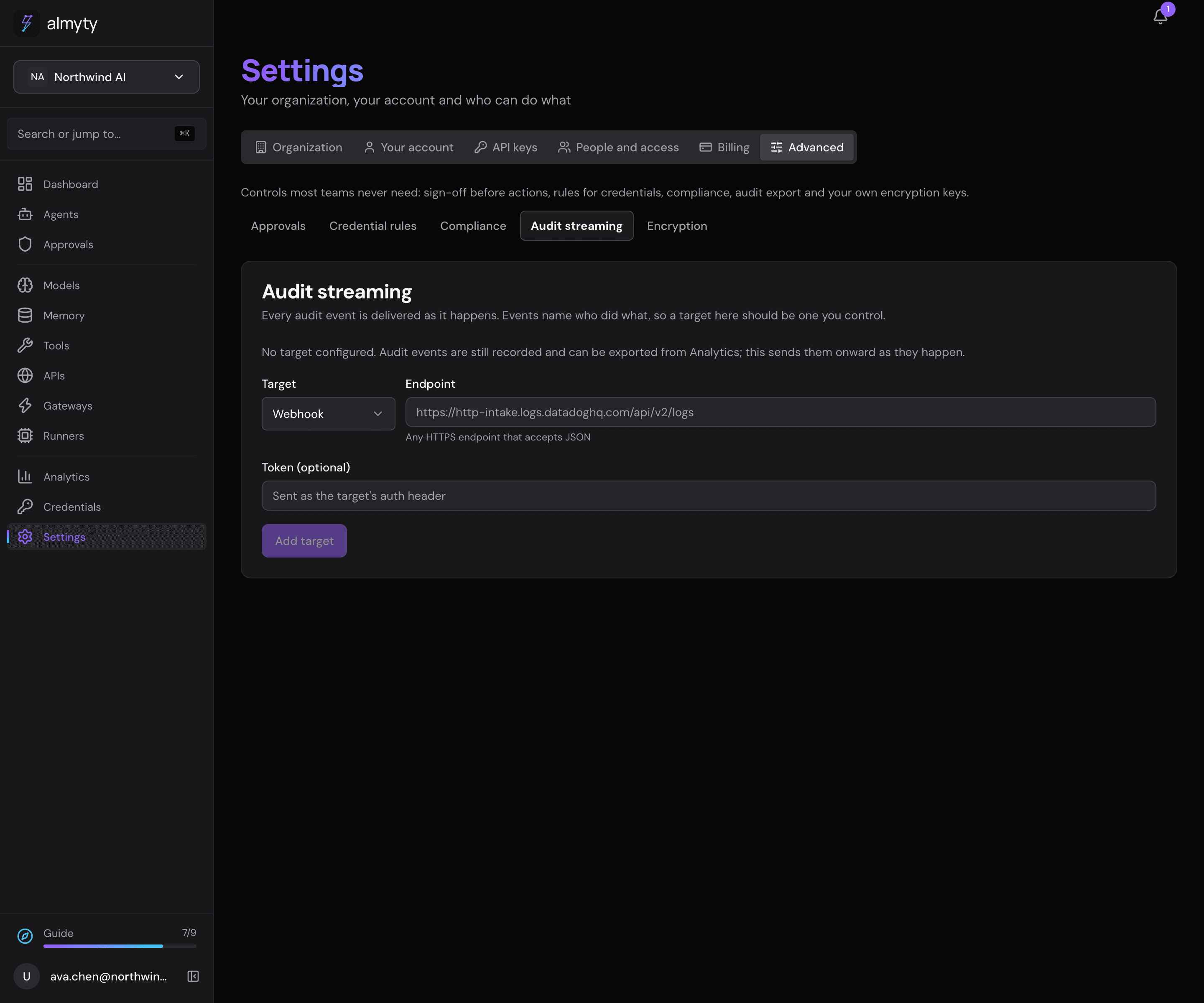
- Open Settings → Advanced → Audit streaming.
- Under Add target, pick the Target: Splunk HEC (Splunk’s HTTP Event Collector), Datadog (its logs intake) or Webhook (any HTTPS address that accepts JSON).
- Enter the Endpoint your security team gives you and, if it needs one, the Token (optional).
- Click Add target.
From then on, every audit event is sent there as it happens. This demo has no targets yet:
Good to know. Streaming is best effort: events are sent one at a time, without batching or retries, and a failed delivery never blocks or fails the action behind it. Treat the stream as a live feed; the audit log in almyty (and its export) is the full record.
For developers
Export. Filters: date range, resourceType, action, userId. The file downloads as audit-export-YYYY-MM-DD.json|csv with an X-Audit-Export-Count header. CSV columns: id, createdAt, organizationId, userId, userEmail, action, resourceType, resourceId, resourceName, status, ipAddress, details. The endpoint and its query parameters are in the API reference.
Streams. A stream is a target type, an endpoint, a token and an optional action filter:
{
  "target": "splunk_hec",
  "endpoint": "https://splunk.example.com:8088/services/collector",
  "token": "…",
  "actionFilter": ["credential_use", "agent_delete"]
}
actionFilter is set through the API only; without it everything is streamed.
target | Auth | Payload |
|---|---|---|
webhook | Authorization: Bearer <token> | {"type": "audit.event", "event": {…}} |
splunk_hec | Authorization: Splunk <token> | HEC event, sourcetype: almyty:audit |
datadog | DD-API-KEY: <token> | Datadog Logs API format, ddsource: almyty, tagged action:<action> |
Each stream records its last successful delivery (lastDeliveredAt) and most recent failure (lastError), readable through the API, so a dead endpoint is easy to spot.