Decide who signs off, once, for every assistant
Set the sign-off rules for your whole organization in one place, instead of repeating them in every assistant’s instructions. For example: refunds over $500 need a finance lead; anything over $5,000 needs a finance lead and then an admin. Whenever any assistant asks for approval, the matching rule decides who has to say yes, and every decision is recorded.
Approval rules need the Business plan. Without them, any owner or admin can approve a request on their own.
What you need
- An assistant that asks for approval before risky steps (see Approvals).
- The Business plan, for rules with several steps or several approvers.
How to build it
-
Tell the assistant when to ask. In the assistant’s instructions, and as a rule on its Constraints tab, say what needs a person first, for example “Ask for approval before any refund over $500”. When it asks, its run pauses. The assistant decides to ask because you told it to, so keep the rule short and clear. For an amount, add an amount rule as well (Settings → Advanced → Approvals → Ask before large amounts, free on every plan): almyty then checks every refund call itself before it runs, whatever the assistant was told. See ask before a large amount.
-
Tell the assistant when to ask. In the assistant’s instructions, and as a rule on its Constraints tab, say what needs a person first, for example “Ask for approval before any refund over $500”. When it asks, its run pauses. The assistant decides to ask because you told it to, so keep the rule short and clear.
-
Write the rule. Open Settings, then Approvals under Advanced, and click New policy. Under Match conditions, click Add condition to say which requests it covers (for example, an amount over 500). Under Approval steps, click Add step for each sign-off, in order: who approves it, and how many people must. Click Create policy.
-
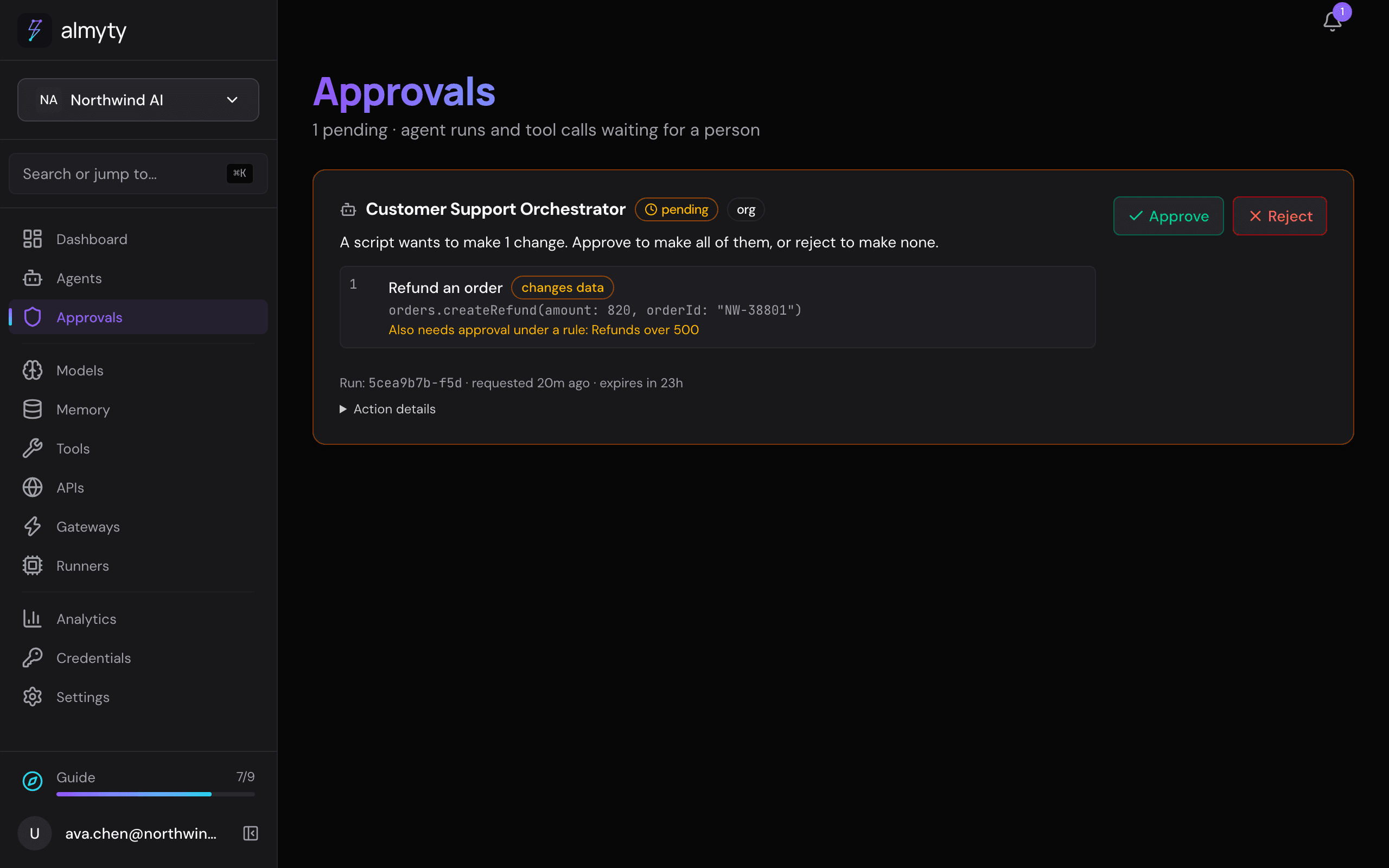
Approve or reject. Paused requests appear on the Approvals page with the reason and the amount. Here the demo’s support assistant stopped on an $820 refund for Brightway Logistics:
-
Check the record. The run carries on after the last approval, or stops on a rejection. Both are in the audit trail, with who decided and when (see Stream your audit trail).
Ideas
- Different amounts, different people: one approver under $5,000, two steps above.
- Rules for one team’s assistants only, so each team’s own lead signs off.
- New assistants follow the same rules as soon as they ask for approval.